Transferring calls to a person
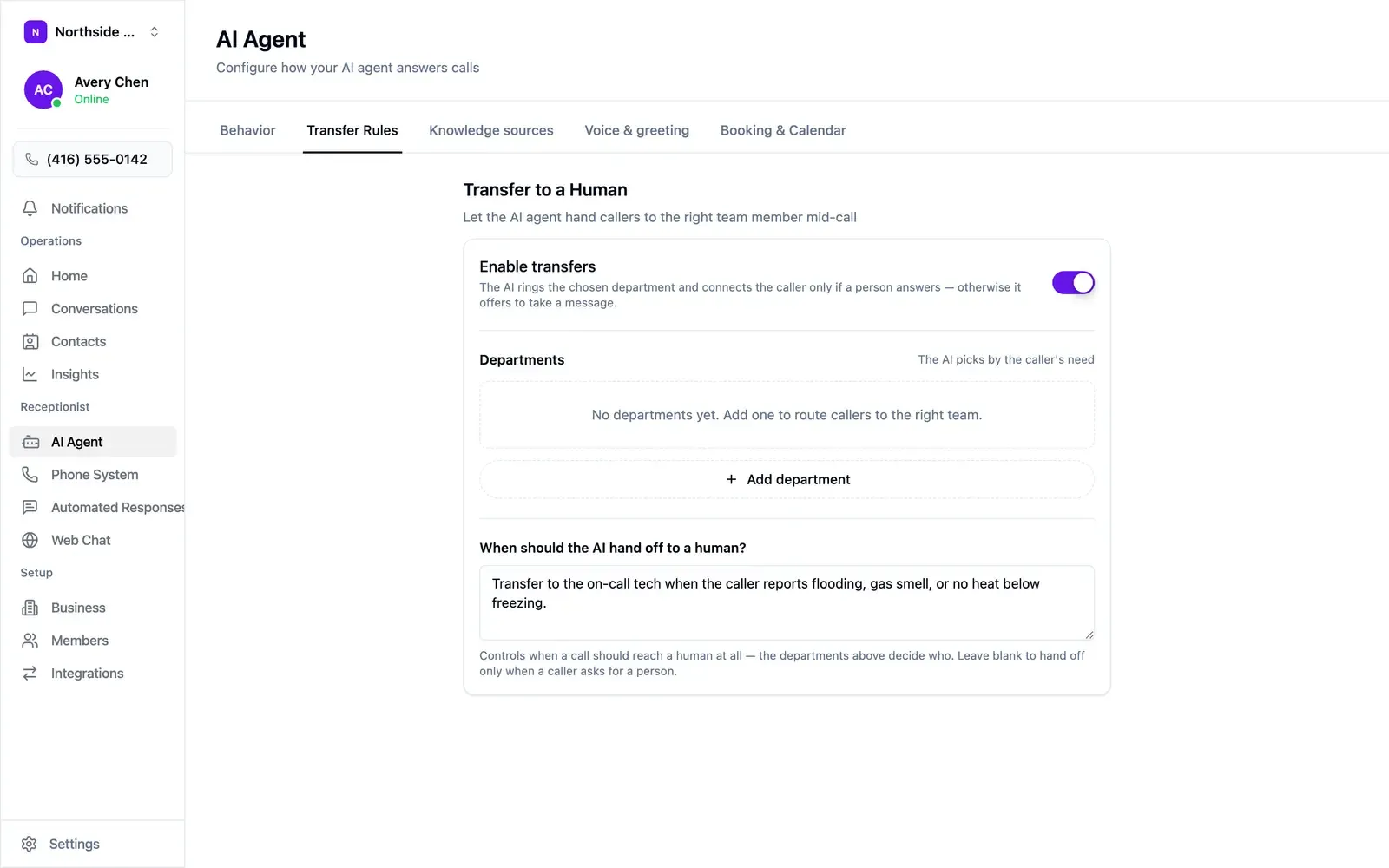
Open AI Agent → Transfer Rules and switch on Enable transfers. On a transfer, your agent rings the chosen department and connects the caller once someone answers. If the department doesn’t pick up, the agent offers to take a message.
Departments
Section titled “Departments”Departments are who a call goes to — an on-call technician, a front desk, a service manager. Your agent picks between them based on what the caller needs.
Choose + Add department to create one. Transfers need at least one department.
When to hand off
Section titled “When to hand off”Describe the situations in plain English in the When should the AI hand off to a human? box:
Transfer to the on-call tech when the caller reports flooding, gas smell, or no heat below freezing.
Leave the box empty and your agent hands off when a caller asks for a person.
Tuning it
Section titled “Tuning it”- Start with explicit requests only — leave the hand-off box empty.
- Listen to a week of calls in the inbox.
- Write a hand-off rule for each call you wish had come through to you.
Safety situations are worth a rule on day one: a gas smell or an active flood is usually something to hear about directly.