Insights and reporting
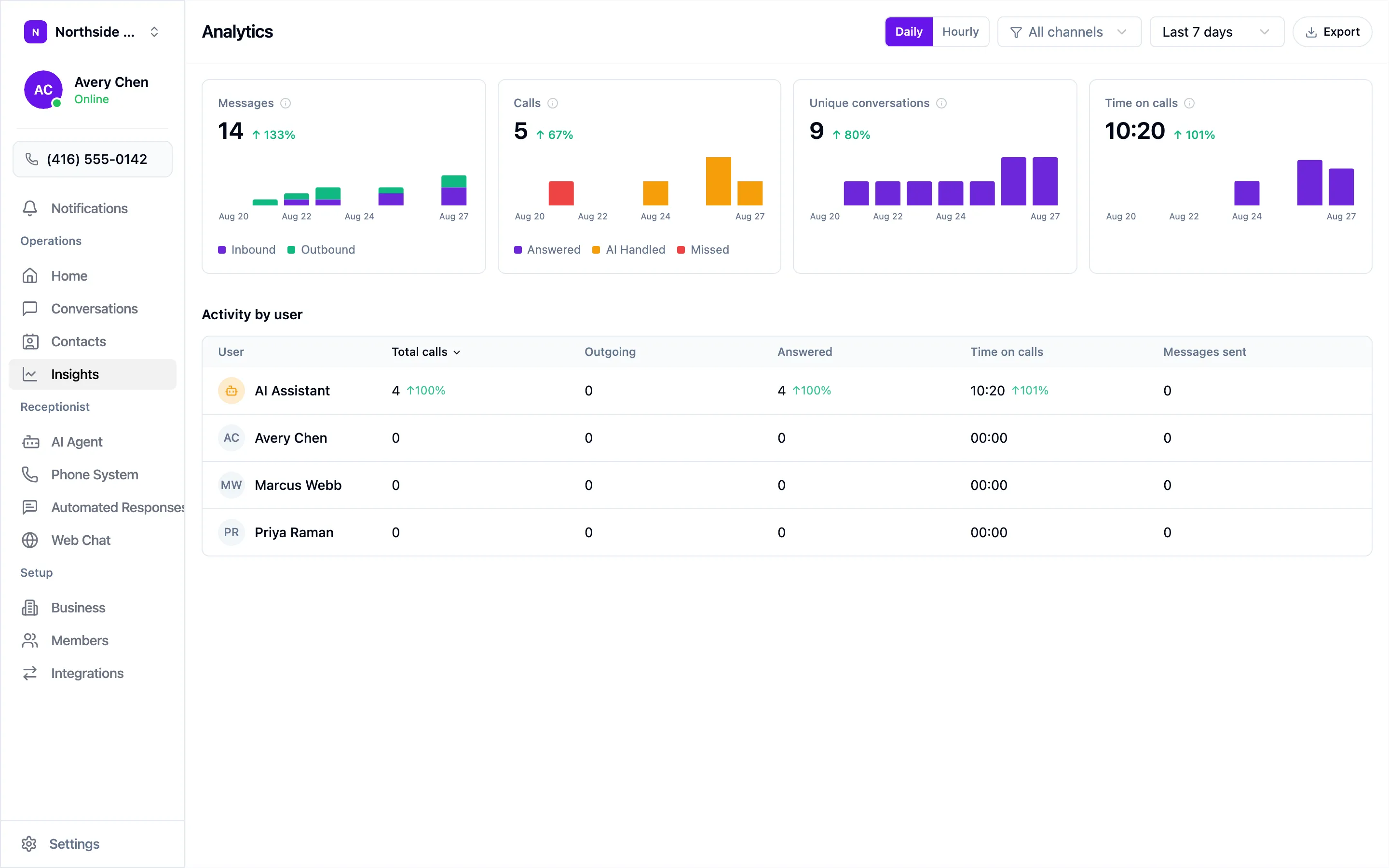
Insights in the sidebar breaks down your call and message volume. Switch between Daily and Hourly, filter by channel, change the date range, and Export to take the numbers elsewhere.
The four cards
Section titled “The four cards”- Messages — inbound and outbound.
- Calls — Answered, AI Handled, and Missed.
- Unique conversations — distinct people. Ten texts from one caller is one conversation.
- Time on calls — total talk time across the period.
Each shows the change against the previous period.
Activity by user
Section titled “Activity by user”The table underneath breaks the same numbers down per person, with your AI assistant as its own row — the split between what your agent absorbed and what reached your team.
What to watch
Section titled “What to watch”- In your first week — Missed. Calls still going unanswered usually mean an unforwarded number or a call flow that skips your agent.
- Once you’re settled — the AI Handled share alongside your time on calls.
- After any change — a new greeting, new rules, booking switched on — note the date and compare the weeks either side.
Home shows a seven-day summary of the same figures, with View insights to jump here.