Configuring your AI agent
AI Agent has six tabs: Behavior, Transfer Rules, Email, Knowledge sources, Voice & greeting, and Booking & Calendar. This guide covers Voice & greeting. The others have their own: behaviour rules and knowledge sources, transfers, email, and booking.
The greeting
Section titled “The greeting”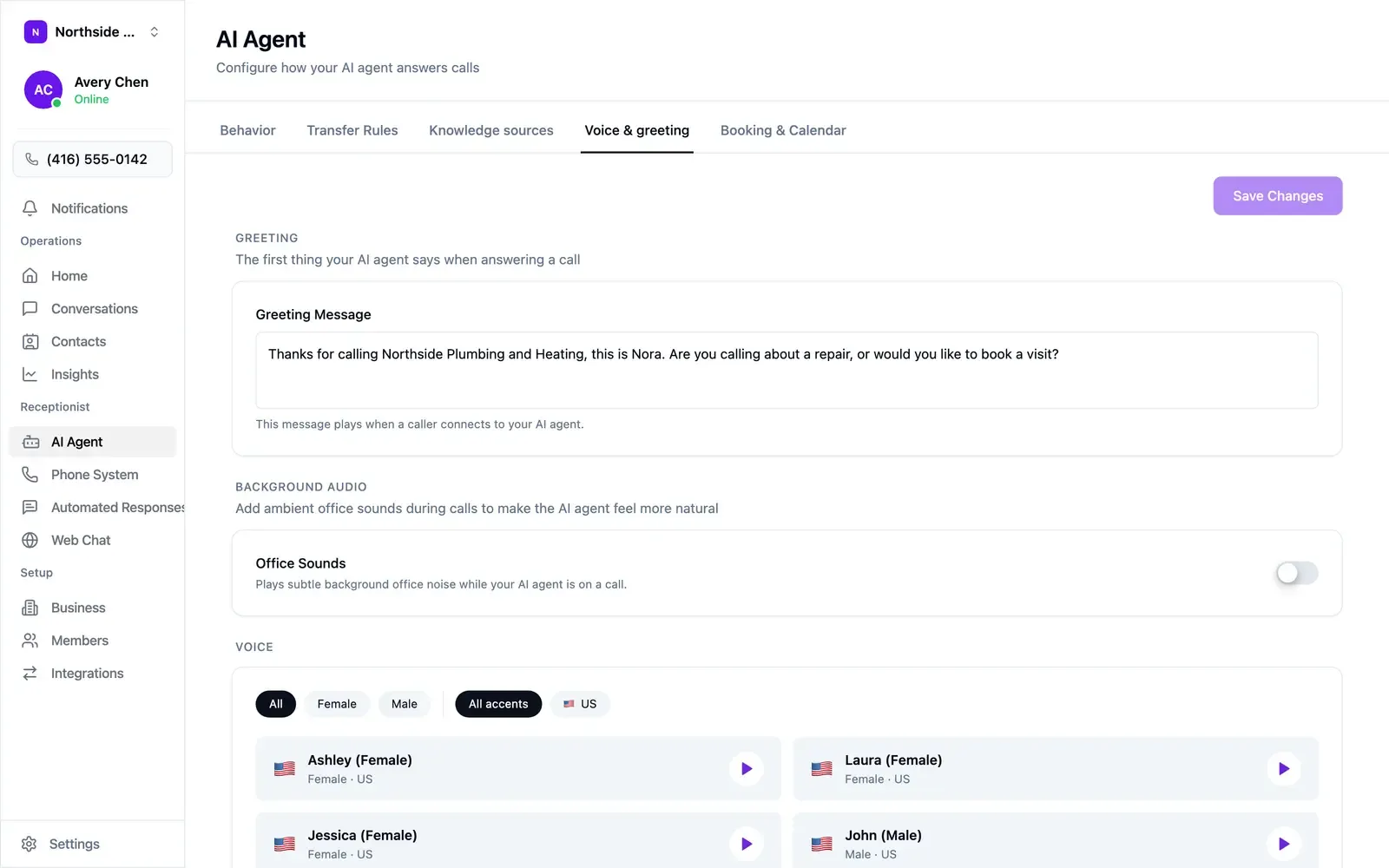
One or two sentences ending in a question. Name the business, name the agent, and offer the caller a path:
Thanks for calling Northside Plumbing and Heating, this is Nora. Are you calling about a repair, or would you like to book a visit?
Select Save Changes when you’re done — this tab saves on demand.
Picking a voice
Section titled “Picking a voice”The voice library sits under the greeting.
- Filter by gender and accent.
- Use the play button to hear a sample, with your own greeting in mind.
- Office Sounds, just above the voice list, adds faint background office noise to calls. Off by default.
Fixing pronunciation
Section titled “Fixing pronunciation”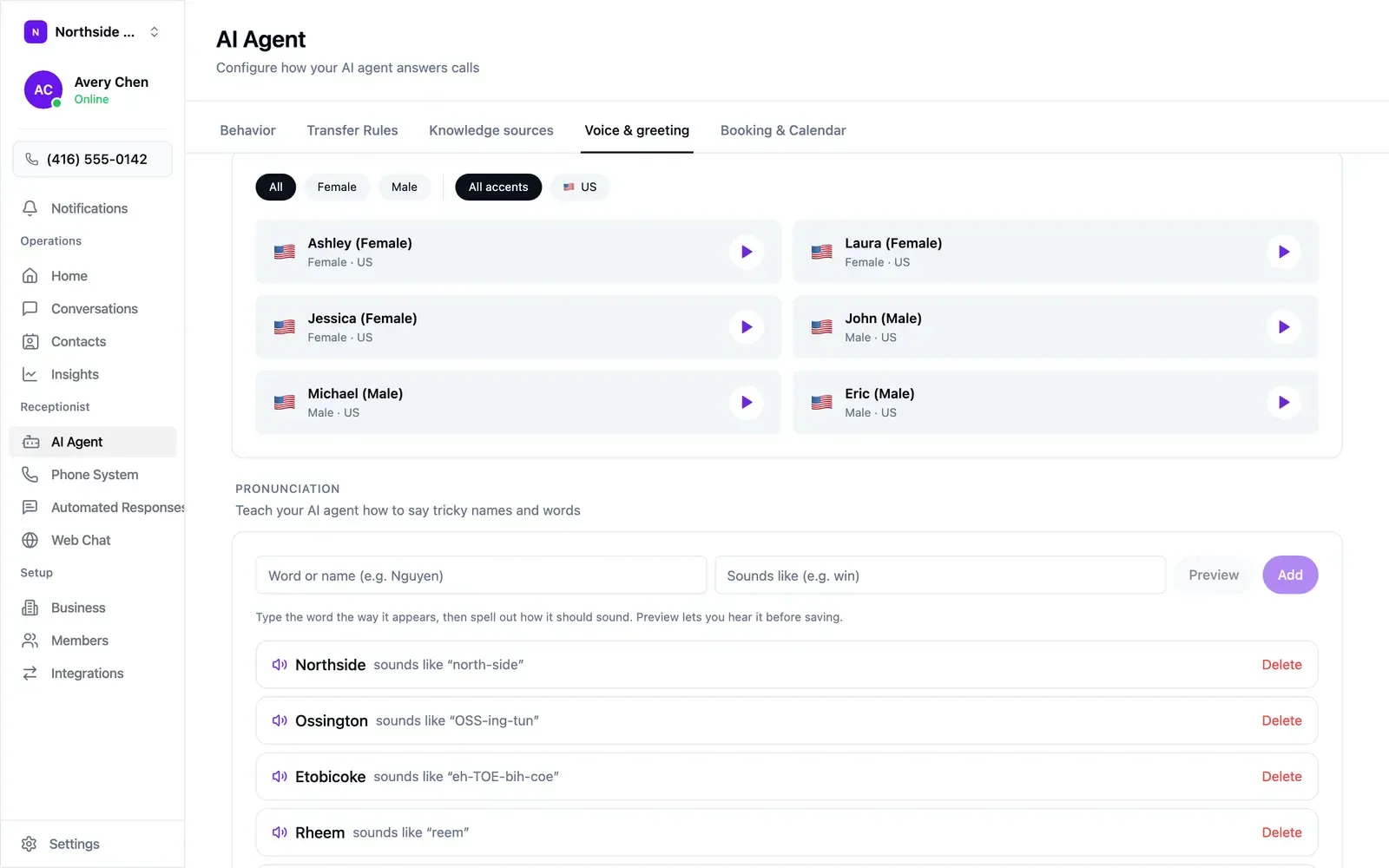
Street names, brand names, and surnames are worth teaching. Scroll to Pronunciation at the bottom of the Voice & greeting tab, enter the word as written, spell out how it sounds, and use Preview before saving. Capitals mark the stressed syllable.
| Word | Sounds like |
|---|---|
| Northside | north-side |
| Ossington | OSS-ing-tun |
| Etobicoke | eh-TOE-bih-coe |
| Rheem | reem |
Add entries as you catch them: the neighbourhoods you serve, the brands you carry, and your own business name.