Letting callers book appointments
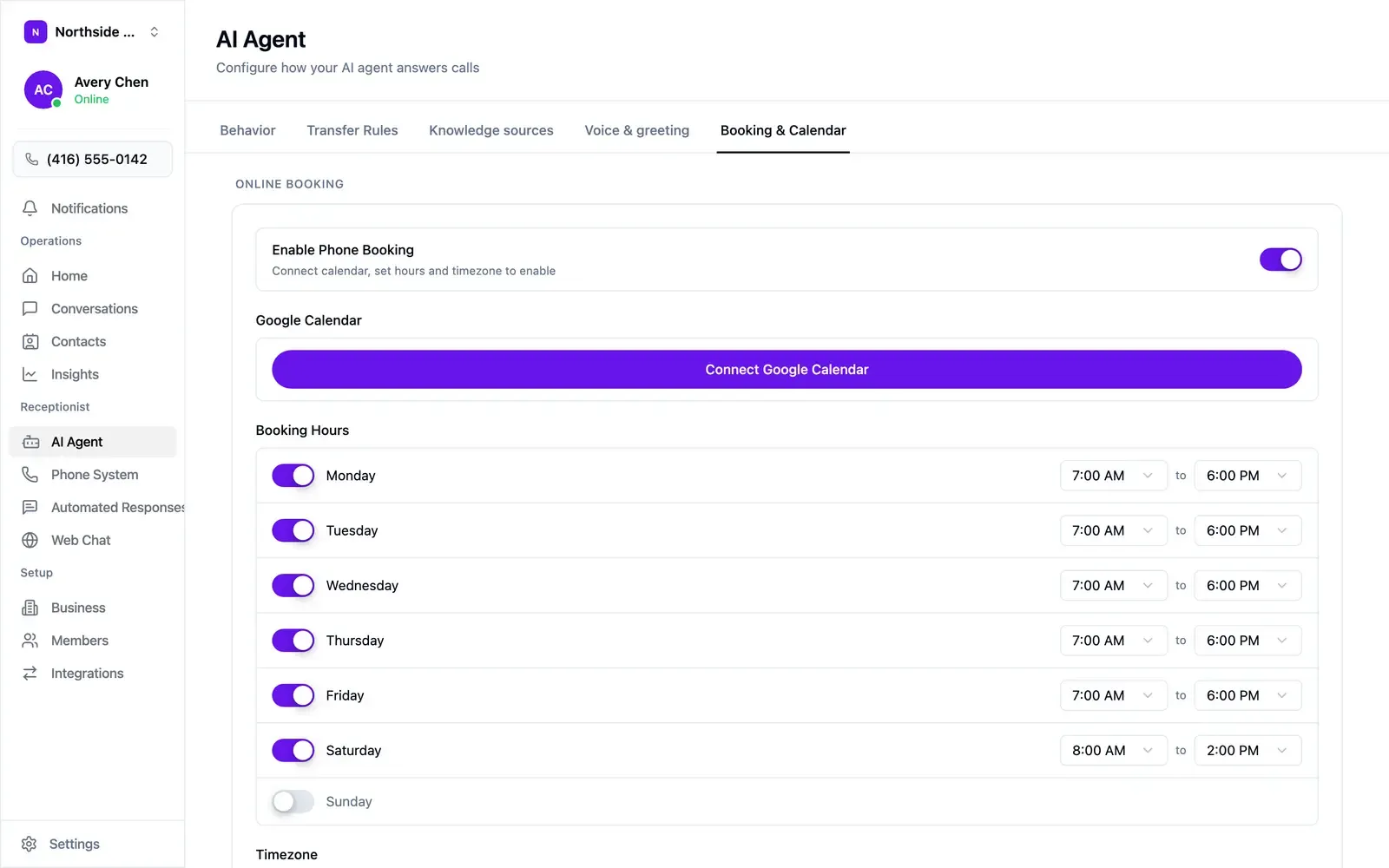
Open AI Agent → Booking & Calendar. Enable Phone Booking becomes available once three things are set:
- A calendar. Choose Connect Google Calendar and authorise the account appointments should be written to. Your agent reads it for availability and books around what’s there.
- Booking hours. Toggle each day on or off and set a start and end time. These are the hours your agent may offer, which can be narrower than your opening hours. A day toggled off never comes up.
- Timezone. Below the hours. Every slot your agent offers is calculated from it.
Sending bookings elsewhere
Section titled “Sending bookings elsewhere”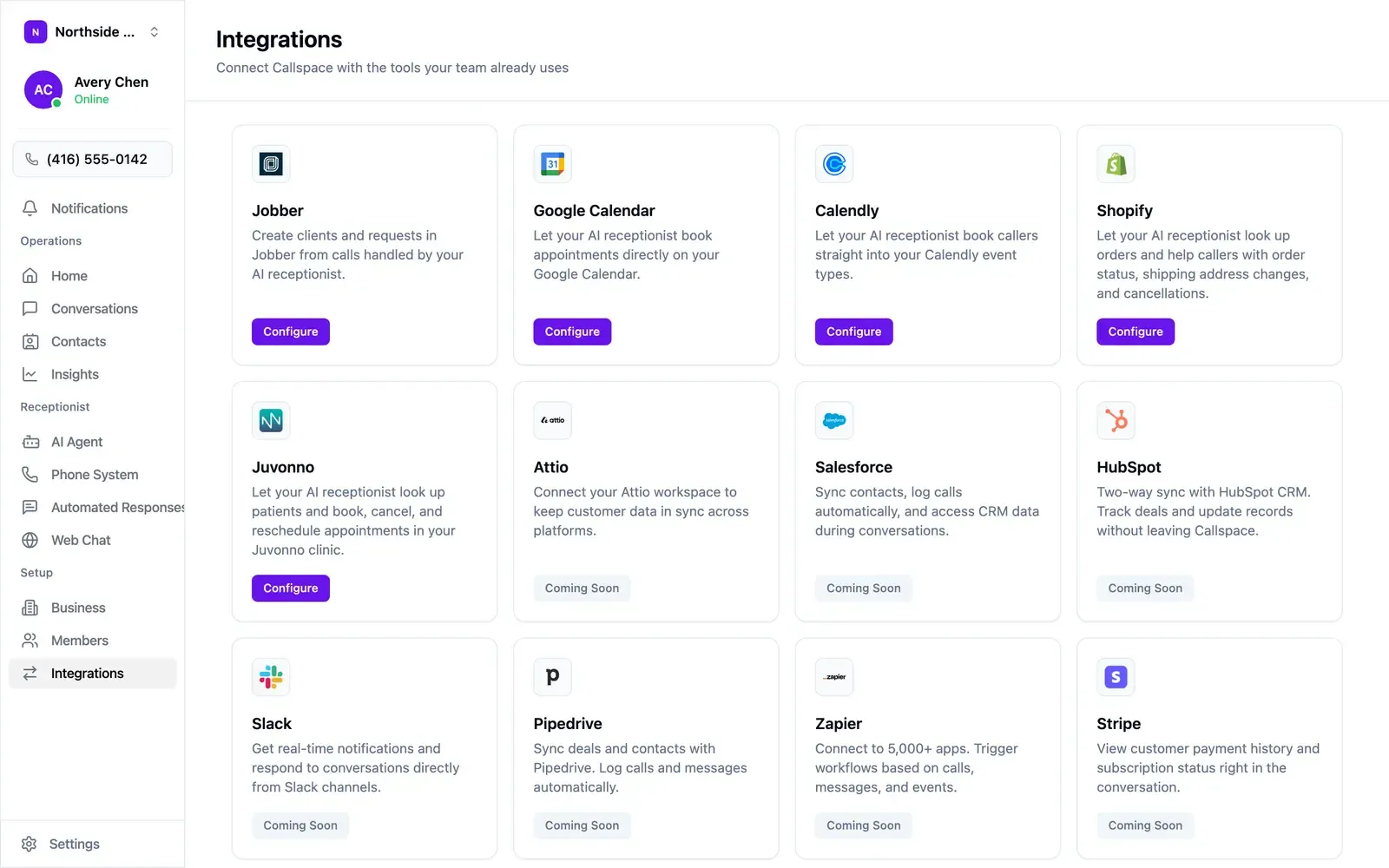
Integrations in the sidebar connects Callspace to the tools you already run. Live now:
- Google Calendar — book appointments directly onto your calendar.
- Calendly — book callers into your existing event types.
- Jobber — create clients and requests from calls, and book on-site assessments.
- Juvonno — look up patients and book, reschedule, or cancel appointments.
- Cliniko — book, reschedule, or cancel appointments, finding patients by name and date of birth.
- Shopify — look up orders and help callers with status, address changes, and cancellations.
Each has a Configure button. Salesforce, HubSpot, Slack, Pipedrive, Zapier, Stripe, Attio, and n8n are marked Coming Soon.
Booking runs through one provider at a time. Connecting a second is refused until you disconnect the first.
Testing it
Section titled “Testing it”Call your own number and book as a customer would. Check that the slots offered fall inside your booking hours, that the appointment lands on the right calendar, and that the times are in the timezone you expect. Repeat after any change to your hours.