Teaching your agent about your business
Your agent reads three things: your business profile, the rules you teach it, and the knowledge sources you upload.
Your business profile
Section titled “Your business profile”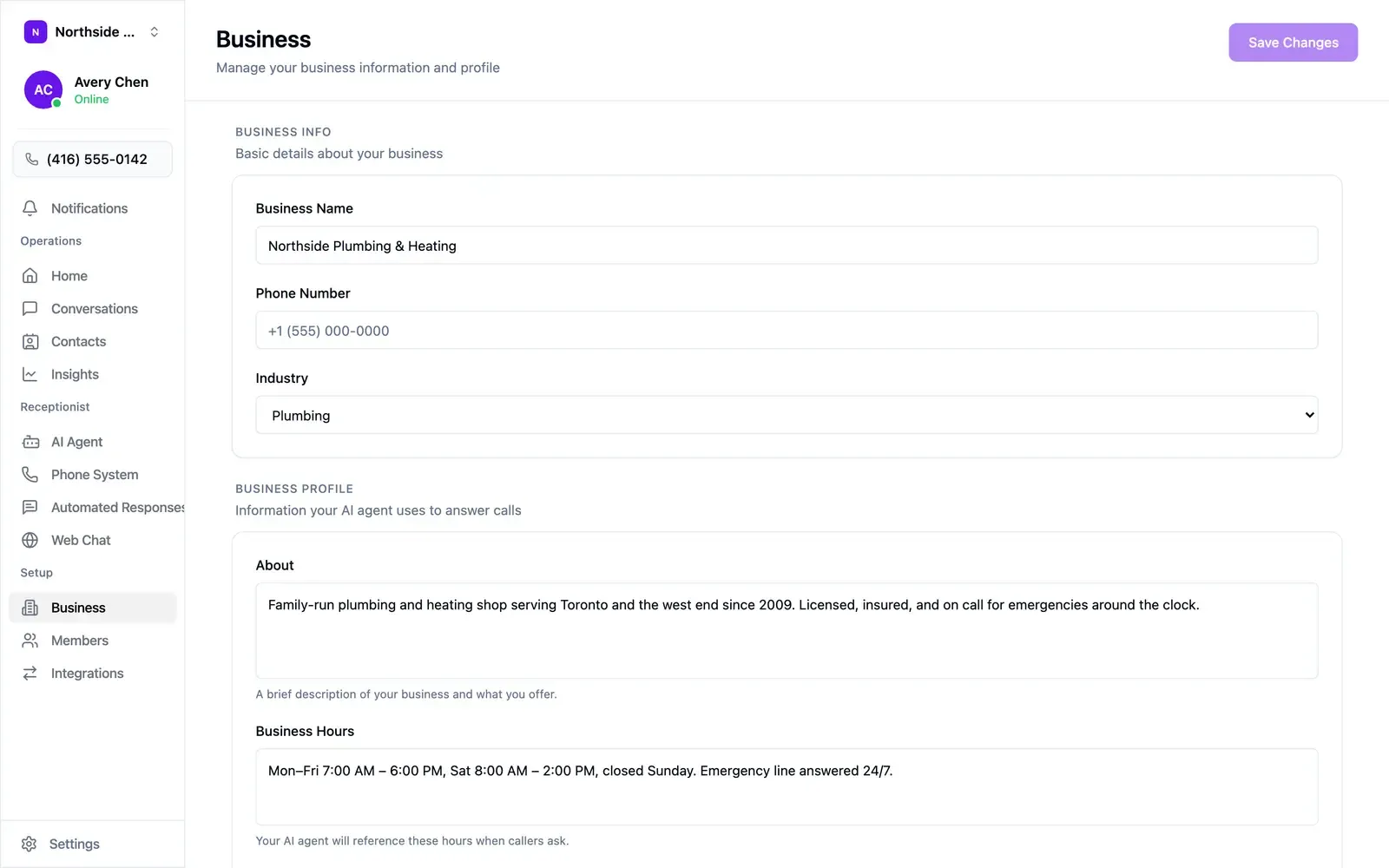
Open Business in the sidebar. The top section holds your business name, phone number, and industry. Business Profile underneath is what your agent reads on calls:
- About — a few sentences on what you do, the areas you serve, and anything that qualifies a caller (“licensed and insured”, “since 2009”).
- Business Hours — written the way you’d say them: “Mon–Fri 7:00 AM – 6:00 PM, Sat 8:00 AM – 2:00 PM, closed Sunday. Emergency line answered 24/7.”
Setup fills these in from your website, so check them — holiday hours are the usual casualty. Select Save Changes when you’re done.
Teaching rules in plain English
Section titled “Teaching rules in plain English”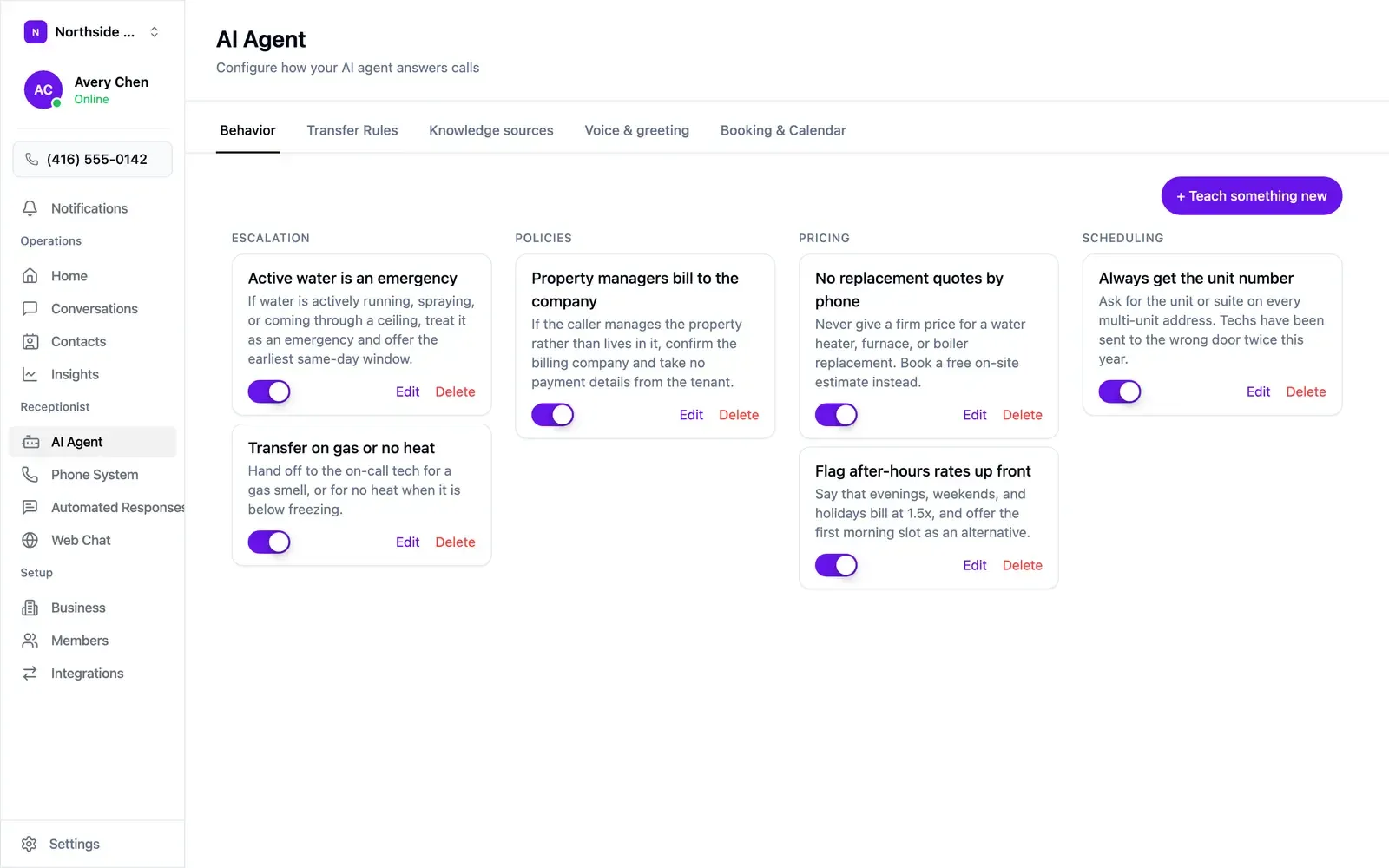
Open AI Agent → Behavior and choose + Teach something new. Rules are grouped by category — escalation, policies, pricing, scheduling — and each has a toggle, so a seasonal rule can go quiet in summer and come back in December.
Write each rule as when X, do Y:
| Instead of | Write |
|---|---|
| “Be careful about emergencies” | “If water is actively running, spraying, or coming through a ceiling, treat it as an emergency and offer the earliest same-day window.” |
| “Don’t quote prices” | “Never give a firm price for a water heater, furnace, or boiler replacement. Book a free on-site estimate instead.” |
| “Get the address” | “Ask for the unit or suite on every multi-unit address.” |
Start with the three or four situations that cost you the most when they go wrong, then add more once you’ve listened to a few calls.
Knowledge sources
Section titled “Knowledge sources”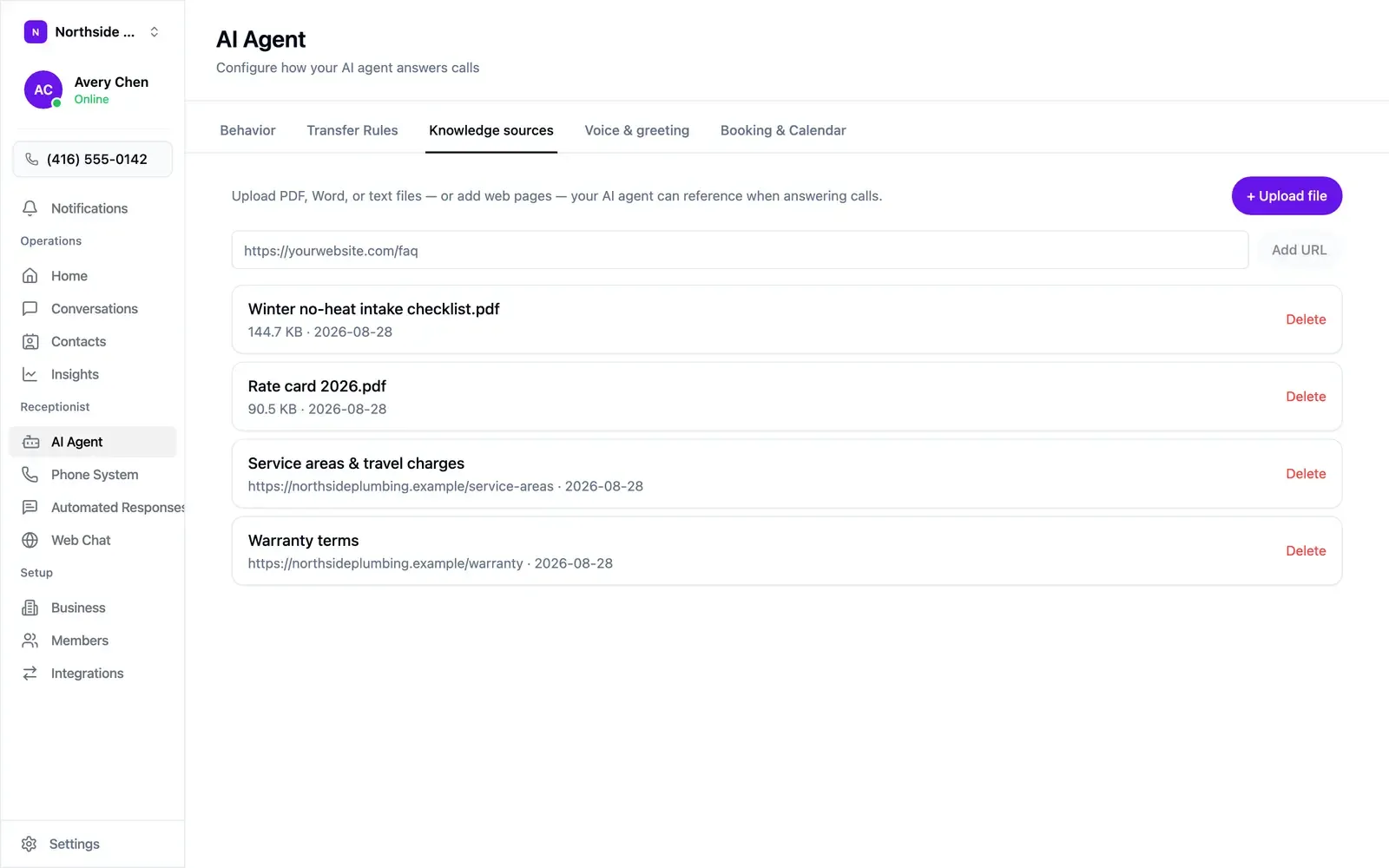
Open AI Agent → Knowledge sources for anything longer than a few sentences:
- Rate cards and price lists
- Warranty and guarantee terms
- Service area maps and travel charges
- Intake checklists for specific job types
- Policy documents
Choose + Upload file for a PDF, Word, or text file, or paste an address into the field and choose Add URL. Each source lists its size or address and the date it was added, and can be removed with Delete.
Keep them current: your agent quotes from what’s there. When prices change, delete the old file and upload the new one, and use dated names like “Rate card 2026.pdf”.
Knowledge sources answer questions. To change how the agent behaves — refusing to quote a price, say — write a rule on the Behavior tab.