Data retention
Open Settings → Data Retention in the web app. Owners and admins can change these settings.
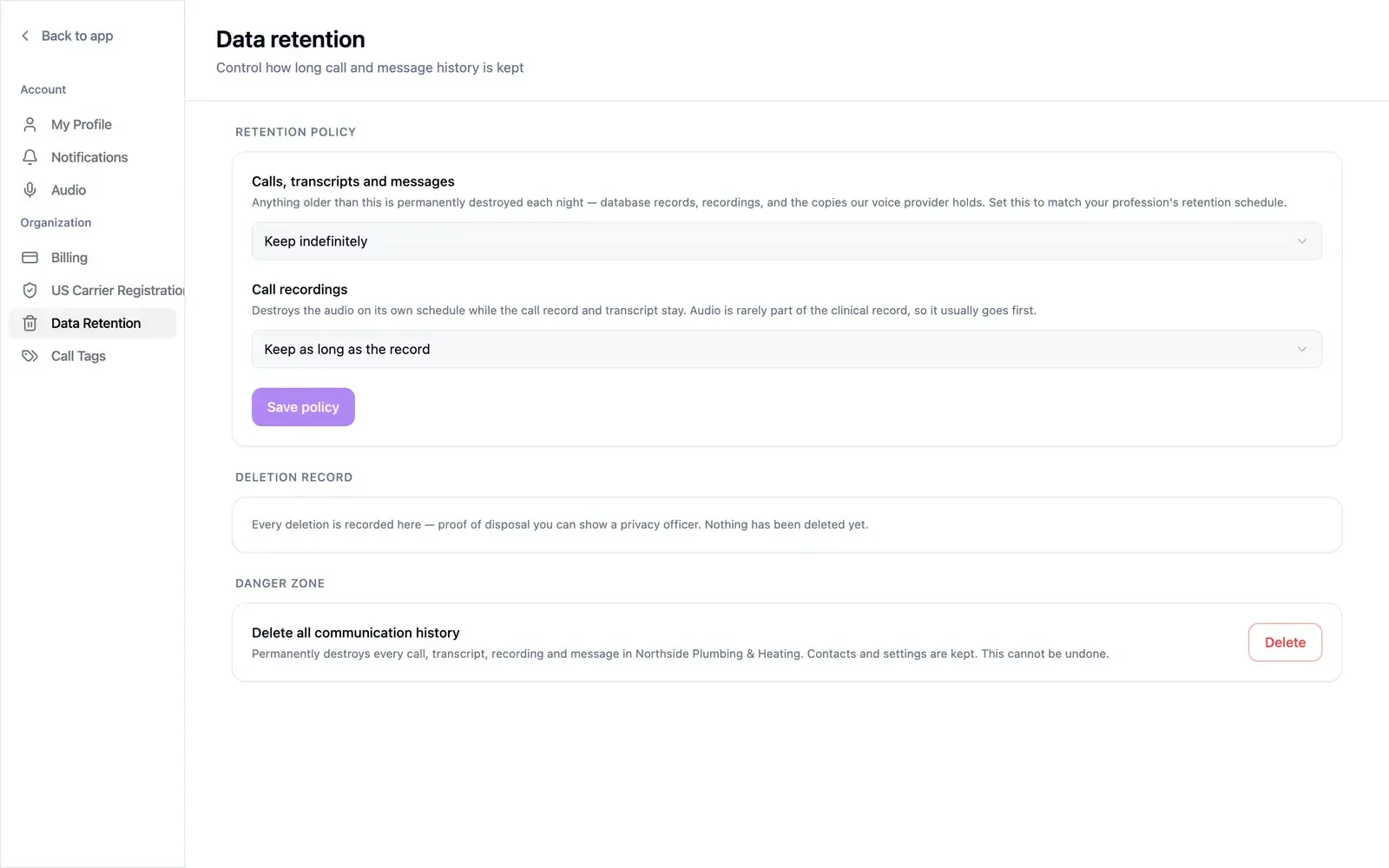
Set a retention policy
Section titled “Set a retention policy”- Calls, transcripts and messages — from keep indefinitely to 10 years. Anything older is permanently destroyed each night: database records, recordings, and the copies held by our voice provider. Set it to match your profession’s retention schedule.
- Call recordings — keep as long as the record, or destroy the audio after 30 days, 90 days, 180 days, or 1 year. The call record and transcript stay. A recording window cannot be longer than the record window.
Select Save policy.
Deletion record
Section titled “Deletion record”Every deletion is listed under Deletion record with counts of conversations, calls, messages, and recordings, the date, and the reason. It serves as proof of disposal for a privacy officer. Copies that could not be removed are flagged for manual cleanup.
Delete all communication history
Section titled “Delete all communication history”Under Danger zone, Delete permanently destroys every call, transcript,
recording, and message. Contacts and settings are kept. Type DELETE to confirm.
This cannot be undone.