Launch an AI Receptionist in 2–4 Weeks for Small Teams
Launch a low-risk AI receptionist pilot for small teams in 2–4 weeks. Start after hours or overflow, enforce calendar locking to avoid double bookings,...

Yes, you can implement an AI receptionist in weeks, not months, by mapping your call flows, piloting after-hours or overflow coverage first, connecting your calendar and CRM, and refining the agent from real call transcripts. Platforms such as Callspace handle the heavy lifting, but you still need a plan grounded in responsible-AI practices and attention to privacy rules like PHIPA if you handle health information. Start by writing down your five most common calls.
TL;DR:
- Gather common call flows, FAQ answers, system credentials, escalation contacts, and compliance requirements before configuring the agent, especially if it will handle patient information.
- A pilot typically takes two to four weeks, while full rollout needs another four to eight; calendar locking, CRM mapping, and testing consume the most time.
- Lock calendar slots as soon as callers commit, sync contact details, appointment status, and notes both ways, and test simultaneous booking attempts before launch.
- Start with after hours or overflow calls, track answer rates and booked appointments, then expand coverage only after pilot metrics remain steady for several weeks.
- Route disputes, clinical questions, distress, and out of scope requests to staff with transcript context, and assign responders before the pilot begins.
Table of Contents
- What you need before you start
- Step-by-step setup: what to configure and in what order
- How long setup takes and what it costs
- Build vs. buy: platform or in-house development
- Where to start: after-hours and overflow pilots
- Designing human handoff and escalation
- Integrations: calendars, CRM, and avoiding double bookings
- Tuning, monitoring, and responsible-AI checks after launch
- Callspace implementation notes and practical examples
- What actually matters once the agent goes live
- How Callspace can help with your rollout
- FAQ
- Sources
What you need before you start
Before you configure anything, assemble the raw material the AI receptionist will run on. Skipping this step is the single biggest reason pilots stall halfway through setup, because teams end up building call flows and connecting systems at the same time instead of in sequence.
- Write out your standard call flows and FAQ answers for the intents that make up most of your call volume: hours, pricing, appointment requests, order status.
- Gather admin access to your calendar and CRM, along with any API keys or OAuth credentials your platform will need to connect.
- Decide your starting scope: after-hours only, overflow during busy periods, or full-time coverage, and list the staff who should receive escalations.
- Identify compliance needs up front, including SOC 2 evidence from vendors and PHIPA requirements if you handle patient information.
Getting these four pieces in hand before your first configuration call cuts the back-and-forth that otherwise stretches a two-week setup into six.
Step-by-step setup: what to configure and in what order
Once you have your prep work done, the configuration itself follows a predictable sequence. Doing these steps out of order is where most delays creep in, so treat the list below as a build order, not a menu.
- Write call flows and sample scripts for your five to eight most common call types, covering appointments, hours, pricing, order status, and basic support questions.
- Build the knowledge sources the agent will pull from, including FAQ documents, CRM notes, and intake forms, so answers stay grounded in what your business actually offers.
- Configure phone routing with forwarding rules and a pilot channel, so a defined slice of calls (after-hours or overflow) reaches the AI receptionist without touching your main line yet.
- Integrate your calendar with real-time slot locking, then test the full booking path end to end, including what happens when two callers request the same slot at once.
- Connect your CRM and logging, mapping fields like contact details, appointment status, and call notes, and confirm data flows both directions correctly.
- Set escalation rules and a warm-transfer flow, including voicemail fallback for when no staff member is available.
- Run a pilot with a failure list, a deliberate set of edge cases like aggressive callers or off-script questions, and use the transcripts to tighten the agent’s responses.
The order matters because each step depends on the one before it: there is no point building escalation logic before your call flows define what counts as an escalation, and there is no point testing the calendar integration before your knowledge sources are grounded enough to avoid hallucinated availability.
Pro Tip: Build your failure list before launch, not after; write down every weird call you can imagine (a caller mid-crisis, a vendor cold call, someone testing the system) and run it through the pilot deliberately.
This is also where responsible governance belongs, not as an afterthought bolted on later. The NIST AI Risk Management Framework treats risk management as an engineering decision: define the boundaries and controls early, while you are still writing call flows, and you avoid costly rework once calls are live.
How long setup takes and what it costs
Most small practices and service businesses can get a pilot live within two to four weeks, with full rollout to all call volume taking another four to eight weeks after that, depending on how many systems you connect. The tasks that eat the most time are calendar locking, CRM field mapping, and thorough testing, not the conversational scripting itself.
- Calendar and CRM integration typically takes the longest because it involves credential setup, field mapping, and multiple rounds of booking tests.
- Concurrent line volume drives pricing: a practice fielding a handful of simultaneous calls costs less to support than one running a dozen lines during peak hours.
- Customization and integration work add setup cost, especially when connecting to a practice management system that lacks a standard API.
- Vendor-managed onboarding generally moves faster than a self-managed build, since the vendor’s team already knows the common integration pitfalls.
Receptionist staffing pressure is a documented driver of this shift: the Bureau of Labor Statistics describes front-desk work as routine-task-heavy, which is exactly the kind of workload that automation handles well while judgment calls still go to a person.
Build vs. buy: platform or in-house development
For nearly every small business, a platform beats building in-house, and the math is not close once you count ongoing maintenance. A vendor platform gets you to a working pilot in weeks; an in-house build means hiring or contracting developers, maintaining the integration code yourself, and carrying the compliance burden alone.
Building in-house makes sense only in narrow cases: when you have a genuinely unique integration a vendor does not support, or a data residency requirement no platform can meet. For everyone else, a short vendor-evaluation checklist settles the question faster than a build-versus-buy debate:
- Onboarding support: does the vendor walk you through call flow design, or hand you a dashboard and a manual?
- Integration coverage: does it already connect to your calendar, CRM, or practice management software?
- Security evidence: can the vendor show SOC 2 or equivalent documentation on request?
- Escalation features: does it support warm transfer with transcript context, not just a voicemail drop?
Where to start: after-hours and overflow pilots
The lowest-risk way to roll out an AI receptionist is to start with after-hours and overflow calls, the calls that would otherwise go to voicemail anyway. You are not replacing a working process; you are catching calls that were previously lost, which makes the pilot’s success easy to measure and its downside small.
- After-hours coverage captures calls your team was never going to answer live, so any booked appointment is a clear win.
- Overflow during peak hours handles the calls that would ring out while staff are on other lines, with answer rate and booked-appointment count as your core metrics.
- Scale coverage gradually, moving from after-hours to full daytime overflow and eventually full-time answering once your pilot metrics hold steady for a few weeks.
A pilot built around dental phone booking illustrates this structure well: a 30-day pilot focused on recovering lost calls gives you a defined window to judge whether the approach earns a wider rollout.
Designing human handoff and escalation
The handoff moment is where trust is won or lost, so define it with explicit rules rather than leaving it to the agent’s judgment.
- Set clear escalation triggers: billing disputes, clinical questions, anything involving distress or anger, and any request outside the agent’s documented scope.
- Choose warm transfer over callback whenever a staff member is available, and pass the full transcript and intent tags along with the call so the human picks up with context instead of starting cold.
- Set staff response SLAs for transferred calls, and give whoever is on point visibility into live calls so they can step in quickly when needed.
Responsible-AI guidance from Microsoft’s Center of Excellence recommends documenting exactly what the agent is allowed to do and which actions always require a human, a list that makes your escalation design auditable rather than something you reconstruct from memory after a complaint.
Integrations: calendars, CRM, and avoiding double bookings
Real-time calendar locking is not optional. Without it, two callers can book the same slot within seconds of each other, and the resulting cleanup costs you more credibility than the automation saved you in staff time.
- Lock the slot the moment a caller commits, not after the call ends, and release it automatically if the booking is not confirmed within a short window.
- Sync core CRM fields: contact details, appointment status, and call notes, then test that updates flow both ways instead of only one.
- Plan phone routing carefully, whether that means SIP or VoIP forwarding rules, and keep your pilot channel separate from your main line until you trust the results.
- Test for race conditions deliberately: have two people attempt to book the same slot at the same moment before you ever let real callers near the system.
Tuning, monitoring, and responsible-AI checks after launch
Launch is the midpoint of implementation, not the end. The agent’s real education happens over the following weeks, as it meets questions your scripts never anticipated.
- Track core KPIs: answer rate, booked appointments, escalation rate, and caller satisfaction where you can measure it.
- Mine transcripts weekly during the pilot, using your failure list as the starting point for what to fix first.
- Treat governance as part of the architecture, not a document you write after the fact: define grounding sources, escalation gates, and what gets disclosed to callers about talking with an automated system.
- Set a review cadence: weekly while piloting, monthly once steady, and log enough detail on each call to support an audit later.
Pro Tip: Keep a running log of every call the agent mishandled, even small ones; patterns in that log tell you more about what to fix than any single dramatic failure.
The Microsoft responsible-AI guidance frames this as a release gate: size your review effort to the agent’s risk tier, and require a real signoff before any external-facing agent takes on consequential actions like booking or canceling appointments.
Callspace implementation notes and practical examples
The platform is built around integrations like calendar connections, practice management software, and Shopify for order lookups, which means much of the integration groundwork above comes pre-built rather than custom-coded.
- Appointment booking runs end to end inside the call, with the calendar locked at the moment of booking to prevent double entries.
- Order lookup connects directly to Shopify, so a caller checking on a shipment gets an answer without a transfer.
- Warm transfer carries full transcript context to the receiving staff member, so the handoff described earlier happens in practice, not just on paper.
- Every call is transcribed and reviewed, supporting the quality checks and audit trail that healthcare and insurance clients in particular need, alongside compliance features built for PHIPA and HIPAA contexts.
Clinics and dental, dermatology, and veterinary practices use this same pattern for patient call triage, while insurance agents apply it to claim intakes and warm transfers. Transcripts and call analytics then become the feedback loop for tuning flows and measuring how many previously missed calls get recovered.
What actually matters once the agent goes live
The real work starts after launch. Teams spend weeks polishing scripts before going live and then treat the first week of real calls as a victory lap instead of the start of the actual tuning process. A failure list built from guesswork is useful; a failure list built from genuine transcripts is what fixes the agent.

Staffing alignment matters as much as the technology for the first 90 days: if your escalation volume spikes and no one is positioned to answer transferred calls within a reasonable window, the pilot will look like a technology failure when it is really a staffing gap.
Pilot small, measure clearly, and keep a human in the loop for anything consequential, like a cancellation, a refund, or a complaint that needs judgment the agent was never meant to carry.
— Sam
How Callspace can help with your rollout
If the steps above sound right but you would rather not build the integration layer yourself, Callspace covers the core pieces: 24/7 answering, calendar and practice management integrations, full call transcripts, and warm transfers with context intact.
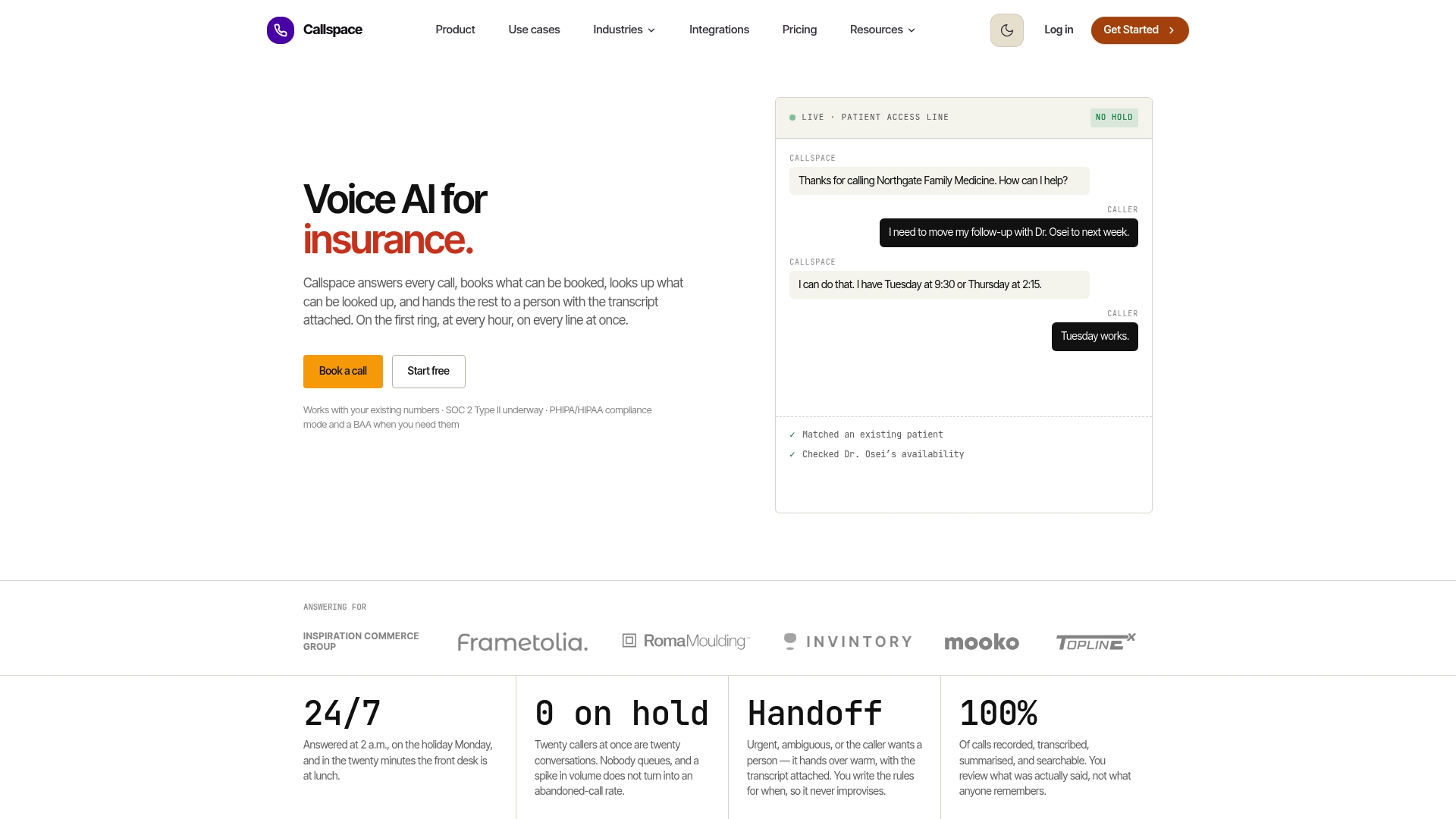
A typical pilot starts on after-hours or overflow coverage, the same low-risk scope recommended earlier, and the Basic plan runs a monthly fee for teams ready to test that approach. Check pricing and plan details to see what fits your call volume and get a pilot running.
FAQ
How can I build an AI receptionist?
Most small businesses implement one by connecting a platform to their calendar and CRM rather than coding a system from scratch. You map your common call flows, pick a pilot scope like after-hours coverage, connect your scheduling tools, and refine the agent using real call transcripts over the following weeks.
Can AI replace a receptionist?
AI handles routine, high-volume tasks like booking and answering FAQs well, but judgment-heavy interactions still need a human. The Bureau of Labor Statistics describes front-desk work as including both routine tasks suited to automation and interactions that require human judgment, which is why most implementations pair AI coverage with clear escalation paths rather than removing staff entirely.
How much should an AI receptionist cost?
Pricing varies by concurrent call volume, integration complexity, and how much customization you need. Callspace’s Basic plan is listed at $150 per month, while the Team plan’s pricing is available on request through Callspace’s pricing page.
What does an AI receptionist do?
An AI receptionist answers inbound calls, handles common requests like booking appointments or checking order status, and transfers more complex calls to staff with context intact. Platforms built for healthcare and insurance also include compliance features and call transcription to support quality review and audits.