Recover Lost Calls: 30 Day Pilot for Dental Phone Booking Automation
Practical steps for dental practices to test phone booking automation: run a 30 day pilot, demand live PMS write back, and check compliance.
Modern AI chat bots can answer every call, book and reschedule appointments, and catch the after-hours requests your front desk never hears. For most practices, that translates into more booked chairs, fewer no-shows, and hours of staff time freed up each week. An AI voice assistant platform is one deployable option built for this exact job in dental offices.
TL;DR:
- Automated phone booking can recover up to one-third of missed calls, capturing potential appointments during after-hours and peak busy times.
- Successful implementation relies heavily on real-time practice management system write-back to ensure bookings land directly on schedules.
- Staged rollouts focusing on after-hours and weekend coverage typically yield faster, measurable improvements in appointment conversion and no-show rates.
- Vendors must provide clear compliance documentation and demonstrate live, accurate appointment integration during demos to avoid hidden risks.
- A proper pilot should last at least 30 days, with success measured by increased booked appointments and reduced staff hours spent on scheduling.
Table of Contents
- What Does Dental Phone Booking Automation Actually Deliver?
- How Does an AI Receptionist Handle a Dental Call?
- What Should You Check on PMS Integration Before You Buy?
- How Do You Roll Out Automation Without Disrupting the Front Desk?
- What Compliance Questions Should You Ask a Vendor?
- How Does an AI Voice Assistant Fit the Dental Phone Booking Checklist?
- What Do Successful Rollouts Actually Look Like?
- Where the Conventional Advice on This Falls Short
- Ready to Test Phone Booking Automation in Your Practice?
- Sources
- FAQ
What Does Dental Phone Booking Automation Actually Deliver?
The math behind this technology starts with a blunt fact: dental practices lose roughly one-third of their inbound calls to voicemail, hold music, or a front desk that’s already juggling three other patients. Every one of those missed calls is a patient who might book with the next practice on their list instead.
Automated phone booking closes that gap. When a call comes in during lunch, after 6 PM, or on a Saturday, a voice agent answers, checks real-time availability, and puts the patient on the schedule instead of sending them to voicemail.
The measurable upside breaks down into three areas:
- Revenue capture: recovering after-hours and missed calls typically converts into new booked appointments that would otherwise go to a competitor.
- No-show reduction: vendors in this category commonly report 20 to 45 percent reductions in no-shows when automated reminder sequences and easy rescheduling replace a single reminder call.
- Staff time saved: front-desk staff typically spend a significant chunk of their day on routine scheduling calls, hours that automation shifts back to patient care and in-office work.
Quick stat: Vendor-reported ranges put no-show reduction at 20 to 45 percent when multi-touch reminders (email, text, and voice) replace single-touch confirmation calls, according to Hyperleap’s analysis of AI scheduling platforms.
Patients notice the difference too. They can book at 9 PM without waiting for office hours, get a text confirmation instead of a callback, and reschedule in under a minute instead of playing phone tag.
How Does an AI Receptionist Handle a Dental Call?
A call comes in, and the voice agent greets the patient, asks what they need, and works through one of a handful of paths: new patient booking, existing patient rescheduling, a billing question, or an urgent issue that needs a human right away. The system doesn’t guess. It follows scheduling logic that mirrors what a trained coordinator would do.
Here’s the typical sequence:
- Greeting and intent capture. The agent identifies whether the caller wants to book, reschedule, cancel, or ask a question.
- Provider and procedure matching. It checks which provider handles the requested procedure and how long that procedure typically takes, then filters open slots accordingly.
- Buffer and emergency logic. The system respects buffer time between appointments and can flag same-day emergency slots differently from routine cleanings.
- Booking or escalation. If it can confidently complete the booking, it does. If the request is ambiguous, urgent, or clinical, it hands off to staff with a live transcript and summary already prepared.
That handoff step separates a genuinely useful system from a glorified voicemail. Real-time transcription and context transfer mean the staff member picking up the call already knows who’s calling and why, instead of asking the patient to repeat everything.
There’s also a structural distinction worth understanding before you shop: some tools write confirmed appointments directly into your practice management software, while others only capture intake and leave a human to finish the booking manually. That difference determines how much staff time you actually save.
What Should You Check on PMS Integration Before You Buy?
The single biggest technical question to answer before signing anything: does the system write appointments back into your schedule, or does it just collect information for someone else to enter later? Two-way write-back is what turns a call into a confirmed slot on your calendar without a staff member touching a keyboard. Anything less is a sophisticated intake form with a voice on it.
Before you commit, work through this checklist:
- Ask the vendor to demonstrate a live write-back into your actual practice management system, not a generic sandbox.
- Confirm compatibility with the platform you run, whether that’s Dentrix, Eaglesoft, Open Dental, or a calendar-based setup like Google Calendar.
- Decide whether the automation sits in front of your existing phone lines or replaces your phone system entirely, and ask what happens to your existing number during the switch.
- Get clarity on number porting timelines so you don’t have a dead line during transition.
Pro Tip: During the demo, ask the vendor to book a real test appointment while you watch it land correctly in your PMS, complete with the right provider, procedure code, and time slot. If they can’t show that in real time, treat it as a red flag, not a scheduling conflict.
How Do You Roll Out Automation Without Disrupting the Front Desk?
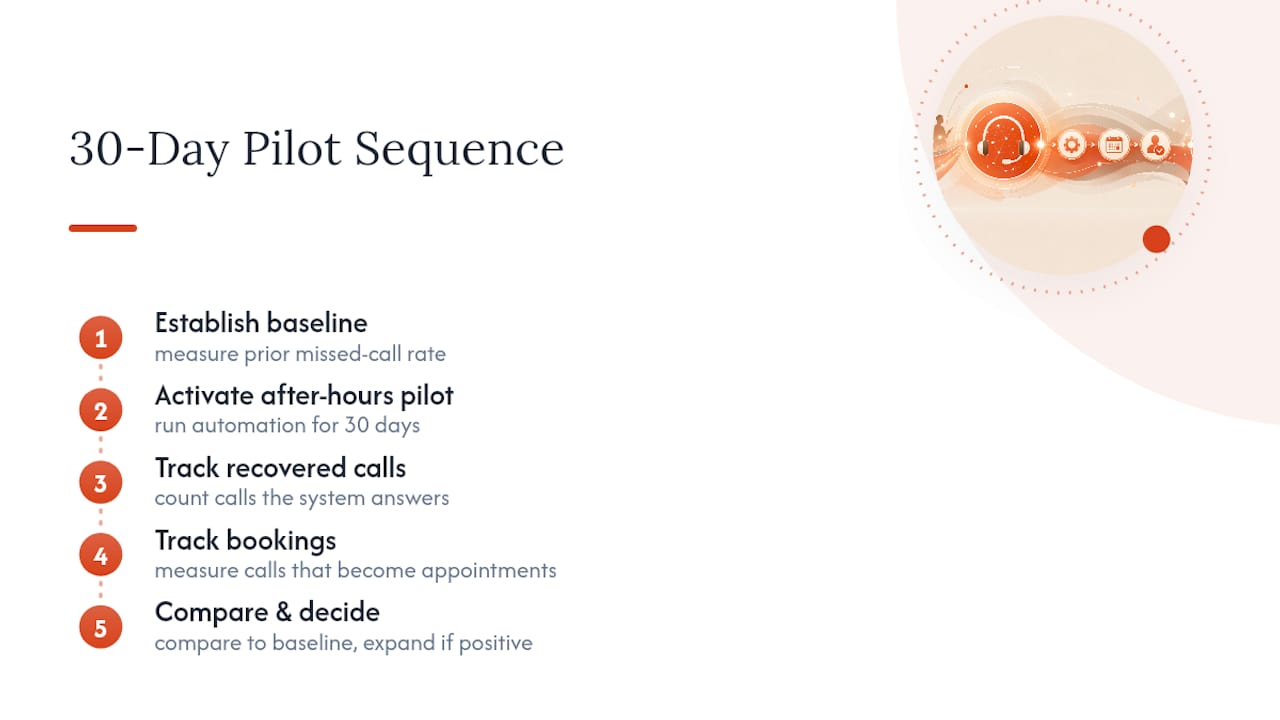
The safest path is a staged rollout, not a full switch on day one. Start by measuring your current baseline: answered-call rate, call-to-booking conversion, and your existing no-show percentage. Without that baseline, you won’t know if the system is actually working once it’s live.
From there, follow a simple sequence:
- Week 1: Measure. Track how many calls go unanswered and how many bookings your current process converts.
- Weeks 2 to 5: Pilot. Scope the rollout narrowly, either one phone line or after-hours coverage only, and run it for 30 days with defined success criteria agreed upfront.
- Weeks 3 to 5: Configure reminders and waitlists. Set up multi-touch reminder cadences and let the system automatically offer cancellation slots to a waitlist.
- Week 6 and beyond: Expand. If the pilot hits its targets, extend coverage to all lines and monitor ongoing performance.
Keep an eye on these metrics after you scale:
- Booked appointments per week compared to the pre-pilot baseline
- No-show rate trend over 60 to 90 days
- Staff hours spent on scheduling calls versus patient-facing work
Pilot on a single line first with strict, agreed-upon success criteria. That’s the difference between a controlled test and a chaotic switch that leaves your team guessing whether the tool or the transition caused any hiccups.
What Compliance Questions Should You Ask a Vendor?
Any system handling patient information touches protected health data, and that means compliance questions belong at the top of your vendor checklist, not an afterthought after you’ve already signed. HIPAA sets the U.S. federal standard for PHI handling, and Canadian practices should map equivalent protections to their provincial health information legislation, such as PHIPA in Ontario, rather than assume American rules apply automatically.
Before you sign, request answers on:
- Where call recordings and transcriptions are physically stored, and whether data crosses borders
- A data-processing agreement outlining access controls, encryption standards, and retention or deletion policies
- The exact routing rule for clinical or urgent calls, including how fast the system escalates to a live staff member
- Sample DPA language and proof of the compliance controls they claim to have
Quick stat: Vendors offering 20 to 45 percent no-show reductions still need to show their compliance homework. A strong ROI pitch without a signed data-processing agreement is a red flag, not a bargain.
How Does an AI Voice Assistant Fit the Dental Phone Booking Checklist?
Everything covered so far, two-way write-back, staged pilots, compliance documentation, maps directly onto how Callspace is built for healthcare settings. The platform answers calls 24/7, books and reschedules appointments, and produces real-time transcription with context transfer so your front desk isn’t starting cold on every handoff. It’s designed with compliance features relevant to dental practices in mind, and it connects with calendars and practice management systems rather than operating as a disconnected intake tool.
Here’s how that lines up against the checklist you just read:
- Integration: may support calendar and PMS connections, enabling demonstration of live write-back.
- Pilot testing: able to run on a single line or after-hours coverage first, matching the staged rollout approach.
- Compliance conversations: designed with healthcare regulation in mind, providing a starting point for DPA and data-handling questions when evaluating vendors.
- Warm transfers: routes complex or urgent calls to staff with full context already captured, not a cold transfer.
Pro Tip: Ask any vendor, Callspace included, to walk through a live escalation call during your demo. Watching how a system hands off an urgent patient issue tells you more than any feature list.
What Do Successful Rollouts Actually Look Like?
The pattern across dental practices that get real value from phone automation isn’t complicated: they start narrow, measure honestly, and expand only when the numbers back it up. A practice that pilots after-hours coverage for 30 days, tracks how many of those calls convert into booked appointments, and compares that against its prior missed-call rate has real evidence to act on, not a vendor’s sales pitch.
The practices that struggle tend to skip the baseline step entirely. They flip on full automation across every line on day one, then can’t tell whether a dip in call volume means the system is filtering out low-value calls or whether patients are hanging up on a voice they don’t trust yet. Staging the rollout protects against exactly that ambiguity.
Where this tends to pay off fastest is after-hours and weekend coverage, since that’s where missed-call rates run highest and where a live receptionist was never realistically staffed anyway. A practice that recovers even a portion of those previously lost calls is filling chair time that used to go to voicemail. Multi-provider practices tend to see the clearest gains from smart scheduling logic, since matching procedure type to the right provider and slot length is exactly the kind of repetitive decision voice AI handles well and humans handle inconsistently on a busy Monday morning.
The common thread: measurable pilots beat all-at-once rollouts, every time.
Where the Conventional Advice on This Falls Short
Most guides on this topic treat phone automation as a single decision: turn it on or don’t. That framing misses the real question, which is whether a given tool actually writes into your schedule or just politely collects information for someone else to finish. I’d argue the industry undersells how much that one technical distinction matters. A system that captures intake but can’t confirm a real slot is still leaving your staff to do the scheduling work manually, just with an extra step added to their day.
The other blind spot is compliance. Plenty of vendors lead with no-show percentages and skip the data-processing agreement until you ask twice. Ask first. A tool that can’t produce sample DPA language on request isn’t ready for a dental practice’s patient data, no matter how good its booking conversion numbers look.
What should you prioritize first? Not the flashiest feature list, the write-back demo. If a vendor can show you a real appointment landing correctly in your practice management system during the call, you’re evaluating a real tool. If they can’t, you’re evaluating a very polished form.
— Sam
Ready to Test Phone Booking Automation in Your Practice?
Callspace gives you a way to test everything covered in this guide, real PMS write-back, staged rollout, and compliance documentation, without committing to a full-line switch on day one. If you’ve been comparing options for dental voice AI, the practical next step is a demo where you can see the mechanics firsthand rather than take a claim at face value.
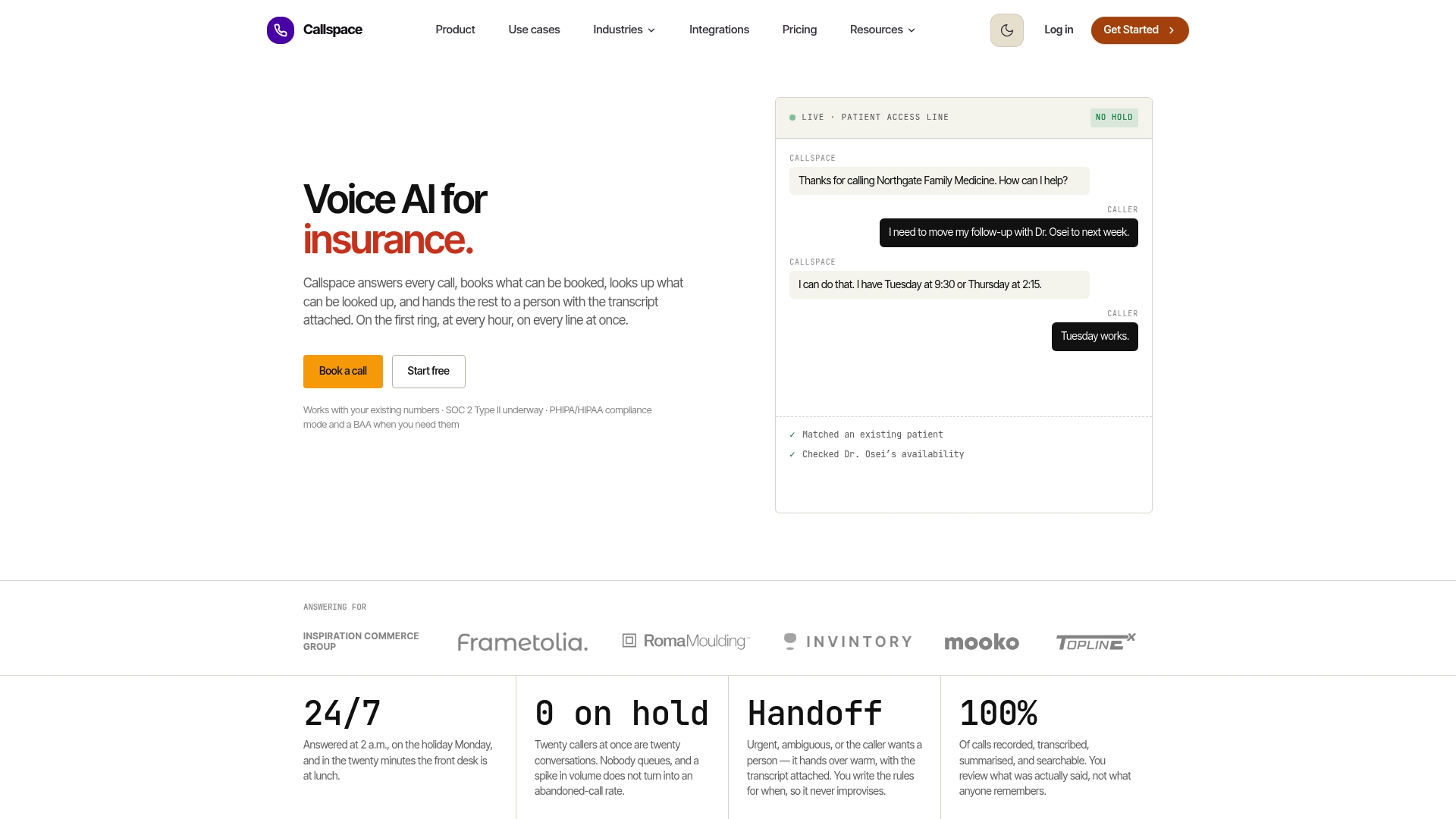
Book a demo and ask specifically for three things: a live write-back into your practice management system, a walkthrough of how urgent calls escalate to staff, and an overview of the data-processing terms covering call recordings and transcripts. Then agree on a 30-day pilot scope, one line or after-hours coverage, with success criteria set in advance. Visit the Callspace industries page to see how the same approach applies across other regulated call environments, or head straight to the dental and medical offering to start the conversation.
Sources
For deeper background on PHI handling standards, see HHS.gov’s HIPAA guidance and Compudent’s analysis of front-desk automation layers.
- Hhs
- Kluse — Dental front desk automation: where it helps, where it breaks
- Hyperleap — Automate dental appointment scheduling with AI
- Compudent — The AI front desk: call intake, scheduling & voice agents
FAQ
What Is the 80/20 Rule in Dentistry?
In dental practice management, a common principle is that a small share of patients or procedures drives a disproportionate share of revenue, which is why practices prioritize retention and scheduling efficiency for their highest-value visit types.
How Is Automation Being Used in Dentistry?
Automation now covers appointment booking, reminder sequences, waitlist management, and after-hours call answering, with voice AI systems like Callspace handling routine scheduling so staff can focus on in-office patient care.
What Scheduling Software Do Dentists Use?
Most practices run on practice management platforms such as Dentrix, Eaglesoft, or Open Dental, often paired with a calendar tool or an AI phone answering layer that syncs directly into that existing system.
Can AI Be Used to Book Appointments?
Yes. AI voice agents can check real-time availability, match procedures to the right provider, and write confirmed bookings directly into a practice’s schedule when the tool supports two-way integration rather than intake only.
How Much Does Phone Booking Automation Reduce No-Shows?
Vendors in this category commonly report 20 to 45 percent reductions in no-shows, driven mainly by multi-touch reminder cadences and easier self-service rescheduling.