Phone Appointment Scheduling: Production Checklist Businesses Must Run
A production-readiness checklist for businesses adopting phone appointment scheduling. Learn what to test: telephony, concurrency, latency, calendar...
Phone appointment scheduling now runs on voice AI agents that answer inbound calls and book or reschedule appointments in real time, without a human touching the line. The result is 24/7 booking coverage, fewer missed calls, and higher completion rates than a front desk juggling three lines at once can manage. The catch isn’t whether the technology works in a demo. It’s whether the vendor you pick can handle your actual call volume, your actual telephony stack, and your actual calendar without falling over. Some vendors are built around that exact requirement.
TL;DR:
- Successful deployment requires real-time calendar integration and thorough testing against existing telephony systems to prevent capacity and latency issues.
- Limiting initial pilots to appointment booking allows for measurable improvements and easier instrumentation before expanding scope.
- Automation achieves quick gains in reducing no-shows and freeing staff time, especially in healthcare, insurance, and field service use cases.
- A typical full rollout takes around six months, with a staged approach to validate performance and handle complex scheduling gradually.
- Clear ownership, continuous measurement, and vendor verification of concurrency limits are critical to ensure reliability under call volume spikes.
Table of Contents
- What Makes Phone-Based Voice AI Better at Booking Appointments?
- How Does Automated Phone Appointment Booking Actually Work?
- What Should You Test Before Launching a Voice AI Scheduler?
- How Do You Choose and Deploy the Right Vendor?
- Where Callspace Fits Into That Checklist
- How Long Does It Take to Deploy Phone Appointment Scheduling?
- What Mistakes Derail Phone Appointment Scheduling Projects?
- Start Narrow, Instrument Everything, Plan for the Long Ramp
- Get Started With Callspace for Phone Appointment Scheduling
- Sources
- FAQ
What Makes Phone-Based Voice AI Better at Booking Appointments?
A phone that rings into voicemail after 5 p.m. is a lost booking, and most clinics and insurance desks never see that caller again. Automated phone appointment scheduling closes that gap by picking up every call, day or night, and walking the caller straight into your calendar.
The operational case is straightforward. Automated confirmations and reminders cut no-shows because the system can call back, text, or re-confirm without anyone remembering to do it manually. Real-time availability checks stop the double-booking that happens when two staffers grab the same slot from two different screens. And because the same voice agent that books appointments can also ask qualifying questions, it doubles as a lead-capture tool for teams that sell as much as they schedule.
Vendor reporting on automated scheduling points to meaningful gains in booking completion and lower no-show rates once real-time booking replaces hold queues and voicemail. Appointment scheduling also tends to be the first intent worth automating, since it has a clean, measurable completion definition industry analysts point to as a strong starting point.
The use cases that pay off fastest:
- Healthcare visits: routine bookings, reschedules, and reminder calls that free front-desk staff for in-person patients.
- Insurance advisory bookings: after-hours callers scheduling policy reviews without waiting for office hours.
- E-commerce support callbacks: order-related calls routed into a scheduled callback instead of a hold queue.
- Field-service appointments: dispatch-style booking where availability changes hourly.
How Does Automated Phone Appointment Booking Actually Work?
Underneath the friendly voice, phone appointment booking is a chain of specialized components, and each one has to hand off cleanly to the next. Telephony transport, usually SIP or VoIP, carries the call itself. Automatic speech recognition (ASR) turns the caller’s words into text. A natural language understanding (NLU) layer figures out what the caller actually wants. An orchestrator, often built on a large language model, decides how to respond and what action to take. Text-to-speech (TTS) turns that decision back into a voice. And a calendar, EMR, or CRM connector checks real availability and writes the booking.
That last piece matters more than most buyers realize. A voice agent that sounds natural but can’t check your practice management system in real time will confidently offer a slot that’s already taken. Reliable systems validate identity and permissions before touching a record, then confirm availability against the live calendar rather than a cached snapshot, a pattern industry coverage of service-business deployments treats as a baseline requirement, not a nice extra.
Component checklist for evaluating any system:
- SIP/VoIP transport with proven uptime under your carrier
- ASR tuned for accents, background noise, and industry vocabulary
- Live calendar, EMR, or CRM connector, not a batch sync
- Warm transfer that passes a full transcript and context, not just a call
Warm transfer is the safety net. When a caller needs something the agent can’t resolve, the handoff to a human agent should carry the transcript and context along with it, so nobody repeats themselves. None of this works if the underlying connection is slow. Latency above a second or two breaks the rhythm of conversation and callers notice immediately, hanging up or repeating themselves in frustration.
What Should You Test Before Launching a Voice AI Scheduler?
A pilot that works in a controlled demo can fall apart the first week it takes real call volume, and the reason is almost always infrastructure, not conversation quality. Enterprises that skip production testing routinely discover, too late, that telephony integration depth, concurrency limits, and latency under load are the actual bottlenecks, not the AI’s conversational ability.
Run these checks before any live rollout:
- Test against your real SIP or UC stack, not a vendor-provisioned demo number. A number that works fine in isolation can choke when routed through your existing phone system.
- Load-test concurrency across ASR, TTS, the orchestrator, and the telephony layer together, and note exactly where each one starts to degrade under simultaneous calls.
- Measure latency under load, tracing delays back to their source: a slow calendar API call, an overloaded ASR engine, or a lagging language model.
- Confirm redundancy and failover for both voice transport and the language-model provider, since a single point of failure means every missed call during an outage is a missed booking.
- Instrument everything, including raw call audio, transcripts, per-stage latency, recognition confidence, and booking outcomes, so you can measure quality after launch instead of guessing.
Cloud-native, geographically redundant infrastructure is what sustains ASR, TTS, and LLM performance once call volume actually spikes, rather than degrading quietly until callers start complaining.
Pro Tip: Ask any vendor for their concurrency ceiling in writing before signing, not just their advertised uptime number. Uptime tells you the system is on. Concurrency tells you whether it can actually answer your Monday morning call spike.
How Do You Choose and Deploy the Right Vendor?
Picking a phone appointment scheduling vendor comes down to a short list of hard requirements, and every one of them should be verifiable, not just claimed in a sales deck. Ask for real-time calendar connectors rather than batch syncs, warm-transfer transcripts that actually reach your staff, healthcare compliance documentation if you’re regulated, genuine 24/7 coverage, and production references from businesses running comparable call volume.
The rollout itself should stay narrow at first. Pick one high-volume intent, appointment booking is the obvious choice, and instrument it end to end before you route a single live call. Send a controlled percentage of real traffic through the system, watch the numbers, and expand gradually. Guidance from engineering-focused analyses of voice AI deployments consistently recommends planning for a six-month ramp rather than expecting day-one containment rates to hold.
Before launch, assign clear ownership: someone on your team owns escalations, someone owns update cadence, and someone owns the service-level agreement with the vendor. Then track four numbers relentlessly:
- Booking completion rate: the share of scheduling calls that end in a confirmed appointment.
- Containment rate: the share of calls the AI resolves without human help.
- Reduction in agent scheduling time: hours freed up for staff to handle complex cases.
- No-show rate: whether automated confirmations and reminders are actually moving the needle.
Where Callspace Fits Into That Checklist
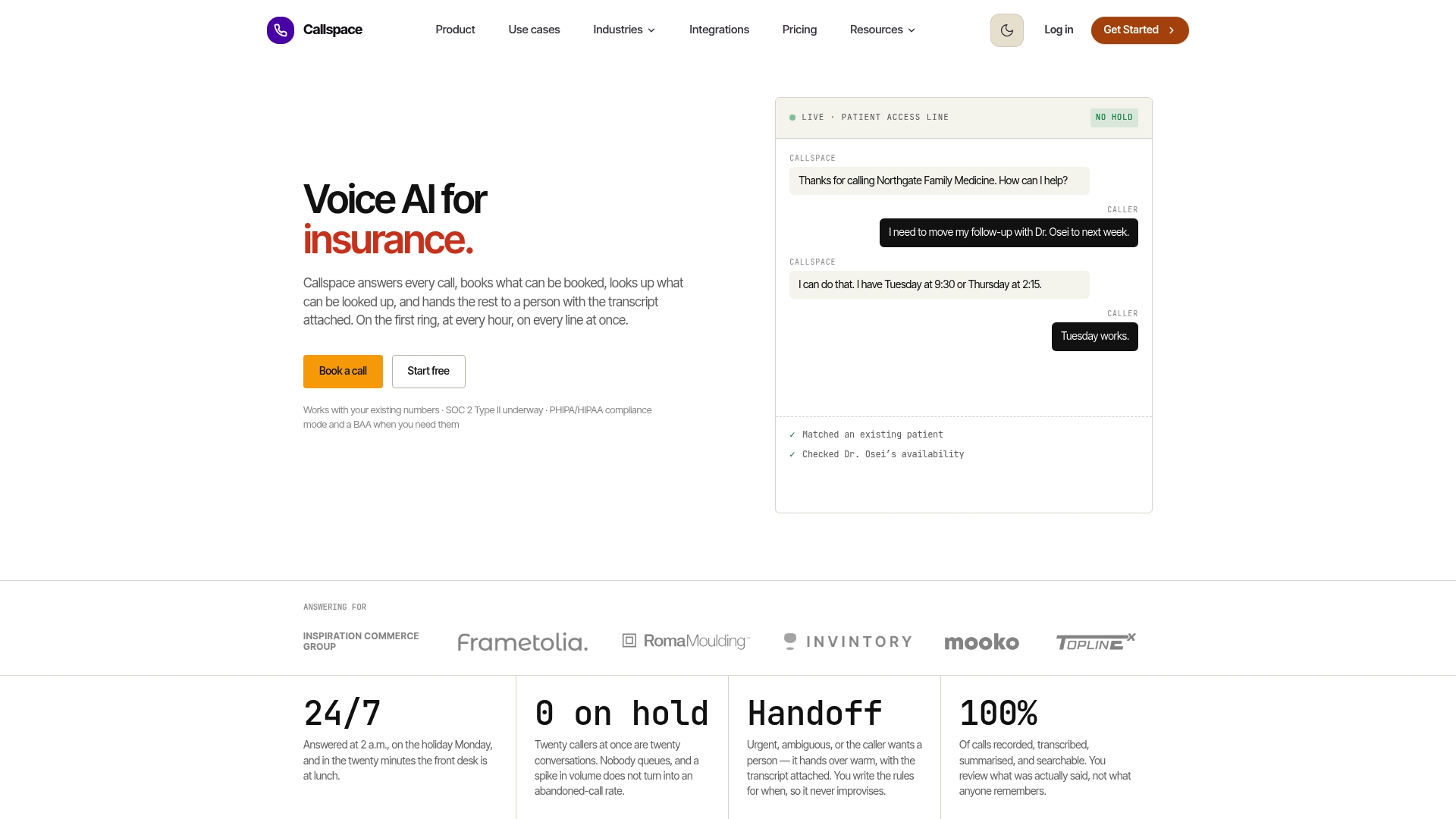
Some voice AI services answer every inbound call the moment it rings, with no queue and no voicemail fallback, and run that coverage around the clock. Real-time transcription can capture the conversation as it happens, and that context can travel with the call if a warm transfer to a human agent becomes necessary.
Some systems connect to calendars and practice management systems so bookings check live availability rather than a stale copy, which matters most for clinics and insurers juggling multiple providers or agents. For businesses ready to test this against the checklist above, the sensible pilot looks familiar: start narrow with appointment booking as the single intent, instrument every call and transcript from day one, and plan the rollout across a six-month ramp with one person owning escalations and vendor updates.
- 24/7 call answering with real-time transcription and context transfer
- Calendar and practice management integrations for live availability checks
- Warm transfers that carry full transcripts to human staff
- Compliance features built for regulated industries like healthcare
How Long Does It Take to Deploy Phone Appointment Scheduling?
Most businesses can get a narrow pilot live within two to four weeks, assuming the calendar or practice management system has a workable integration path and someone on staff is available to define call scripts and escalation rules. That timeline covers connecting the phone number, mapping the booking intent, testing against real call flows, and running a short internal validation period before any live traffic touches the system.
Full production rollout takes longer, and rushing it is the most common mistake businesses make. Expanding from a single pilot intent to full call coverage, including after-hours handling, multi-location routing, and complex rescheduling logic, typically stretches across a longer ramp. Guidance on production voice AI deployments points to a six-month horizon as the realistic window for reaching stable, trustworthy performance across the full range of call types a business handles, not just the easy ones.
The timeline also depends heavily on integration complexity. A business connecting to a single, well-documented calendar API moves faster than one integrating with a legacy practice management system that requires custom middleware. Insurance and healthcare deployments often take longer up front because compliance review and staff training around handoffs add steps that e-commerce support lines skip entirely.
A staged approach tends to compress the timeline rather than extend it. Businesses that start with after-hours and overflow calls, where the stakes of an imperfect answer are lower, build confidence and instrumentation before expanding to daytime, high-stakes call volume. That sequencing turns a six-month rollout into a series of smaller, provable wins instead of one high-pressure launch date.
What Mistakes Derail Phone Appointment Scheduling Projects?
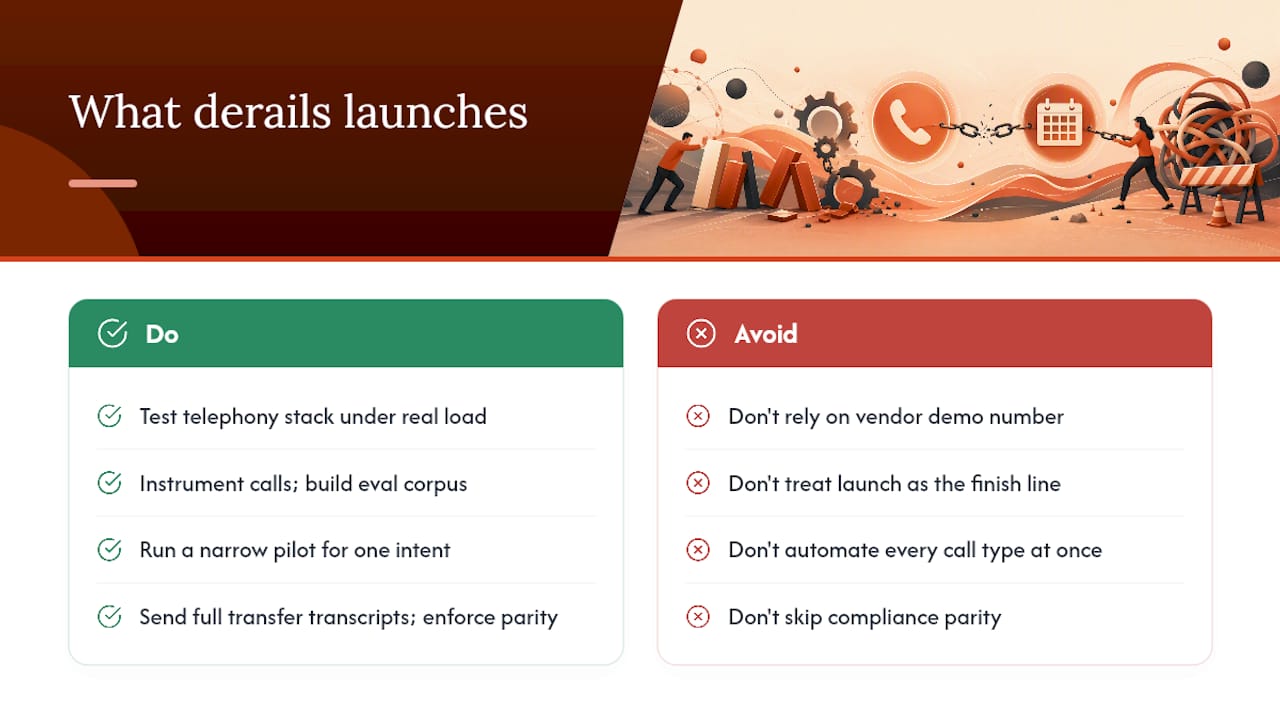
The most common failure isn’t a bad conversation. It’s a business that never tested its own telephony stack before going live, then discovered under real call volume that latency spiked, calls dropped, or the calendar integration returned stale availability. Testing against a vendor’s clean demo number tells you almost nothing about how the system behaves on your carrier, with your call volume, during your busiest hour.
A second recurring mistake is treating the launch date as the finish line instead of the starting point. Businesses that skip building an evaluation corpus and per-call instrumentation have no way to catch quiet regressions, a dip in booking accuracy that nobody notices until complaints pile up weeks later. Structured evaluation and continuous measurement from day one catch problems while they’re still small.
Scope creep sinks pilots almost as often as bad infrastructure does. Teams that try to automate every call type at once, from billing questions to complex rescheduling to general inquiries, dilute their ability to measure what’s actually working. A narrow pilot focused on one intent gives you a clean signal; a broad one gives you noise.
Finally, businesses underestimate the human side of the handoff. If a warm transfer doesn’t carry a full transcript, staff repeat questions the caller already answered, and the caller’s patience runs out fast. Compliance gaps show up here too: healthcare and insurance callers need the same handling standards whether the call started with a human or an AI agent, and skipping that parity during a rushed rollout creates real regulatory exposure.
Start Narrow, Instrument Everything, Plan for the Long Ramp
The businesses that get real value from voice AI scheduling are the ones that resist the urge to automate everything at once. A narrow scope, appointment booking alone, produces a measurable win in weeks. A broad, do-everything assistant produces a mess that takes months to untangle and even longer to trust.
Instrumentation isn’t optional overhead here; it’s the only way to know if the system is actually working once real callers, not test scripts, start hitting the line. Build the evaluation corpus first. Then plan the business case across a six-month ramp, with one person accountable for escalations and updates the whole way through.
— Sam
Get Started With Callspace for Phone Appointment Scheduling
Callspace is the alternative to a busy front desk juggling hold music and voicemail: it answers every call instantly, day or night, and books directly against your live calendar instead of routing callers into a queue they’ll abandon. For clinics, insurance offices, and e-commerce support teams, that means the caller who dials at 9 p.m. gets a confirmed appointment instead of a callback promise nobody keeps.
Callspace offers two plans built around this exact use case. The Basic plan runs $150 per month, and the Team plan is priced on request for larger call volumes and multi-location needs. The recommended starting point matches the pilot approach outlined above: pick appointment booking as your single intent, connect your calendar, and instrument the calls from day one.
If you run a healthcare practice, insurance office, or e-commerce support line, check the industry-specific coverage built around your compliance and workflow needs, then head to the pricing page to start a trial and get your first pilot call routed within days.
Sources
For deeper engineering detail behind these recommendations, see CX Today’s report on production infrastructure gaps and Omind’s data on scheduling ROI.
- Why enterprise voice AI projects stall before they reach production - CX Today
- Voice AI Appointment Scheduling: Proven ROI in 2026 Data
- Voice AI Agents: The Production Engineering Gap | StepTo
- Voice AI for Service Businesses (2026) | SchedulingKit
FAQ
What Is Phone Appointment Scheduling?
Phone appointment scheduling is the use of a voice AI agent to answer inbound calls and book, reschedule, or confirm appointments in real time, without a human answering the phone. It relies on live calendar integration so the agent never offers a slot that’s already taken.
How Much Does a Phone Appointment Scheduling System Cost?
Pricing varies by vendor and call volume, but Callspace’s Basic plan starts at $150 per month, with a Team plan priced on request for larger deployments. Current pricing details are listed on the Callspace site.
Does Voice AI Scheduling Reduce No-Shows?
Yes. Automated confirmations and reminders sent immediately after booking, paired with real-time rescheduling options, are linked to lower no-show rates compared to manual follow-up processes.
How Long Does It Take to Launch a Pilot?
A narrow pilot focused on a single booking intent typically launches within two to four weeks, while full production rollout across all call types stretches toward a six-month ramp. Integration complexity and compliance review can extend that timeline for regulated industries.
Can Voice AI Handle Complex Scheduling Cases?
It handles routine bookings and reschedules well, but complex cases still need a human. A properly built system uses warm transfer to hand off the call with a full transcript and context, so the caller never has to repeat themselves.