Best Medical Answering Service: 3 Models, Compliance and Integration
Compare AI first, live human, and hybrid medical answering services, then assess compliance, system integration, and when human escalation matters.

The best medical answering service for most clinics today is an AI-first platform that answers instantly, books appointments automatically, and escalates clinical or urgent calls to a human when needed, with compliance built into the architecture rather than bolted on. We built an AI-first platform around that exact model. Whatever you choose, compliance and system integration should drive the decision more than price or brand name.
TL;DR:
- Low volume practices with routine calls may use live answering during business hours, but these services often take messages instead of booking directly into calendars.
- Before signing, test routine bookings and ambiguous symptoms in live demos; verify the system transfers urgent calls promptly to the right clinician with context.
- Require written PHIPA and PIPEDA commitments, confirm where patient data is stored, and review encryption, access controls, breach response, and deletion terms; clinics retain responsibility.
- Pilot one phone line or after hours coverage for 2–4 weeks, then compare calls answered, automatic bookings, and accuracy on simulated urgent calls before expanding.
Table of Contents
- Which solution type fits your practice: AI-first, live human, or hybrid
- What a medical answering service does: core functions for clinics
- Compare solution types on the axes that matter
- A decision checklist and negotiation script for vendor evaluation
- How deployment usually works and what systems you must connect
- How Callspace aligns with the checklist
- What this comparison gets wrong if you stop at features
- Try Callspace for your practice’s phone line
- FAQ
- Sources
Which solution type fits your practice: AI-first, live human, or hybrid
Before comparing features, it helps to know which category you actually need.
- AI-first platforms answer every call immediately with no hold queue, handle routine bookings and FAQs automatically, and route anything complex to staff; they suit clinics with high call volume, tight front-desk staffing, or frequent after-hours calls.
- Live human services route calls to trained agents who read from scripts; they suit practices with low call volume or highly nuanced patient conversations where a human voice matters for every single call.
- Hybrid models blend automated intake with human escalation rules, giving you speed on routine matters and a person for anything flagged as urgent or sensitive.
Most multi-provider clinics, urgent care sites, and specialty practices with unpredictable call spikes land best with AI-first or hybrid coverage. The AI-first platform has configurable escalation, so it behaves like a hybrid system whenever a call needs a human.
What a medical answering service does: core functions for clinics
A medical answering service exists to make sure no call to your practice goes unanswered, regardless of time of day or staffing level. At its core, it performs a defined set of functions that replace or extend your front desk.
- Answering: picks up calls instantly, without a queue, including after hours and during lunch coverage gaps.
- Appointment booking: checks availability and books, reschedules, or cancels visits directly in your calendar or practice management system.
- Routing: directs calls to the right department, provider, or on-call line based on the reason for the call.
- Escalation: flags urgent, clinical, or ambiguous calls and transfers them to a live staff member with context.
- Logging and transcription: records and transcribes every interaction for review, billing disputes, or quality checks.
- Reporting: summarizes call volume, reasons for calling, and outcomes so you can spot patterns.
There’s an important distinction between basic administrative answering and clinically aware triage. Administrative answering handles scheduling, hours, directions, and billing questions. Clinically aware triage recognizes language that suggests urgency (chest pain, medication reactions, severe symptoms) and routes those calls differently, usually straight to a nurse line or on-call provider rather than into a booking queue. Not every answering platform draws that line well, so it’s worth asking vendors directly how their system distinguishes a prescription refill from a possible emergency.
Integration and privacy expectations follow naturally from these functions. If a service is writing appointments into your calendar or pulling patient records to confirm an identity, it needs a secure connection to your existing systems and a contractual basis for handling protected health information. Custodians remain legally responsible for patient health information even when a third party provides the technology, so custodians must ensure PHI is protected throughout the vendor relationship, not just at signup.
Compare solution types on the axes that matter
Rather than ranking vendors, it’s more useful to compare what each solution type typically delivers on the factors that actually affect your practice day to day.
- Compliance and data residency: AI-first and hybrid platforms built for healthcare generally offer Canadian data residency options and PHIPA or PIPEDA-aligned contracts; generic live-answering services built for retail or hospitality often don’t, so this is worth confirming line by line.
- 24/7 coverage and service-level commitments: AI-first systems answer every call instantly around the clock; live services depend on staffing rosters, which can mean hold times during peak hours or overnight gaps unless the vendor guarantees coverage.
- Appointment booking and EMR integration: hybrid and AI-first platforms increasingly connect directly to practice management software and calendars; purely live services often take a message instead of booking in real time.
- Automation versus human handling: AI-first systems automate routine requests and escalate exceptions; live services put a person on every call, which can feel more personal but scales poorly during volume spikes.
- Reporting and transcription: automated platforms transcribe and summarize every call by default; live services may only log call notes manually, which limits what you can audit later.
- Pricing shape: AI-first platforms commonly use flat monthly subscriptions; live answering services often bill per minute or per call, which can get expensive during busy months.
A single-provider dental office with predictable hours might do fine with a live service during business hours and voicemail overnight. A multi-location dermatology group or a veterinary clinic fielding after-hours emergencies needs continuous coverage and fast escalation, which points toward AI-first or hybrid. When you’re in demos, ask each vendor to show you a live call handling a routine booking and a second call handling a simulated urgent symptom, side by side. That single test reveals more about escalation quality than any feature sheet.
A decision checklist and negotiation script for vendor evaluation
Evaluating a medical answering service comes down to three categories of due diligence: regulatory, operational, and commercial. Treat all three as non-negotiable before you sign anything.
Regulatory and contract must-haves
- Confirm the vendor can point to PHIPA, PIPEDA, and applicable provincial privacy rules in writing, not just in a sales call.
- Require a signed agreement describing safeguards, similar to a business associate agreement, before any patient data flows through the system.
- Ask where data is stored and processed, since custodians must ensure PHI is protected wherever the vendor hosts it, and Canadian residency should be confirmed rather than assumed.
- Request documentation of encryption in transit and at rest, along with access controls limiting who can view transcripts.
- Ask for the vendor’s incident response plan and breach notification process, since unauthorized access or exfiltration of health information triggers notification duties under PHIPA.
Operational must-haves
- Confirm a true 24/7, no-queue service level, not just extended business hours.
- Walk through the escalation rules: which keywords or situations trigger a transfer, and to whom.
- Ask whether bilingual support is available if your patient population needs it.
- Test the calendar and practice management integration directly, including a reschedule and a cancellation, not just a new booking.
- Request a sandbox or pilot environment so your staff can run real-world test scenarios before go-live.
Commercial must-haves
- Get pricing in writing, including what happens if call volume exceeds plan limits.
- Ask about trial length and what counts as a fair evaluation period.
- Clarify onboarding timeline: how long from contract signature to first live call.
- Confirm what happens to your data and transcripts if you cancel, including deletion timelines.
When you sit down with a vendor, bring a short list of documents to request rather than relying on verbal assurances: a recent privacy impact assessment summary, evidence of security testing, a sample copy of the data protection agreement, and example escalation scripts for clinical scenarios. PHIPA guidance specifically calls for privacy impact assessments, access logging, and breach management procedures from providers offering electronic services to custodians, so a vendor that can’t produce these isn’t ready for a healthcare contract regardless of how polished the demo looks.
Pro Tip: Ask the vendor to run a live demo call that includes a deliberately ambiguous symptom description, then watch exactly how the system decides whether to escalate.
How deployment usually works and what systems you must connect
Rolling out a medical answering service touches more of your practice than the phone line alone, so it helps to plan the technical pieces before committing to a go-live date.
- Map your integrations first: your practice management or EMR system, your scheduling calendar, any secure messaging platform your clinicians use, and your existing phone system (whether SIP-based VoIP or a traditional line that needs porting).
- Define data flows and consent points: every call transcript, appointment write-back, and message routed to staff passes through the vendor’s system, so identify where patient consent for recording needs to be captured and disclosed, consistent with call recording consent requirements that apply in most Canadian jurisdictions.
- Run a pilot phase: start with one line, one provider, or after-hours coverage only, so your team can compare automated handling against what a live receptionist would have done.
- Train staff on escalation handoffs: front-desk and clinical staff need to know what a transfer looks like on their end and what information arrives with it.
- Test escalation scenarios deliberately: simulate an urgent call, a routine booking, and an ambiguous one to confirm the system routes each correctly.
- Move to full cutover: once pilot results look solid, extend coverage to all lines and hours, then set a recurring governance review, typically quarterly, to audit call logs and escalation accuracy.
Most clinics underestimate the calendar integration step. A booking system that writes directly into your existing scheduling software avoids double entry and reduces the chance of a missed or duplicate appointment, which matters more as call volume grows.
How Callspace aligns with the checklist
The checklist is the same one a healthcare practice should run any vendor through.
- Instant answering, no queues: every call gets picked up immediately, including during peak call times and after hours.
- Appointment setting: calls that request a booking, reschedule, or cancellation get handled directly against your connected calendar.
- EMR and calendar integrations: our platform connects to existing practice management and scheduling tools rather than requiring a separate system.
- Transcription and quality review: every call is recorded and transcribed, which supports both compliance review and training.
- Customizable escalation workflows: you define what triggers a transfer to a human, whether that’s a specific symptom, a billing dispute, or simply a caller request to speak with staff.
We designed our regulated healthcare product with PHIPA and HIPAA alignment in mind, and we document consent and recording practices for Canadian clinics on our call recording consent page. Clinics remain legally responsible for protected health information even when using a third-party vendor, a point regulators have made explicit, which is why we treat contractual safeguards and data residency disclosures as standard parts of onboarding rather than an add-on request. In a demo, ask us to walk through our data residency setup, our incident response process, and a sample escalation script for a clinical scenario relevant to your specialty, whether that’s dental, chiropractic, or veterinary care.
What this comparison gets wrong if you stop at features
Most buying guides for medical answering services treat compliance as a checkbox: does the vendor mention HIPAA, yes or no, move on. That misses the actual risk, which is operational. A vendor can have a compliant contract on paper and still fail the moment a patient describes a symptom that needs a human in thirty seconds, not three minutes. The feature that matters most isn’t the privacy policy; it’s how the escalation logic behaves under an ambiguous, real-world call, which is exactly what a feature sheet can’t show you.

The second place conventional advice falls short is treating “live human” as automatically safer than automation. A live agent reading from a generic script with no clinical context can miss an urgent case just as easily as a poorly configured bot. What actually reduces risk is a documented, testable escalation rule set, regardless of whether a human or a system makes the first pass.
If you take one thing from this guide, test the escalation path before you test anything else. Pricing and integrations matter, but they’re reversible decisions. A missed urgent call isn’t.
— Sam
Try Callspace for your practice’s phone line
If your clinic is losing calls to hold queues, missing after-hours bookings, or asking front-desk staff to triage symptoms between patients, an AI-first setup with human escalation solves the specific problem most practices actually have. Our Basic plan runs $150 per month, and our regulated healthcare product page walks through the compliance and integration details relevant to clinics.
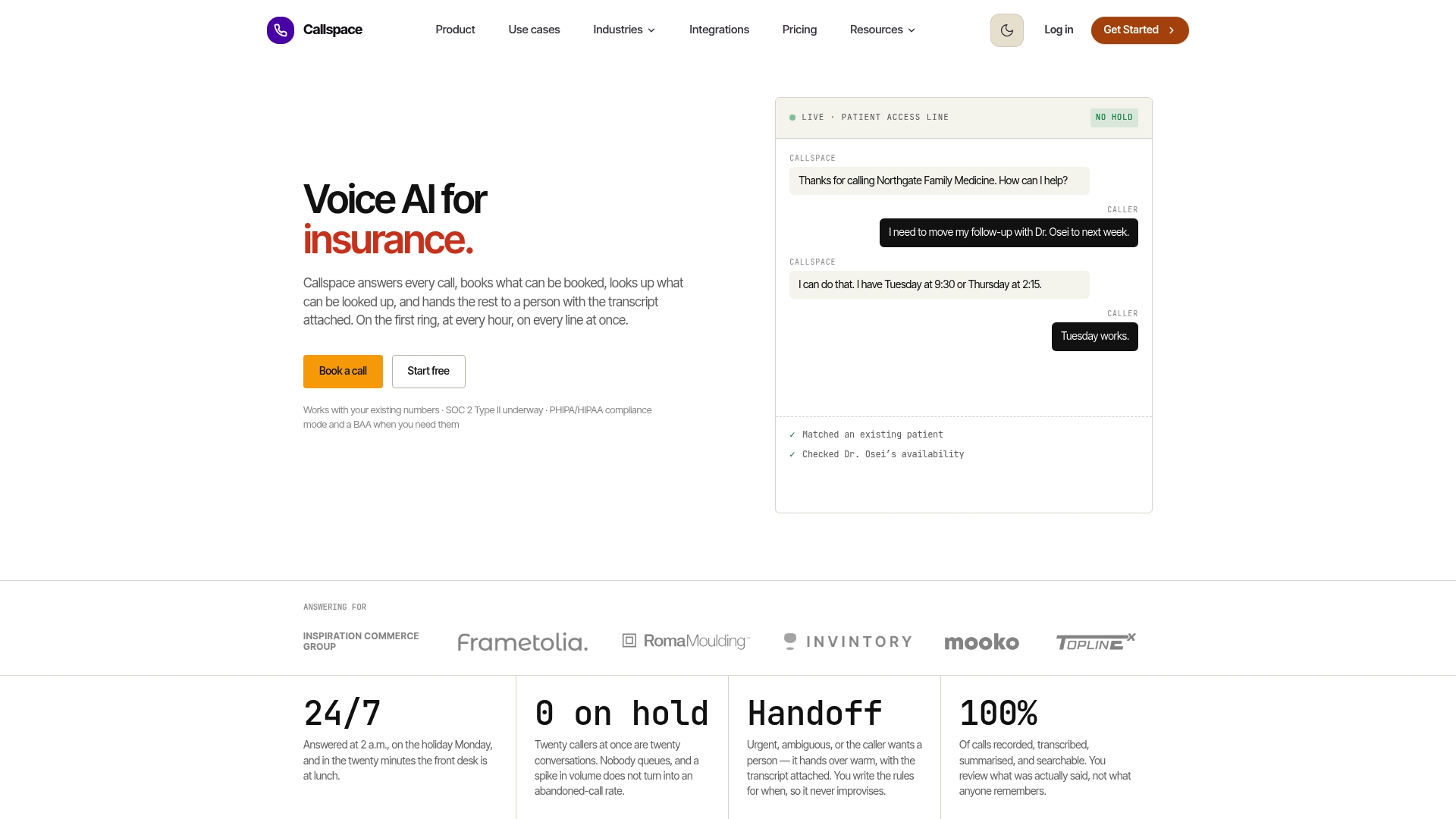
A good trial scope covers one phone line or after-hours coverage only, run for two to four weeks, measured against call volume answered, appointments booked automatically, and escalation accuracy on simulated urgent calls. That gives you real numbers before extending coverage practice-wide.
This article is general information, not a substitute for advice from a qualified doctor. Consult a qualified healthcare professional about your own circumstances before acting on anything here.
FAQ
What is the average cost for an answering service?
Pricing varies by vendor and by whether billing is a flat subscription or per-minute charges. Our own Basic plan is $150 per month; live, per-minute services elsewhere in the market tend to bill differently, so always compare the full monthly estimate at your expected call volume rather than the headline rate alone.
What is the best telehealth service in Canada?
Telehealth platforms and medical answering services solve different problems: telehealth covers virtual clinical visits, while an answering service handles call intake, booking, and escalation. For phone answering specifically, look for a provider offering PHIPA-aligned data handling and Canadian data residency rather than a telehealth brand.
Is there a free answering service available?
Most medical-grade answering platforms charge a subscription because they maintain compliance infrastructure, integrations, and escalation logic that free tools don’t support. A free trial period is common and worth requesting, but ongoing free service for a clinic handling patient data is rare given the compliance overhead involved.
How much does Moneypenny charge for call answering?
Pricing for other answering providers isn’t something we publish or track, since rates change and vary by plan and call volume. The most reliable approach is to request current pricing directly from any provider you’re evaluating and compare it against your expected monthly call volume.
How do I choose between automated and live call answering for my clinic?
Match the choice to your call volume and risk profile: high volume or frequent after-hours calls favor AI-first or hybrid systems with instant answering and configurable escalation, while low-volume practices with mostly routine calls may do fine with a live service during business hours. Either way, confirm compliance safeguards and escalation testing before committing.