Research and PIPEDA: Pick Voicebots or Chatbots for Canadian Companies
Decide whether a voicebot or chatbot fits your Canadian company. Use voice UX research, PIPEDA consent rules, and a practical vendor checklist to act fast.

For phone-first, urgent, or hands-free requests, a voicebot is the better starting point; for information-dense or asynchronous tasks, a chatbot usually wins. Businesses that field both call and text volume, like clinics or ecommerce shops, often land on a hybrid setup. Evidence from voice UX research and platforms like Callspace supports this split, and privacy rules such as PIPEDA shape how either channel gets built.
TL;DR:
- Voicebots excel for quick, urgent, and hands-free tasks like booking appointments or handling immediate inquiries, but struggle with accents and noisy backgrounds.
- Chatbots are better suited for complex, multi-step interactions that benefit from visual information or written records, such as troubleshooting or order comparisons.
- Many businesses find hybrid setups optimal, with voicebots managing high-volume, simple calls and chatbots handling detailed or asynchronous interactions.
- Proper privacy protocols require clear disclosures and explicit consent for call recordings and voice biometric data, especially under regulations like PIPEDA.
- Implementation involves considering platform integrations, costs, testing with real-world noise and accents, and establishing reliable human escalation processes.
Table of Contents
- Definitions and core technical differences
- Where voicebots excel: strengths and limits
- Where chatbots excel: strengths and limits
- Industry fit: which businesses lean voice, text, or both
- How to decide: a practical evaluation checklist
- Implementation considerations: cost, integration, and timeline
- Callspace as a practical option for voice-first needs
- Privacy and consent: what recording and voice data require
- Trade-offs I weigh when recommending a channel
- How Callspace can help you answer calls without the wait
- Sources
- FAQ
Definitions and core technical differences
A voicebot is a system that handles spoken conversation over the phone, an IVR, or a voice assistant, using automatic speech recognition (ASR) to turn audio into text, a dialog manager to decide what happens next, and text-to-speech (TTS) to reply out loud. A chatbot does the equivalent job in writing, typically on a website, inside an app, or through a messaging platform, skipping ASR and TTS entirely and relying on typed input and output.
Both systems share a natural language understanding (NLU) layer that interprets intent, but the priorities shift once voice enters the picture. A chatbot can let a user re-read a paragraph, tap a button, or copy a confirmation number. A voicebot has to manage a linear, spoken exchange where nothing lingers on screen, so it has to be more economical with words and quicker to confirm understanding.
That difference in modality changes the underlying engineering in a few concrete ways:
- Turn-taking: voice conversations depend on knowing when to speak and when to listen, while chat conversations can wait indefinitely for a reply.
- Latency expectations: callers expect a response within a beat or two; chat users tolerate a longer pause without hanging up.
- Information density: a voicebot can only hold so much detail in a spoken sentence before a caller loses track, while a chatbot can present a list, a link, or a table.
- Error profiles: a voicebot’s mistakes come from misheard words or background noise, while a chatbot’s mistakes come from ambiguous phrasing or a confusing menu.
Academic work on voice interfaces backs up why these distinctions matter for business outcomes rather than just technical trivia. Research on voice-based interfaces found that voice can produce a stronger sense of flow and better perceived service, but only when the dialog stays semantically fluent and keeps the number of back-and-forth turns low. Design that respects those constraints tends to outperform a system that simply reads a chatbot script out loud.
Where voicebots excel: strengths and limits
Voicebots fit tasks where a caller wants an answer immediately and has their hands full: booking an appointment, checking on an order, or reporting an urgent issue without stopping to type. The same research on voice interfaces found that voice-mediated channels can create a stronger flow experience for these transactional moments than a comparable text exchange, provided the dialog is kept short and clear.
Typical use cases include:
- Phone answering and triage, replacing hold music with an immediate response.
- Appointment booking and rescheduling, especially for clinics and service businesses.
- Urgent inquiries, where a caller needs a fast answer rather than a written one.
- Basic transactions or authentication, as long as consent for any voice-based verification is handled properly.
The limits are real. Speech recognition still struggles with heavy accents, background noise, or dense technical requests, and a voicebot that cannot admit confusion quickly turns a good idea into a bad call. The practical answer is a fast, well-instrumented handoff to a human agent whenever the exchange stalls.
Pro Tip: Design your voicebot’s fallback phrase before you write anything else. A caller forgives a bot that says “let me get you someone who can help” far more than one that loops the same question twice.
Where chatbots excel: strengths and limits
Chatbots do their best work when a request has more than one moving part or when the answer benefits from being written down. A customer troubleshooting a product, comparing plan details, or filling out a multi-step form usually prefers to see the options rather than remember them from a spoken list. Text also persists: a user can scroll back, copy a link, or forward the conversation, none of which a phone call offers.
Common chatbot use cases include:
- Knowledge retrieval and FAQs, where the answer benefits from links or step lists.
- Guided troubleshooting, walking a user through a decision tree with buttons.
- Lead capture on a website, collecting details asynchronously.
- Ecommerce flows that need visuals, like product images, order tracking pages, or return labels.
The tradeoff is immediacy. A chatbot asks the user to type, wait, and read, which does not suit someone who wants a same-minute answer while driving or standing at a counter. Separate research on interaction design found that guided, button-based chat flows tend to outperform open-ended free text on perceived ease of use, meaning the design choices inside a chatbot often matter more than the fact that it is text-based at all.
Industry fit: which businesses lean voice, text, or both
The right starting channel usually follows the shape of the business’s incoming demand rather than a general preference for any one technology.
- Healthcare and dental clinics: phone remains the default channel for booking and rescheduling, and many callers are anxious or in a hurry, which favors a voicebot that can confirm details quickly and hand off complex clinical questions to staff.
- Insurance: claims triage often starts with an urgent call, where a voicebot can capture the basics and route to an adjuster, while policy documents and coverage comparisons are better served by a chatbot or a linked page.
- Ecommerce: order lookups and shipping questions split naturally, voice for a quick status check by phone, chat for browsing, comparing, or handling a return with a visual confirmation.
- Field services, such as HVAC or cleaning, tend to favor voice because dispatch scheduling happens on the move, often from a truck or a job site rather than a keyboard.
Accessibility matters here too. Callers who are older, have limited literacy, or are uncomfortable typing on a small screen consistently prefer to speak, which is one more reason many customer-facing businesses keep a phone line even after investing in chat.
How to decide: a practical evaluation checklist
Start with the shape of the task, not the technology. A request that is short, urgent, and spoken naturally (an appointment, an order status, a dispatch call) points to a voicebot. A request that is long, comparative, or benefits from a visual (a policy comparison, a troubleshooting guide) points to a chatbot. Many businesses end up running both, with voice handling the phone line and chat handling the website.
Before choosing a platform, walk through these questions:
- What is the actual contact channel mix today? If most volume is inbound calls, prioritize voice.
- What is the expected call or chat volume, and does the vendor’s pricing scale with it?
- How does escalation work? Ask exactly how a stuck conversation reaches a human, and how much context transfers with it.
- What integrations exist, particularly CRM, calendar, and ecommerce platforms like Shopify?
- What metrics will you track? Containment rate, call abandonment, and customer satisfaction are the three that matter most.
Vendor due diligence should go further than a demo. Ask directly about data handling and transcript export, since you will want records for quality review and disputes. Ask how consent is captured, especially if any biometric voice matching is involved, and ask for the actual escalation protocol in writing, not a verbal assurance.
Pro Tip: Ask a vendor for a real transcript from a stuck conversation, not just a highlight reel. How the system fails tells you more than how it succeeds.
A few red flags should end the conversation quickly: no transcript export, vague or missing consent language, or no clear human handoff path. Those gaps tend to surface as compliance and customer service problems later, not sooner.
Implementation considerations: cost, integration, and timeline
Pricing in this space usually falls into three shapes: a setup or onboarding fee, a recurring subscription, and sometimes a per-interaction or per-minute charge on top. Subscription models are easier to budget against, but ask whether monitoring and tuning time counts as included support or a separate cost, since early tuning tends to take real staff attention.
Before a pilot goes live, confirm the integration list matches what the business actually runs:
- Telephony or VoIP compatibility with the existing phone number and carrier.
- Calendar or practice management software for booking and rescheduling.
- Commerce connectors, such as Shopify, for order lookups.
- Reporting access, so managers can review containment and abandonment without asking a vendor for a manual export.
Expect a short adjustment period after launch rather than instant perfection. A field experiment on voice-based AI in call centers found that introducing the system temporarily increased both machine handling time and demand for human agents, before complaints dropped and remained lower over time. That pattern argues for testing with real accents and real background noise before a full rollout, and for giving the tuning period a few weeks rather than judging results from the first day.
Callspace as a practical option for voice-first needs
For businesses that decide a voicebot is the right starting point, Callspace answers calls instantly around the clock, transcribes them in real time, and hands off complex questions to staff with full context attached rather than a caller having to repeat themselves. It connects with calendars and practice management tools for booking, with Shopify for order lookups, and includes compliance support built for regulated fields like healthcare and insurance.
That combination fits businesses managing appointment volume, order status calls, or overflow after hours without adding headcount. Anyone comparing platforms can review plan details on the pricing page or look at industry-specific setups for a closer match to their own call patterns.
Privacy and consent: what recording and voice data require
Any voicebot that records calls has a legal obligation attached to that recording, not just a technical one. Under PIPEDA, organizations must tell callers at the start of the call that the call is being recorded, explain why, and get meaningful consent before proceeding. That obligation extends to any contractor or vendor handling the call center function on a business’s behalf, so outsourcing the technology does not outsource the responsibility.
Voice authentication raises a separate and stricter bar. A PIPEDA case involving a telecommunications firm found that collecting voiceprints without express consent violated the law, because a voiceprint counts as sensitive biometric data rather than a routine recording. Express opt-in is required before a voice can be enrolled or “tuned” for identification purposes; a general recording disclosure at the top of a call does not cover that separate use.

In practice, this means two distinct consent moments: one for recording the call itself, and a second, more explicit one if any biometric voice matching is involved. Any business evaluating a voicebot vendor should ask exactly how each is handled and documented, since a compliance gap here becomes a liability question later, not just a technical one.
Trade-offs I weigh when recommending a channel
I favor starting small: automate the narrowest, highest-volume task first, whether that is appointment booking or order status, and leave an obvious, fast path to a human for anything the system was not built to handle. Consent and recording disclosure belong in that first build, not bolted on after a compliance question arises. In practice, hybrid setups tend to outperform a single channel once a business has both meaningful call volume and a website that gets real traffic, because each channel ends up carrying the tasks it is naturally suited for.
— Sam
How Callspace can help you answer calls without the wait
If your business runs on phone volume, whether that is booking appointments, checking on orders, or fielding after-hours questions, Callspace answers every call the moment it comes in instead of routing it to voicemail or a hold queue. It transcribes each conversation in real time and passes full context to your staff when a call needs a human, so nobody repeats themselves twice.
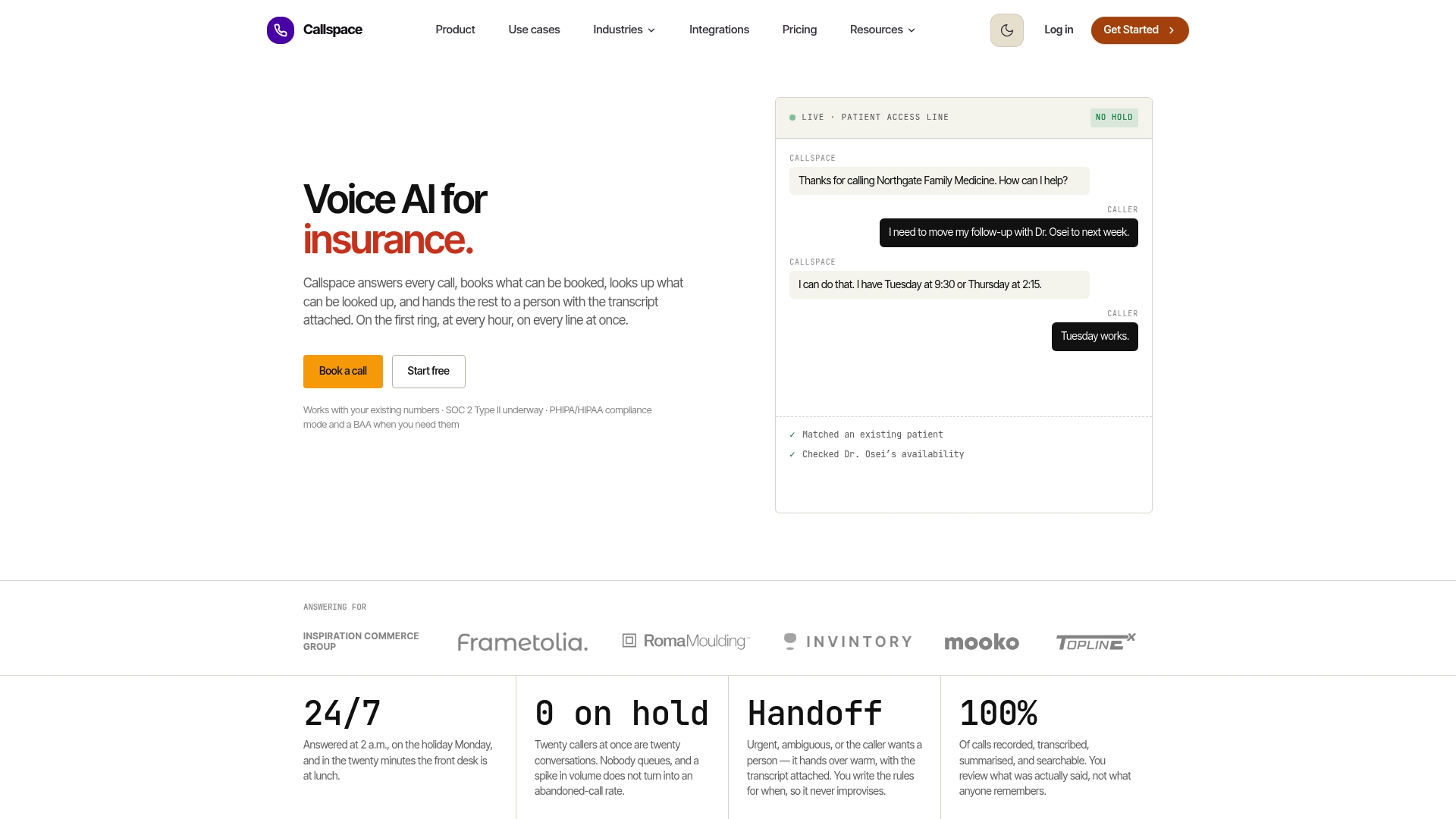
Plans start with Basic at $150 per month, and Team pricing is available on request. Industry-specific pages for healthcare, insurance, and ecommerce setups walk through integrations for each field, and a closer look at how Callspace compares to Lippy AI is available for anyone weighing options directly.
Sources
- Voice bots on the frontline: Voice-based interfaces enhance flow-like consumer experiences & boost service outcomes
- Voice‐based AI in call center customer service: A natural field experiment
- Recording of Customer Telephone Calls - Office of the Privacy Commissioner of Canada
FAQ
What is a voicebot?
A voicebot is a system that handles spoken conversations over the phone or a voice assistant, using speech recognition to understand callers and text-to-speech to respond. It is built for tasks that need to happen quickly and hands-free, such as booking an appointment or checking an order status.
What is the difference between a bot and a chatbot?
“Bot” is a general term for any automated software agent, while a chatbot specifically refers to a bot that holds a conversation in text, usually on a website, app, or messaging platform. A voicebot is a bot too, just built for spoken rather than written conversation.
What are the four types of chatbots?
Definitions vary across sources, but a common breakdown separates chatbots by how they process input: rule-based bots that follow fixed decision trees, keyword-recognition bots that match phrases, menu or button-based bots that guide users through fixed choices, and AI-driven bots that use natural language understanding to interpret open-ended text.
Is a voicebot free to use?
Pricing depends entirely on the vendor and the plan. Callspace, for example, lists a Basic plan at $150 per month, while its Team plan pricing is available on request rather than published.