Reduce Call Abandonment Without Hiring: Ops Managers' WFM, AI Playbook
Lower call abandonment fast with dynamic wait time announcements, guaranteed callbacks, and WFM analytics. Add an always on AI phone assistant for 24/7...

The fastest way to reduce call abandonment is to announce estimated wait times, offer callback or virtual queuing instead of hold music, and staff to actual demand rather than average demand. A documented case at Henkel cut abandonment from 4.26% to 2.83% using data-driven scheduling alone, no extra hires required. The rest of this guide walks through the design choices, benchmarks, and a short example of how automation fits into the mix.
TL;DR:
- Implementing estimated wait time announcements and callback options can significantly lower abandonment rates without increasing staffing costs.
- Reforecast staffing in short intervals and regularly audit agent availability to better match demand and prevent silent inefficiencies that drive abandonment.
- Utilizing AI-driven automation, simple IVR menus, and multichannel support reduces call volume and speeds up resolution for routine inquiries.
- Setting clear, achievable callback guarantee windows and tracking acceptance rates ensures callback strategies effectively decrease caller frustration.
- Developing a comprehensive surge plan with escalation protocols and backup channels prepares contact centers for unexpected spikes or system outages.
Table of Contents
- Quick tactical checklist (do this today)
- Staffing and workforce management: use data to match capacity to demand
- Virtual queuing and callback strategies
- IVR, self-service, and automation: reduce volume and speed resolution
- Metrics, benchmarks, and how to calculate abandonment rate
- Training, agent engagement, and in-queue experience
- Monitoring and continuous improvement: analytics and experiments
- How an always-on AI phone assistant can prevent missed calls
- Implementing priority routing for high-value or repeat customers
- Using real-time monitoring and alerts to proactively manage call queues
- Analyzing peak call times to optimize scheduling
- Integrating multichannel support to reduce voice call load
- Utilizing automation and AI chatbots to handle common inquiries
- Strategies for managing unexpected call spikes or system outages
- Author perspective: practical priorities for managers
- How Callspace helps reduce call abandonment
- Sources
- FAQ
Quick tactical checklist (do this today)
Some fixes need a project plan. Others need an afternoon. Start with the second kind.
- Turn on estimated wait time (EWT) announcements and update them dynamically as queue conditions change.
- Offer a virtual-queue callback with a clear guarantee window, such as “we’ll call you back within 15 minutes,” instead of open-ended hold music.
- Cut dead air entirely: replace silence with informative, human-sounding messages about queue position or next steps.
- Route routine requests to IVR or self-service, but always give callers an immediate way to reach a person.
- Build a surge overflow plan now, before you need it: overflow numbers, a temp-staffing list, and a documented escalation path.
Pro Tip: Test your on-hold messaging by calling your own line during peak hours; if you get bored or confused, so will your callers.
Staffing and workforce management: use data to match capacity to demand
Abandonment is often less about how many agents you have and more about whether the right agents are on the phone at the right hour. Hour-by-hour forecasting, refreshed on short intervals rather than reset once a week, catches the peaks that daily averages smooth over and hide.
A recurring problem is what workforce-management analysts call the “staffing illusion”: agents get coded as available in the WFM system while they are actually on breaks, in meetings, or handling backend work. That gap between coded and real availability can quietly erode service level for months, and auditing those codes against real-time agent status is a low-cost way to close it without adding headcount.
- Reforecast in short intervals, not just daily or weekly, to catch intraday swings.
- Reconcile WFM-coded availability against actual real-time status at least monthly.
- Cross-train agents so surges can pull coverage from adjacent queues instead of waiting on new hires.
- Weigh the cost of higher agent utilization against the service-level gains before assuming you need more staff.
**Abandonment rates typically fall between 3% and 6% of inbound calls, and that range tends to track wait-time announcements and service level more closely than headcount alone.
Virtual queuing and callback strategies
Callback offers work because they change the type of problem you’re solving. Instead of asking a caller to wait live on the line, you convert an inbound congestion problem into an outbound scheduling task, one your team can smooth across the day instead of absorbing all at once.
Research on callback policies finds that offering a callback can lower the disutility callers feel from waiting online, and that callers accept and answer callbacks at high rates when the offer is well-designed. In many settings a postponed callback, rather than an immediate one, performs better because it gives the queue time to clear before the outbound call goes out.
- Set guarantee windows you can actually hit, and say them in plain language (“within 20 minutes,” not “shortly”).
- Track callback acceptance and answer rates weekly to see whether the offer is actually working or just sounding good.
- Watch downstream effects, since a flood of scheduled callbacks can create its own mini-peak if timed poorly.
- Frame the callback as saving the caller’s place in line, not as a downgrade from talking to someone now.
Pro Tip: Word the callback offer around what the caller keeps, not what they give up: “keep your spot and skip the hold” tests better than “leave a callback number.”
IVR, self-service, and automation: reduce volume and speed resolution
Every call your IVR resolves without a queue is a call that can’t be abandoned. The design bar is simple: keep menus short, usually three or four options, and give callers an obvious way to reach a human immediately if self-service isn’t working for them.
Status checks, appointment bookings, and common FAQs are the easiest candidates for deflection because they rarely require judgment. Conversational AI extends that further by covering after-hours and overflow periods when no live agent is scheduled at all, which automation and virtual queuing research points to as one of the more reliable ways to relieve queue pressure without adding shifts.
- Cap IVR menus at three or four choices and repeat the “reach a person” option at every branch.
- Deflect bookings, order status, and FAQs to self-service or a chat widget before they ever reach the queue.
- Use AI-driven answering for after-hours and overflow coverage rather than leaving those calls to voicemail.
- Track deflection rate alongside resolution and transfer rates, since a high deflection rate with a high transfer-back rate just moves the frustration, it doesn’t remove it.
Metrics, benchmarks, and how to calculate abandonment rate
An abandoned call is one where the caller hangs up before reaching an agent, though vendors differ on details like whether a caller who hangs up during the IVR counts or only those who hang up in the live queue. Check your platform’s definition before you compare numbers across systems.
The formula itself is simple: abandonment rate equals abandoned calls divided by total inbound calls, over whatever period you’re measuring, usually a day or a reporting interval.
| Metric | What it measures | Typical starting benchmark |
|---|---|---|
| Abandonment rate | Callers who hang up before reaching an agent | 3% to 6% |
| Average speed of answer (ASA) | Time from queue entry to agent pickup | Tracked alongside abandonment, not in isolation |
| Service level | Share of calls answered within a target time | Set per queue type and priority |
| Average handle time (AHT) | Time an agent spends per call | Tracked to catch triage or transfer problems |
Even a modest change in wait-time communication can shift outcomes meaningfully: Henkel’s move to data-driven decision support cut abandonment from 4.26% to 2.83%, a relative improvement of roughly a third, without increasing labor costs. Industry and queue type shift what counts as an acceptable target, so treat these ranges as a starting point, not a universal rule.
Training, agent engagement, and in-queue experience
A caller who reaches an agent quickly but gets bounced twice is often more frustrated than one who waited a little longer and got resolved on the first try. Fast, accurate triage matters as much as speed.
- Train agents to triage the reason for the call within the first minute and warm-transfer with context, not a cold handoff that forces the caller to repeat themselves.
- Audit schedule adherence regularly, since unplanned shrinkage from breaks and meetings is one of the quieter causes of long queues.
- Replace generic hold music with human-sounding updates on queue position so callers know they haven’t been forgotten.
- Give agents short triage scripts for the most common call types to keep handle time consistent across the team.
Pro Tip: A five-second warm transfer with a full summary beats a fast cold transfer nearly every time; callers remember being asked to repeat themselves.
Monitoring and continuous improvement: analytics and experiments
Abandonment isn’t a number you fix once. It’s a number you watch.
- A/B test delay-message wording, callback phrasing, and IVR menu order in small batches before rolling changes out fully.
- Use predictive analytics on historical volume to pilot staffing changes before committing to them permanently.
- Build a daily intraday dashboard for live queue health and a weekly review for trend direction.
- When abandonment spikes without an obvious cause, check WFM coding errors and recent routing changes first, since those two account for a large share of unexplained jumps.
How an always-on AI phone assistant can prevent missed calls
An AI voice assistant that answers instantly, books appointments, and hands off complex calls to a human with a full transcript addresses several of the tactics above at once: no queue, no dead air, and coverage around the clock. A suitable AI voice assistant works this way for clients in healthcare, insurance, and ecommerce sectors.
- Answers every call immediately, removing the wait that drives abandonment in the first place.
- Handles bookings, order lookups, and routine inquiries without tying up a live agent.
- Passes complex or urgent calls to staff with real-time transcription attached, so context isn’t lost.
Automation fits best when volume, not skill, is the bottleneck. Staffing and WFM fixes still matter most when the problem is scheduling, not call type.
Implementing priority routing for high-value or repeat customers
Not every caller has the same tolerance for waiting, and not every call carries the same value to your business. Priority routing uses caller history, such as account status, purchase value, or call frequency, to move certain callers ahead in the queue or to a dedicated line.
Research on personalized priority policies finds that routing based on caller history can lower waiting times or abandonment for high-value callers while also increasing overall throughput, since agents spend less time on calls that don’t match the caller’s actual need.
In practice, this usually means identifying a small number of caller segments, repeat customers, active claims, or high-value accounts, and giving them a shorter path to an agent rather than the full queue. A dental practice might route existing patients calling about a scheduled appointment differently than a new patient inquiry. An insurance line might fast-track callers with an open claim.
The design choice that matters most is transparency: priority routing works best when it’s based on clear, defensible criteria (account tenure, claim status, appointment type) rather than criteria that feel arbitrary if a caller ever finds out how they were sorted. It also needs monitoring, since a priority queue that grows too large stops being a priority queue and just becomes a second general queue with a different name.
Start small. Pick one caller segment with a clear business case, measure the change in wait time and abandonment for that segment specifically, and expand only if the numbers hold up.
Using real-time monitoring and alerts to proactively manage call queues
Most abandonment problems are visible in the data minutes before they show up in the abandonment rate. A real-time dashboard that tracks queue depth, current wait time, and agent availability lets a supervisor act before callers start hanging up, not after.

The core setup is straightforward: set threshold alerts for queue depth and wait time, route those alerts to whoever can actually pull a lever (a supervisor who can open an overflow queue or call in backup staff), and make sure the alert includes enough context to act on immediately rather than just a number.
A few practical rules make this work in day-to-day operations.
- Set alerts at two levels, an early warning threshold and a critical threshold, so supervisors get time to react before the queue is already in trouble.
- Route alerts to a person with the authority to act, not just to a shared inbox that gets checked later.
- Review alert history weekly to catch patterns, since the same time of day or day of week triggering alerts repeatedly points to a forecasting gap, not a one-off event.
- Pair real-time alerts with a documented response, such as “at this threshold, open overflow line 2,” so the reaction doesn’t depend on who’s on shift.
The goal isn’t to eliminate every spike. It’s to shrink the gap between when a queue starts to strain and when someone notices.
Analyzing peak call times to optimize scheduling
Most call centers already know their busiest hours in a general sense. The problem is that “busy” often gets treated as a single block instead of a shape, and that shape changes by day of week, by season, and sometimes by external events like a billing cycle or a product launch.
A useful exercise is to plot inbound volume by hour across at least several weeks and look for the actual peak shape rather than relying on a gut sense of “mornings are busy.” Many centers find their true peak is narrower and sharper than assumed, a 45-minute spike rather than a three-hour plateau, which changes how you staff for it.
Once you have that shape, the scheduling fix is usually smaller than expected: shifting one or two agents’ start times by 30 minutes, adding a short overlap shift during the sharpest peak, or staggering lunch breaks so coverage doesn’t dip right when volume climbs. These are cheaper and faster to implement than adding headcount, and they directly target the minutes when abandonment is most likely.
Seasonal and day-of-week patterns deserve their own review cadence, separate from daily monitoring. A healthcare line’s Monday morning volume looks nothing like its Friday afternoon volume, and a scheduling model built on a flat weekly average will understaff exactly when it matters most. Revisit the peak analysis quarterly, since call patterns shift as your customer base or service offerings change.
Integrating multichannel support to reduce voice call load
Every inquiry that moves to chat, email, or text is one less call in the queue, and for a meaningful share of contacts, especially status checks and simple questions, callers are often just as satisfied resolving things outside a phone call.
The practical version of this isn’t “add every channel.” It’s picking the channels that match the types of calls currently clogging your queue. If a large share of calls are appointment confirmations or order status checks, a text-based confirmation system or a web chat widget with order lookup removes those calls before they’re ever dialed.
Multichannel integration works best when the channels share the same underlying system as the phone line, so a caller who starts on chat and later calls in doesn’t have to repeat themselves. Disconnected channels create the same repeat-contact frustration as a cold transfer, just across mediums instead of within one call.
Practices in property management, catering, and similar service industries often see the clearest wins here, since a large share of their inbound volume is scheduling and status questions rather than complex problem-solving. Businesses that handle these kinds of routine requests through automated phone answering built for service businesses tend to see fewer of those simple questions ever reach a live queue in the first place.
Multichannel support doesn’t replace the phone line. It just makes sure the phone line isn’t carrying volume that another channel handles better.
Utilizing automation and AI chatbots to handle common inquiries
Chatbots and voice AI both work on the same principle: the majority of inbound contact volume is repetitive, and repetitive questions don’t need a human to answer them well. The judgment call is figuring out which of your common inquiries are actually repetitive versus which only look that way on the surface.
Good candidates for automation share a few traits: they have a predictable set of possible answers, they don’t require emotional judgment, and getting them wrong doesn’t carry serious consequences. Order status, appointment scheduling, business hours, and basic FAQ lookups all fit that profile. A caller asking about a billing dispute or expressing distress does not, and automated systems should recognize that distinction and hand off quickly rather than trying to force a script.
Automation and virtual queuing designed for contact centers can deflect these routine requests while also covering the hours when no live agent is on shift, which does double duty: it reduces daytime queue pressure and it captures calls that would otherwise go to voicemail overnight.
The measurement that matters here isn’t how many calls the bot answered. It’s how many of those callers didn’t need to call back again for the same issue, and how many transferred to a human because the bot genuinely couldn’t help versus because the bot’s scope was too narrow to begin with. Track both numbers before deciding a chatbot deployment worked.
Strategies for managing unexpected call spikes or system outages
A surge plan is worthless if it’s still theoretical the day you need it. The centers that handle spikes well have already answered three questions before the spike hits: who gets called in, what number absorbs overflow, and who has the authority to open it.
Build the plan around a short escalation ladder rather than a single fallback. The first line of defense is usually redirecting to an overflow queue or a secondary team already cross-trained on the basics. The second line is temporary staffing, whether that’s calling in off-shift agents or activating a backup answering service for the duration of the spike. The third line, reserved for genuine outages rather than volume surges, is a clear communication plan: an updated outgoing message, a status page, or a text-based update so callers aren’t left guessing whether the line is even working.

Outages deserve a distinct plan from spikes because the cause is different. A volume spike means too many callers for the capacity you have; an outage means the capacity itself is unavailable. An outage plan should specify a backup channel, such as a secondary number or an automated answering system, that stays reachable even when the primary system is down.
Run this plan at least once a year as a drill, not just as a document. A surge plan that nobody has walked through tends to fall apart in the first ten minutes of an actual event, usually because no one remembers who’s supposed to make the first call.
Author perspective: practical priorities for managers
If you only have a week, start with wait-time announcements and callback offers: cheap, fast, and evidence-backed. Give yourself a quarter for workforce-management fixes, since those pay off but need real data work. Save automation and IVR redesign for last, and pilot before you commit.
— Sam
How Callspace helps reduce call abandonment
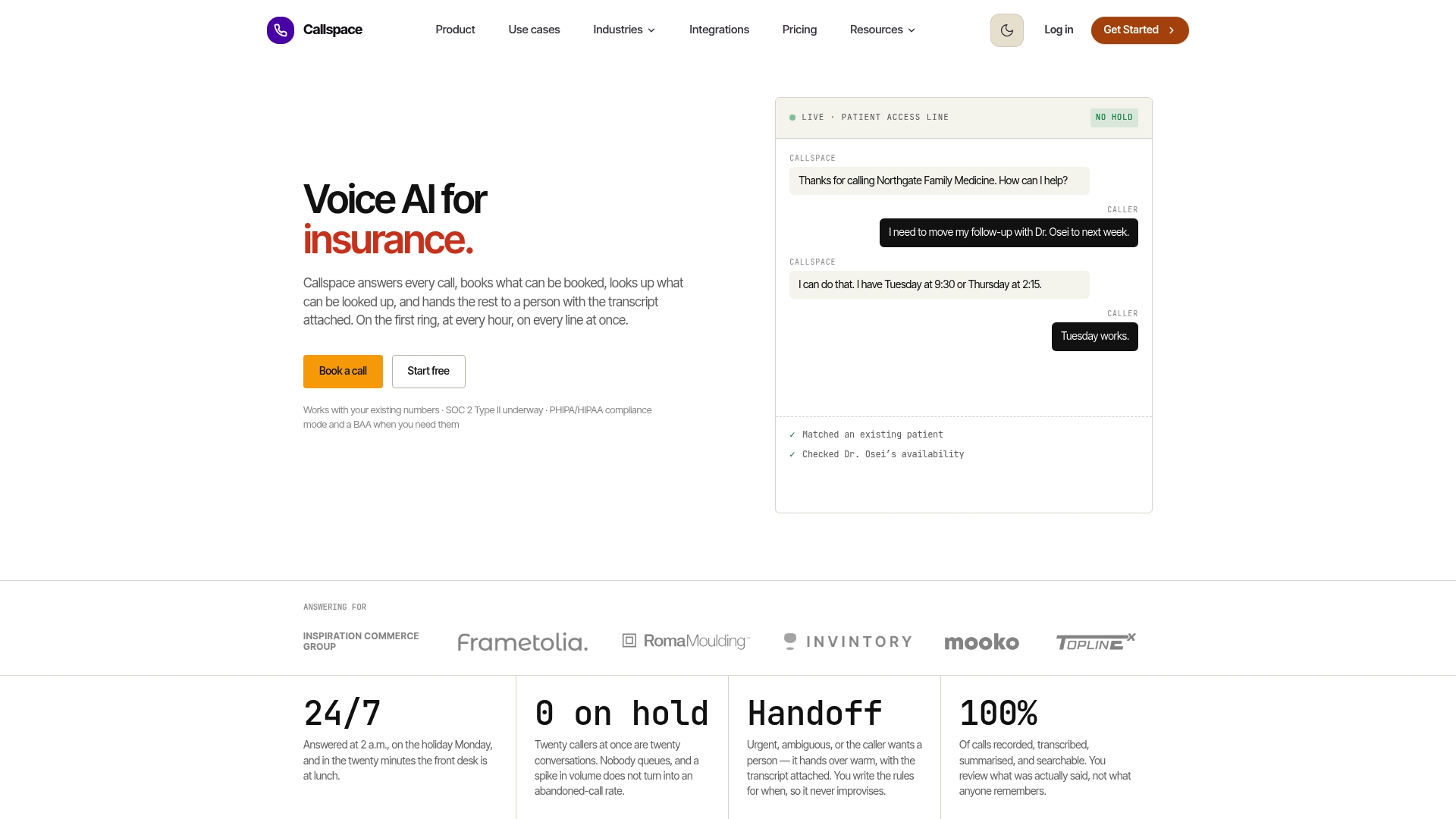
Callspace answers calls the moment they come in, so there’s no queue to abandon in the first place. It handles appointment bookings, order lookups, and routine questions on its own, and hands off anything complex to a human agent with a full transcript already attached, which covers the callback replacement, 24/7 coverage, and warm-transfer needs discussed above in a single system.
- Available around the clock, including after hours and weekends when live staff typically aren’t.
- Built for regulated industries, with compliance features suited to healthcare and insurance call lines.
- Priced with a Basic plan at $150 per month, with a Team plan available for larger operations.
If your abandonment problem is mostly about volume rather than scheduling, it’s worth checking pricing and plan details or browsing industry-specific use cases to see where it fits your call mix.
Sources
- Practice Summary: Henkel Uses Analytics to Improve Call Center Performance | INFORMS Journal on Applied Analytics
- Don’t Call Us: An Examination of Callback Policies (Kenan Institute / UNC)
- Transforming Customer Experience with Contact Center Automation | CCNG
FAQ
What is an acceptable call abandonment rate?
Most call centers aim for an abandonment rate between 3% and 6%, though the right target depends on your industry and queue type. Healthcare and insurance lines often aim for the lower end of that range given the urgency of many calls.
How do I calculate the abandonment rate for a call center?
Divide the number of abandoned calls by the total number of inbound calls over your chosen period, then express it as a percentage. Check your phone system’s definition of “abandoned” first, since some platforms count IVR hang-ups differently than queue hang-ups.
How do you overcome call center burnout?
Burnout usually improves when schedule adherence is audited honestly and shrinkage is planned for rather than ignored, since unplanned gaps push remaining agents into longer, more stressful queues. Shorter, well-designed triage scripts and realistic handle-time expectations also reduce the pressure that drives burnout.
How do you politely tell someone to stop calling?
State plainly that the request has been received, give a clear next step or timeline, and confirm no further calls are needed on that matter. A brief, specific closing line, such as noting that a callback will follow within a stated window, tends to end repeat calls more effectively than a vague reassurance.