Cut No Shows in 30–90 Days: Optometry Phone Scheduling for Canada
Canada aware plan to cut no shows in 30–90 days. Phone scripts, booking setup, an AI assistant pilot, and privacy checks for clinics.

For most optometry practices the fastest wins are straightforward: standardize phone scripts, add short-term online booking, and pilot an AI phone assistant for overflow calls. Staffed phone scheduling suits lower-volume practices with strong front-desk continuity; online booking fits practices with tech-comfortable patients; hybrid AI-assisted answering fits anyone losing calls during peak hours. Below, we cover scripts, reminders, integrations, no-show evidence, and privacy checks.
TL;DR:
- Practices should prioritize online booking for routine appointments, as it most effectively reduces phone traffic and handles scheduling outside office hours.
- Shortening scheduling lead times to within two weeks significantly lowers no-show rates, especially for new or previously absent patients.
- Any automated scheduling system in Canada must have clear privacy safeguards, with data residency and retention policies specified in writing before deployment.
- Starting with overflow call handling and gradually integrating AI assistants can improve after-hours coverage without disrupting existing workflows.
- Staff training focused on scripted, confident communication and regular call audits can enhance call accuracy and patient satisfaction.
Table of Contents
- Choosing between staffed, online, and hybrid scheduling
- Phone scheduling workflow and scripts your team can use today
- Setting up online real-time booking that actually reduces phone traffic
- What the research says about no-shows and lead time
- Keeping automated scheduling systems compliant and secure
- Piloting AI-assisted phone answering in an optometry practice
- Handling common patient questions during phone scheduling
- Training staff for effective phone communication
- Managing cancellations and rescheduling via phone
- Our recommended first 30 to 90 day action plan
- How Callspace helps automate call answering and appointment booking
- FAQ
- Sources
Choosing between staffed, online, and hybrid scheduling
Each model solves a different problem, and most practices eventually run a blend of all three. The right mix depends on call volume, staffing budget, and how tightly scheduling needs to connect to your practice management software.
Staffed phone scheduling gives you the most control over triage and patient rapport, but it caps out fast: a single receptionist can only handle one call at a time, and missed calls during lunch or peak hours become missed bookings. Online real-time booking removes that ceiling and works around the clock, though it struggles with complex cases like urgent red-eye visits or insurance questions that need a human judgment call. Hybrid AI-assisted answering catches overflow and after-hours calls without adding headcount, but it needs clear escalation rules so it never handles something that requires clinical judgment.
A quick decision checklist:
- Under 30 calls a day with steady staffing: staffed phone scheduling with a backup voicemail-to-callback policy usually works fine.
- High call volume or frequent after-hours calls: add online booking first, since it absorbs routine requests without staff involvement.
- Calls going to voicemail during busy periods: a hybrid AI-assisted layer catches what staffed lines miss, especially for after-hours and lunch coverage.
- Heavy reliance on practice management or EHR integration: prioritize whichever option, staffed or automated, integrates cleanly with your existing calendar system.
Phone scheduling workflow and scripts your team can use today
A consistent call flow matters more than any single script. Staff should verify identity, confirm the visit reason, check insurance or vision plan status, and only then offer appointment times, in that order, so nothing gets missed under time pressure.
- Greet the caller and confirm their name and date of birth.
- Ask whether this is a new patient, a follow-up, or an urgent concern.
- For urgent symptoms (sudden vision loss, eye pain, flashes or floaters), triage immediately and offer the soonest available slot or same-day guidance.
- Confirm insurance or vision benefits before locking in a time.
- Offer two to three specific appointment windows rather than asking “when works for you.”
- Repeat back the date, time, and any pre-visit instructions, then confirm the best number for reminders.
New patient script: “Welcome to the practice. Since this is your first visit, I’ll need a few details: your date of birth, insurance or vision plan, and the main reason for the visit. Based on that, I have openings Tuesday at 10 AM or Thursday at 2 PM. Which works better?”
Follow-up or recall script: “I see you’re due for your annual exam. We have an opening next Wednesday at 9:30 AM or Friday at 3 PM. Would either of those work, and should we send a reminder by text or email?”
For accessibility needs, ask directly whether the patient needs a longer appointment slot, an interpreter, or mobility accommodations, and note it in the chart before the visit.
Pro Tip: Record a handful of calls each month and score them against your script’s key checkpoints, not word-for-word compliance, to catch where staff improvise in ways that cause errors.
Setting up online real-time booking that actually reduces phone traffic
Online booking only reduces call volume when it is built to handle the appointment types patients actually search for. A generic “book now” button that only offers one exam type pushes complicated requests right back to the phone.
Essential features to include:
- Appointment type selection separating routine exams, contact lens fittings, urgent visits, and pediatric exams, since each may need different time slots.
- Real-time calendar sync so patients never see a slot that a staff member just booked over the phone.
- Automated confirmation and reminder messages sent immediately after booking, not hours later.
- Required fields for insurance and reason for visit, which cuts down on incomplete bookings that still require a follow-up call.
- A visible phone number and “call us” option for anything the online form does not cover, so patients with urgent needs do not get stuck in a form.
Before launch, confirm the booking tool syncs correctly with your practice management or EHR system; a booking that does not land in the same calendar staff use creates double-bookings fast. Test the full patient journey yourself, including what happens when a patient abandons the form halfway through.
A sensible rollout starts with a two-week pilot limited to routine exam bookings, with staff manually checking the calendar twice daily for conflicts. Once that runs clean, expand to additional appointment types and turn on full automation.

What the research says about no-shows and lead time
Lead time is one of the clearest predictors of whether a patient shows up. A large analysis of 51,529 ophthalmology appointments found that scheduling within zero to two weeks was associated with much lower no-show rates than booking months in advance, and modeling suggested that shortening scheduling lead time reduces no-shows substantially.
A 2023 study at a Canadian tertiary ophthalmology service found an 18.3% no-show rate across 3,922 visits, with new patients 1.4 times more likely to miss appointments and patients with a prior no-show 2.2 times more likely to miss again. That gap points to where reminder effort pays off most.
Practical takeaways for scheduling policy:
- Keep booking windows short where possible, especially for routine exams, rather than filling the calendar months out.
- Layer reminders: the same lead-time research base supports SMS and voice reminders as similarly effective, and two-way confirmations (where the patient replies to confirm) catch cancellations early enough to rebook the slot.
- Flag high-risk patients: new patients and anyone with a prior no-show benefit from an extra reminder call or a shorter confirmation window.
- Reserve a few short-notice slots each day for rebooking cancellations rather than leaving gaps open.
Keeping automated scheduling systems compliant and secure
Any system touching patient scheduling data, whether a booking widget or a phone assistant, needs a privacy review before it goes live, not after. Canadian clinics operate under provincial privacy legislation, and the Office of the Privacy Commissioner of Canada notes that clinics should check vendor data residency and confirm contracts address health information safeguards before adopting automated tools.
Before signing with any scheduling or phone vendor, confirm:
- Where data is stored, since cross-border storage requires disclosure and may trigger additional provincial obligations.
- How call transcriptions and recordings are retained, including deletion timelines and who can access them.
- Whether the vendor’s contract names specific safeguards for health information, not just general security language.
- Integration scope, prioritizing calendar and practice management connections that reduce manual re-entry, since every manual step is a place errors creep in.
- References from other healthcare clients, ideally ones with similar compliance requirements.
Ask for these answers in writing. A vendor unwilling to specify data residency or retention policy is a signal to keep looking.
Piloting AI-assisted phone answering in an optometry practice
AI-assisted phone systems handle the repetitive parts of scheduling well: booking routine exams, answering hours and location questions, and performing basic triage before handing off anything complex. They are not a replacement for clinical judgment, and professional guidance from the College of Optometrists frames AI as a tool that augments clinicians, with human review remaining part of the process.
A workable pilot checklist:
- Start with after-hours and overflow calls only, so the assistant handles what staff would otherwise miss rather than replacing existing workflows.
- Set clear escalation rules: anything involving symptoms, complaints, or billing disputes routes to a human with full call context.
- Review transcripts weekly for the first month to catch misrouted calls early.
- Track three metrics: bookings completed without staff involvement, call abandonment rate, and patient satisfaction on follow-up calls.
Pro Tip: Brief your front-desk team before launch on exactly which calls the assistant handles, so they are not caught off guard explaining the change to a confused patient.
Handling common patient questions during phone scheduling
Most phone scheduling calls hit the same handful of questions, and having ready answers keeps calls short without sounding scripted. Patients frequently ask how long the exam will take, whether they need to arrive early, what to bring, and whether their insurance or vision plan covers the visit.
For timing questions, give a specific range (“routine exams run 30 to 45 minutes, longer if we’re dilating your eyes”) rather than a vague “not too long.” For dilation specifically, mention that patients may want someone to drive them home, since blurred vision afterward catches many first-time patients off guard.
Insurance questions deserve a direct answer when possible: confirm what the practice accepts, and if the specific plan details are uncertain, tell the patient you will verify before the visit and call back if there is an issue, rather than guessing.
New patients often ask what to bring. A short standard list, current glasses or contacts, insurance card, and a list of medications, answers this in one breath and prevents a rescheduled visit over a missing item.
Pediatric and senior patients’ families sometimes ask about accommodations. Answering with specifics (wheelchair access, a quieter waiting area, a longer slot for a child’s first exam) builds confidence before the visit even happens.
When a question falls outside staff’s knowledge, such as a clinical question about symptoms, the right move is to say so plainly and offer a callback from clinical staff rather than guessing an answer over the phone.
Training staff for effective phone communication
Phone scheduling quality comes down to training, not talent. Staff who sound confident and move efficiently through a call usually learned that through structured practice, not instinct.
Start new hires with scripted role-play covering the most common call types: new patient bookings, recall scheduling, and urgent triage. Role-play surfaces awkward phrasing before it reaches a real patient. Pair new staff with an experienced scheduler for their first week of live calls, with the experienced staffer listening in and giving feedback after each call.
Beyond scripts, train staff on tone. A rushed or flat voice reads as disinterest even when the information given is correct, while a warm but efficient tone keeps calls short without feeling transactional. Teach staff to repeat back appointment details out loud, which both confirms accuracy and gives the patient a natural pause to ask questions.
Regular call audits matter as much as initial training. Reviewing a sample of recorded calls monthly, checking for accurate triage, complete insurance verification, and correct appointment confirmation, catches drift before it becomes a pattern. Share specific examples, both good and needing improvement, in team meetings rather than generic feedback.
Finally, train staff on what they are not expected to answer. Clear boundaries around clinical questions, specific diagnosis concerns, or complex insurance disputes keep staff from improvising answers that could be wrong, and instead route those calls to the right person with context intact.
Managing cancellations and rescheduling via phone
Cancellations and reschedules are where scheduling systems either stay organized or fall apart. A clear phone process for handling them prevents double-booked slots and lost revenue from empty appointment windows.
When a patient calls to cancel, the first move is to immediately offer rescheduling in the same call rather than just logging the cancellation. Most patients cancel because of a conflict, not because they no longer need the visit, and offering two or three alternate times on the spot often keeps the appointment from falling off the calendar entirely.
For same-day cancellations, flag the opening immediately so staff can fill it from a waitlist or a list of patients who requested earlier availability. A short-notice slot filled within the hour costs nothing; one left open until end of day is lost revenue.
Track cancellation reasons loosely, since patterns matter. A patient who cancels repeatedly on short notice may need a different reminder approach, like an earlier confirmation call, rather than a general reminder text that is easy to ignore.
Rescheduling requests from no-show patients deserve a slightly different approach: confirm the new appointment time back to them clearly, and consider an extra reminder given that patients with a prior no-show are more likely to miss again. This is not about penalizing the patient, it is about making sure the next reminder actually reaches them before the appointment.
Keep the cancellation and reschedule process as low-friction for staff as it is for patients: a single screen or log where cancellations, reschedules, and waitlist fills are recorded prevents the kind of double-entry errors that create scheduling conflicts down the line.

Our recommended first 30 to 90 day action plan
Weeks one to four: standardize your phone scripts and run call audits. Weeks four to eight: pilot online booking for routine exams only. Weeks eight to twelve: add an AI phone assistant for overflow and after-hours calls. Track booking completion rate, no-show rate, and patient satisfaction throughout.
— Sam
How Callspace helps automate call answering and appointment booking
If your front desk is missing calls during peak hours or after closing, we built Callspace to pick up where staffed lines leave off. We answer calls promptly and handle appointment booking, routine questions, and order or account lookups in real time. Every call is transcribed and reviewed for quality, and anything requiring clinical judgment is routed appropriately through a transfer rather than a callback.
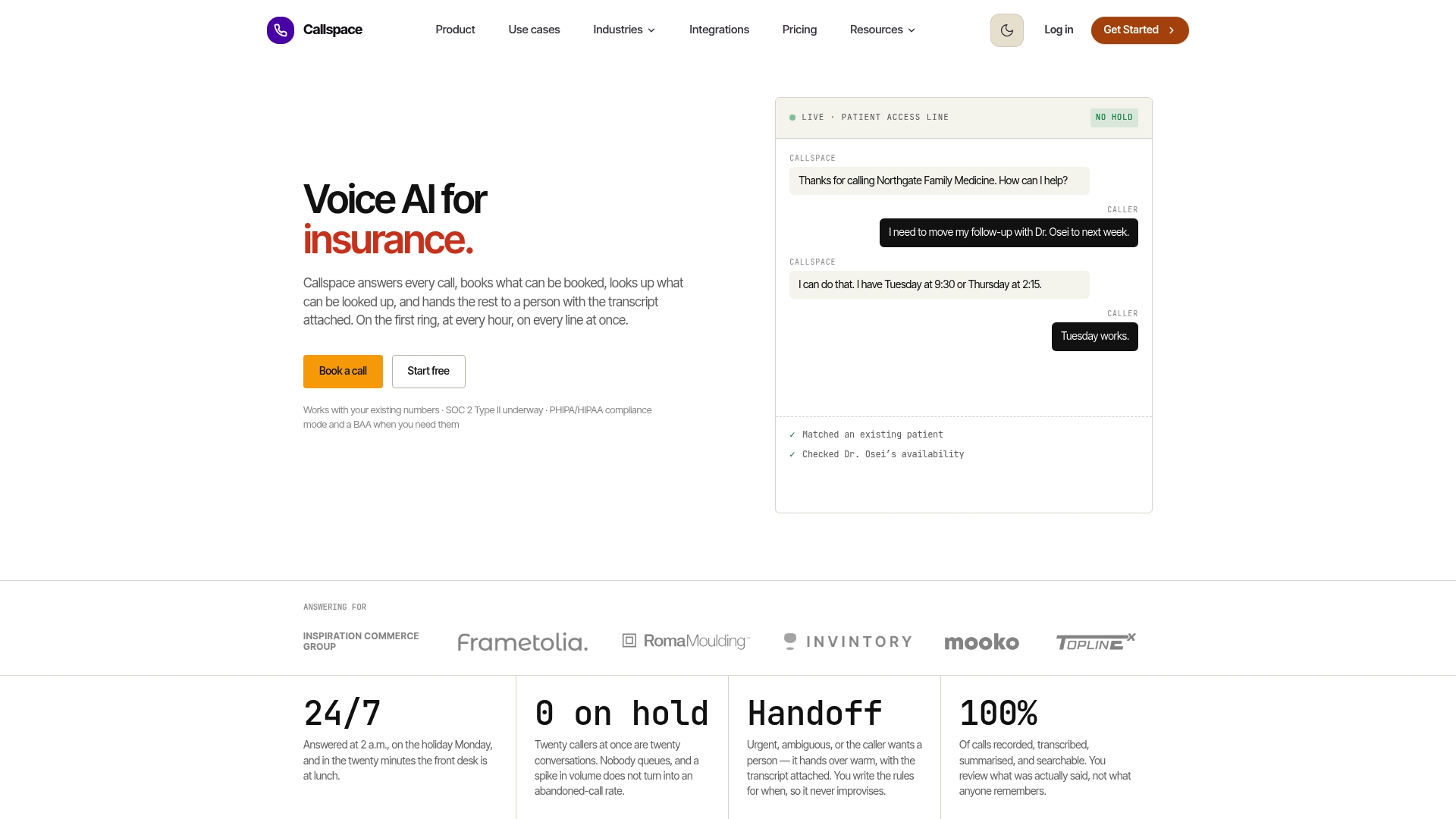
For optometry practices specifically, we support calendar and practice management integrations, and have compliance features aligned with privacy standards for clinics handling protected health information. A practical pilot looks like what we outlined above: start with overflow and after-hours coverage, review transcripts weekly, and track completed bookings against your current missed-call rate.
To see how this fits your practice, visit our optometry phone answering page or check current plans and pricing, including our Basic plan at $150 per month.
FAQ
How do I reduce no-shows for optometry appointments?
Keep booking windows short since shorter lead times are linked to much lower no-show rates, and layer SMS or voice reminders with two-way confirmation. Give extra attention to new patients and anyone with a prior no-show, since both groups carry a higher risk of missing appointments.
What should an optometry phone script include?
A good script verifies patient identity and visit reason first, checks insurance before offering times, and repeats back the confirmed appointment details. It should also include clear triage steps for urgent symptoms like sudden vision loss or eye pain.
Is online booking reliable enough to replace phone scheduling?
Online booking works well for routine exams and recall visits but struggles with urgent cases or complex insurance questions that need human judgment. Most practices run both together, using online booking to absorb routine requests while keeping phone lines open for anything that needs a real conversation.
What privacy rules apply to automated scheduling systems in Canada?
Clinics need to confirm where vendor-stored data resides and ensure contracts address health information safeguards, per guidance from the Office of the Privacy Commissioner of Canada. Cross-border data storage requires disclosure, and vendors should be able to specify retention and deletion policies in writing.
How much does Callspace cost for a practice?
Callspace’s Basic plan is listed at $150 per month, with a Team plan available at a price provided on request. Both plans include call answering, transcription, and appointment scheduling features.
Sources
- Study reporting no-show rate and risk factors (Canadian tertiary ophthalmology service, 2023)
- Lead time and no-show correlation in ophthalmology appointments (PMC)
- Privacy laws in Canada and vendor considerations (Office of the Privacy Commissioner of Canada)
- How AI transforms eye care with earlier disease detection (College of Optometrists, 2026)