80–90% Confidence Gates for Call Summarization AI in Contact Centers
Contact center managers: deploy call summarization AI with async post call summaries, 80–90% confidence gates, and structured CRM fields for safer automation.
Call summarization AI is ready for contact center production use when you pair it with structured output fields and a human-review gate for high-stakes calls. The technology reliably cuts after-call work and gives QA teams full-transcript coverage instead of spot checks. The caveat that determines success or failure isn’t the AI itself; it’s whether you govern accuracy, bias, and confidence thresholds before rolling it out across every queue.
TL;DR:
- Call summarization AI works best with structured output fields and human review gates, ensuring high accuracy for high-stakes calls.
- Asynchronous processing provides significantly higher transcription and extraction accuracy than real-time solutions, making it preferable for post-call summaries.
- KPIs such as reduced after-call work, improved QA coverage, and decreased average handle time are key measures to validate AI impact during pilots.
- Maintaining strict governance over accuracy thresholds and bias, along with proper integration protocols, is essential for successful production deployment.
- Starting with a narrow call type and establishing robust audit trails and feedback loops is crucial for scaling AI summaries reliably across contact centers.
Table of Contents
- What Call Summarization AI Produces: Structured Fields Versus Narrative Notes
- How Call Summarization Works: From Audio to Action Items
- Benefits and KPIs: What Improvement Actually Looks Like
- Accuracy, Hallucinations, and Operational Bias: What Can Go Wrong
- Integration Patterns and Engineering Checklist for Production Use
- Which Summary Fields Should Be Automated, and Which Need a Human?
- A Practical Path From Pilot to Production
- Where Callspace Fits Into This Workflow
- Sources
- FAQ
What Call Summarization AI Produces: Structured Fields Versus Narrative Notes
A raw call transcript is a wall of text. Call summarization AI turns that wall into something an agent, a supervisor, or a CRM field can actually use, which is why the industry increasingly treats it as a distinct output rather than a shortened transcript. Genesys describes this as capturing the “essence” of an interaction rather than compressing every sentence a customer said.
The difference between a narrative summary and a structured one matters more than most teams initially realize. A narrative summary reads like a paragraph an agent might jot down between calls. A structured summary breaks that same information into discrete, checkable fields:
- Issue: what the customer called about, in a sentence or two
- Resolution: what was actually done or promised
- Action items: follow-up tasks, with an owner attached
- Due date: when each action item needs to happen
- Confidence score: how certain the model is about its own extraction
Structured fields matter because they map directly onto CRM columns. A narrative note still requires someone to read it and manually decide what goes where. A structured field writes itself into the record, which is the entire point of automating call summaries to CRM in the first place with a shortcut to the right person.
How Call Summarization Works: From Audio to Action Items
Every call summarization AI call summary tool runs through the same five stages, and each one introduces a chance for errors to compound downstream.
- Capture: the audio is recorded, ideally on separate channels for agent and customer.
- Transcribe: speech is converted to text.
- Diarize: the system labels who said what and when.
- Extract: entities like names, dates, and dollar amounts get pulled out.
- Summarize: the model condenses the extracted information into the final output.
An error introduced in transcription doesn’t stay contained. It propagates through diarization, corrupts entity extraction, and shows up as a wrong name or a fabricated dollar figure in the summary an agent hands to a customer.
Real-time (streaming) processing serves a narrow but critical job: agent-assist prompts that need to surface a suggestion or a knowledge-base article while the customer is still talking. That mode tolerates lower accuracy in exchange for sub-second latency. Async (batch) processing runs after the call ends, using the full audio file to produce far more accurate diarization and entity extraction. AssemblyAI’s guidance on sync versus async transcription recommends async as the default for anything feeding CRM or QA, reserving real-time strictly for cases where sub-300ms response actually changes the agent’s next move.
Pro Tip: If you’re only automating one thing this quarter, make it async post-call summaries, not real-time agent assist. The QA and CRM payoff is larger, and the accuracy ceiling is higher.
Benefits and KPIs: What Improvement Actually Looks Like
The business case for call summarization AI summaries rests on a small set of measurable KPIs, and vendors that can’t produce numbers for all of them should raise questions during your pilot.
Analysts tracking contact center technology have reported significant time saved on after-call work when teams adopt AI-based transcription and summarization, according to Metrigy findings summarized by Zoom. That improvement tends to be the fastest to show up and the easiest to validate against a timer.
Beyond ACW, track these before and during any pilot:
- Average handle time (AHT): does summarization reduce wrap-up time enough to move the aggregate number, or only the ACW portion of it?
- QA coverage: what percentage of calls can supervisors now review, compared with the sample size before automation?
- Time saved per agent, per shift: measured in minutes, not just a percentage.
When a vendor cites an impact figure, ask for a sample audit: a set of real calls with the AI summary next to the human-verified version, scored for entity accuracy. A credible pilot defines its baseline (current ACW, current QA sample size) before turning anything on, and sets a numeric success threshold in advance rather than judging results after the fact.
Accuracy, Hallucinations, and Operational Bias: What Can Go Wrong
Transcription word error rate (WER) sets the practical ceiling for everything downstream. If the transcript misheard a policy number or a callback time, no amount of summarization skill recovers it. Engineering guidance on call transcript accuracy argues that entity-level accuracy, whether names, dollar amounts, and dates come through correctly, is a far more useful production metric than aggregate WER, since a transcript can score well on WER while still garbling the one number that mattered on that call.
Large language models carry their own failure mode on top of transcription errors: operational bias, where a summarizer systematically over-represents or under-represents parts of a conversation regardless of transcript accuracy.
Research on this problem, published under the name BlindSpot, tested 20 different LLMs across 2,500 contact-center transcripts and found consistent, measurable bias patterns in how models chose what to include and omit. The same research showed that targeted prompting techniques can meaningfully reduce that bias.
That finding, from the BlindSpot operational bias study, is the strongest evidence yet that summarization quality isn’t just a transcription problem. It’s a modeling problem, and it responds to deliberate governance.
Pro Tip: Ask any vendor directly whether their prompts have been tested against known operational bias patterns. A vague answer is itself useful information.
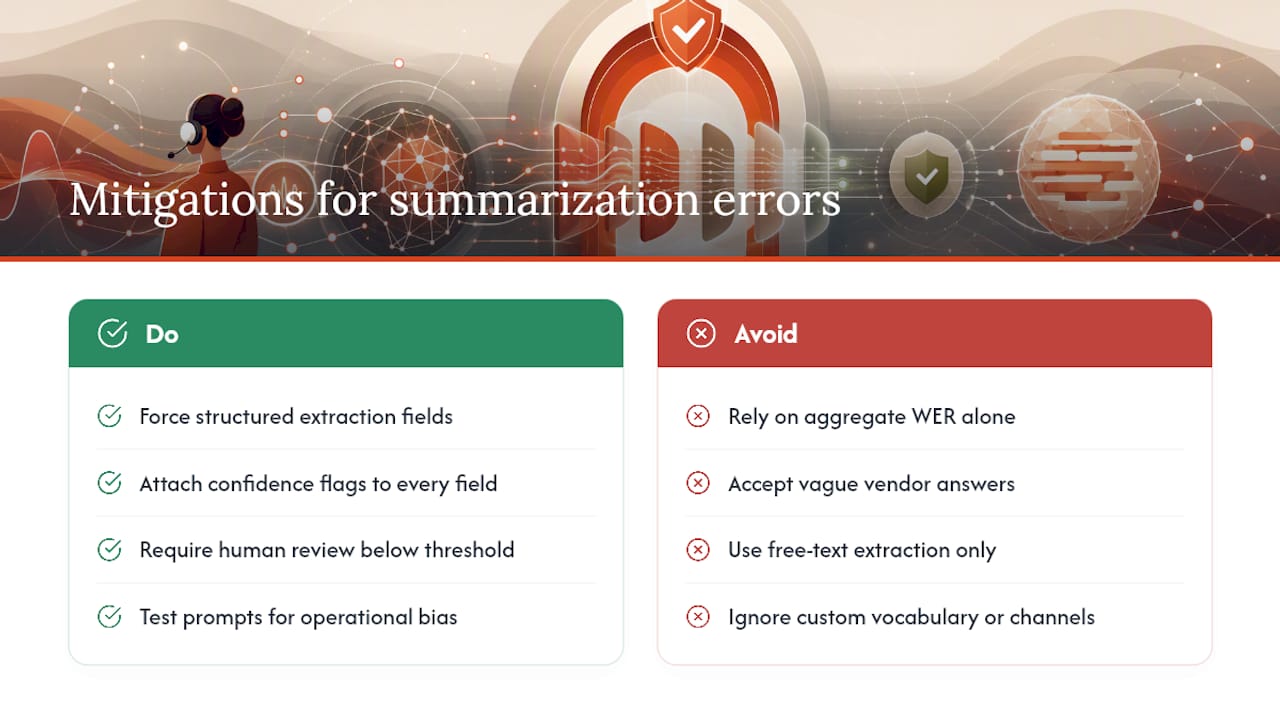
Practical mitigations: force structured extraction instead of free text, attach confidence flags to every field, require human review below a set threshold, maintain a custom vocabulary for industry terms, and capture agent and customer on separate audio channels from the start.
Integration Patterns and Engineering Checklist for Production Use
Getting a summary out of the AI is the easy part. Getting it into your CRM without breaking your audit trail is where most rollouts stall.
The cleanest pattern uses a webhook that fires when a call ends, delivering a structured JSON payload your CRM can map field by field. Practitioner guidance on structured extraction recommends this over pasting free text into a notes field, because each field maps to a checkable claim rather than a paragraph someone has to parse.
Before you go live, confirm your integration handles these:
- Whether new call data appends to an existing customer record or overwrites the last one
- Whether every automated summary carries provenance metadata (model version, confidence score, timestamp)
- Whether a link back to the original transcript and audio survives in the CRM record
- Whether speaker attribution and timestamps are preserved for compliance review
| Integration element | Why it matters |
|---|---|
| Append vs. overwrite | Overwriting destroys call history; append preserves the record for QA and disputes |
| Provenance metadata | Lets a reviewer trace any field back to the model and moment that generated it |
| Audit link to transcript/audio | Required for compliance review and for resolving customer disputes |
| Speaker attribution | Confirms who said what, which matters for both QA scoring and legal exposure |
Which Summary Fields Should Be Automated, and Which Need a Human?
Not every field carries the same risk if it’s wrong. Build your governance around that asymmetry rather than treating every field as equally trustworthy.
- Auto-accept low-risk fields: call duration, timestamp, department routed to, and other fields the system captures directly rather than infers.
- Human-verify high-consequence fields: anything tied to a dollar amount, a medical detail, a legal commitment, or a promised callback time.
- Set a confidence threshold: route any field below your chosen score, commonly somewhere in the 80 to 90 percent range depending on your risk tolerance, into a manual review queue rather than letting it post automatically.
- Sample continuously, not just at launch: pull a random percentage of auto-accepted summaries each week and check them against the recording, because model drift is real and it’s silent until someone notices a pattern of small errors.
Pro Tip: Give agents and customers an easy way to flag a wrong summary. That correction loop is what catches drift before it becomes a pattern.
A Practical Path From Pilot to Production
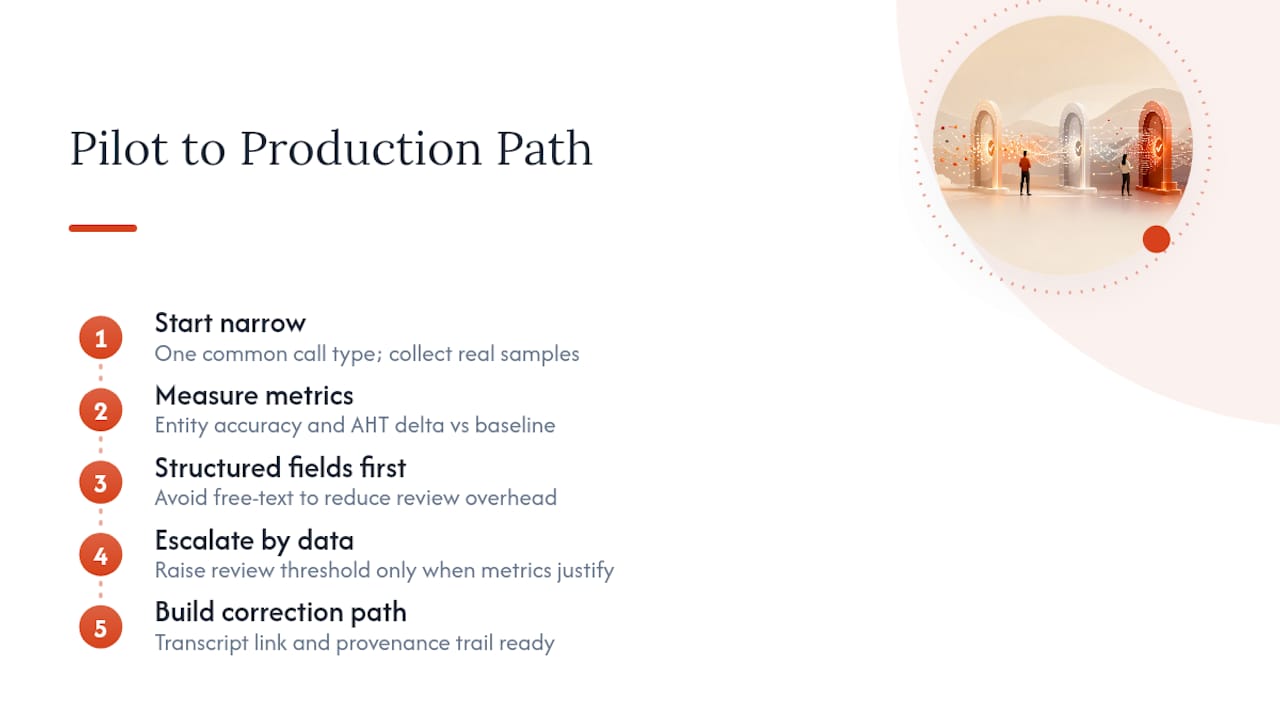
Start narrow. Pick one call type, one that’s common enough to generate a real sample size within a couple of weeks, and measure entity accuracy and AHT delta against your current baseline before touching anything else. Structured fields first, always. Free-text summarization looks impressive in a demo and creates far more review overhead once real customers are on the line.
Escalate your human-review threshold only when the data tells you to, not on a fixed schedule. And build the correction path before you need it. The first time a customer disputes what a summary says was promised, you’ll want a transcript link and a provenance trail already in place, not a scramble to reconstruct one.
— Sam
Where Callspace Fits Into This Workflow
Everything covered above, structured fields, async accuracy, governance thresholds, is the operational core of what Callspace runs on. Callspace answers inbound calls in real time, transcribes them as they happen, and hands off complex cases to a human agent with full context already attached, so nothing gets re-explained.
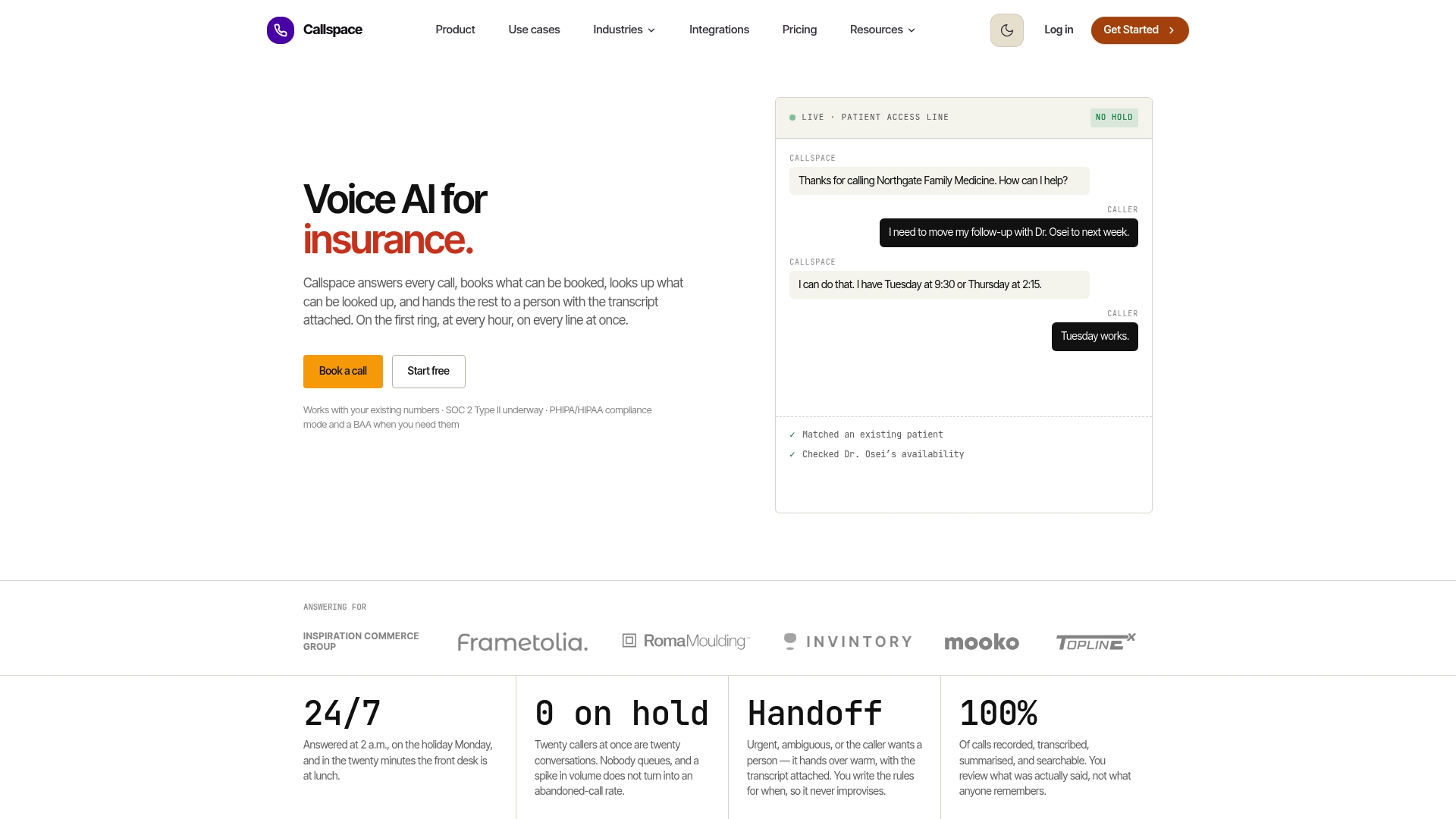
For healthcare clinics, insurance offices, and ecommerce support lines, that context transfer solves the exact handoff problem this article has been describing: an agent picking up mid-conversation with a structured record instead of a blank screen. Some call summarization platforms integrate with calendars, practice management software, and e-commerce systems for order lookups, and operate 24/7 so overflow and after-hours calls receive summarized, auditable treatment similar to business-hours calls. If you run a call center or manage inbound for a healthcare practice, start a pilot on one call type, measure the AHT and ACW delta against your current process, and see whether the numbers hold up. Browse industry-specific setups or visit the Callspace platform to see what a pilot would look like for your queue.
Sources
The BlindSpot study offers the deepest technical read on operational bias and how prompting reduces it. AssemblyAI’s async versus real-time breakdown covers the engineering trade-offs in more depth than this guide can. Metrigy’s impact data via Zoom is worth reviewing when building your own business case numbers.
- BlindSpot: Operational bias taxonomy and mitigation for contact-center summarization (EMNLP industry 2025)
- Sync vs. Async Transcription: Which to Use (2026)
- The value of AI-based transcriptions and summarizations in CX (Zoom blog / Metrigy findings)
FAQ
Can AI Summarize My Phone Calls?
Yes. Call summarization AI transcribes a call and extracts structured fields like issue, resolution, and action items, which is standard functionality across contact center platforms today. Accuracy depends on transcription quality and whether the vendor uses structured extraction or free-text summaries.
How Can I Summarize a Phone Call Automatically?
Record the call on separate audio channels for agent and customer, run it through a transcription and diarization pipeline, then extract structured fields rather than a narrative paragraph. Platforms like Callspace handle this automatically for inbound business calls, including the handoff context an agent needs if the call escalates.
Which AI Is Best for Call Summarization?
There’s no single best tool across every use case; the right choice depends on whether you need real-time agent assist or async QA-grade summaries. Async processing, recommended for post-call summaries feeding CRM and QA, generally produces more accurate diarization and fewer hallucinations than real-time streaming.
Can I Use Call Summary AI for Free?
Many transcription and summarization tools offer limited free tiers or trials, but production-grade contact center summarization with CRM integration and compliance controls is typically a paid subscription. Some AI answering services offer trial periods so teams can test structured summaries and context handoff before committing to a paid plan.