Virtual Receptionists for Clinics: Test Privacy and Integrations
Compare AI first, human, and hybrid virtual receptionists, then verify pricing, privacy, integrations, and support for healthcare, insurance, and retail.

For most businesses that need every call answered around the clock, we recommend Callspace, our AI-first virtual receptionist that books appointments, looks up orders, and hands off to your staff with full context. It fits healthcare clinics, insurance agencies, e-commerce shops, and small to mid-sized teams that want to launch quickly. Below, you will find the features to compare, pricing models, privacy guidance, and next steps.
TL;DR:
- Compare vendors by completed bookings, first response speed, handling time, and escalation rate; require pilot results instead of accepting vague claims.
- Callspace lists its Basic plan at $150 per month, while Team pricing requires a quote; compare usage charges, setup fees, overages, and cancellation terms.
- For recorded calls in Canada, explain the purpose and obtain consent; offer another option when recording is unnecessary, and limit retention.
- Clinics should verify calendar synchronization in both directions to prevent double bookings, while every team should test transfers, cancellations, and order lookups before expanding coverage.
Table of Contents
- Quick picks: which kind of virtual receptionist fits your situation?
- Which features matter when you compare virtual receptionists?
- How do virtual receptionist services charge, and how do you budget?
- What should you check before choosing a provider?
- What do you need to verify about call recording and privacy?
- How do you roll out a virtual receptionist without disrupting your business?
- What do reviews and case studies from other industries show?
- What should you expect from customer support and service level agreements?
- How customizable and scalable should a virtual receptionist be?
- What technical requirements and system compatibility should you plan for?
- Where I land after years around phone automation
- Getting started with Callspace
- FAQ
- Sources
Quick picks: which kind of virtual receptionist fits your situation?
If you only have a few minutes, start here. Virtual receptionist services fall into broad groups, and the right one depends on how much your callers need an action completed versus a person to talk to.
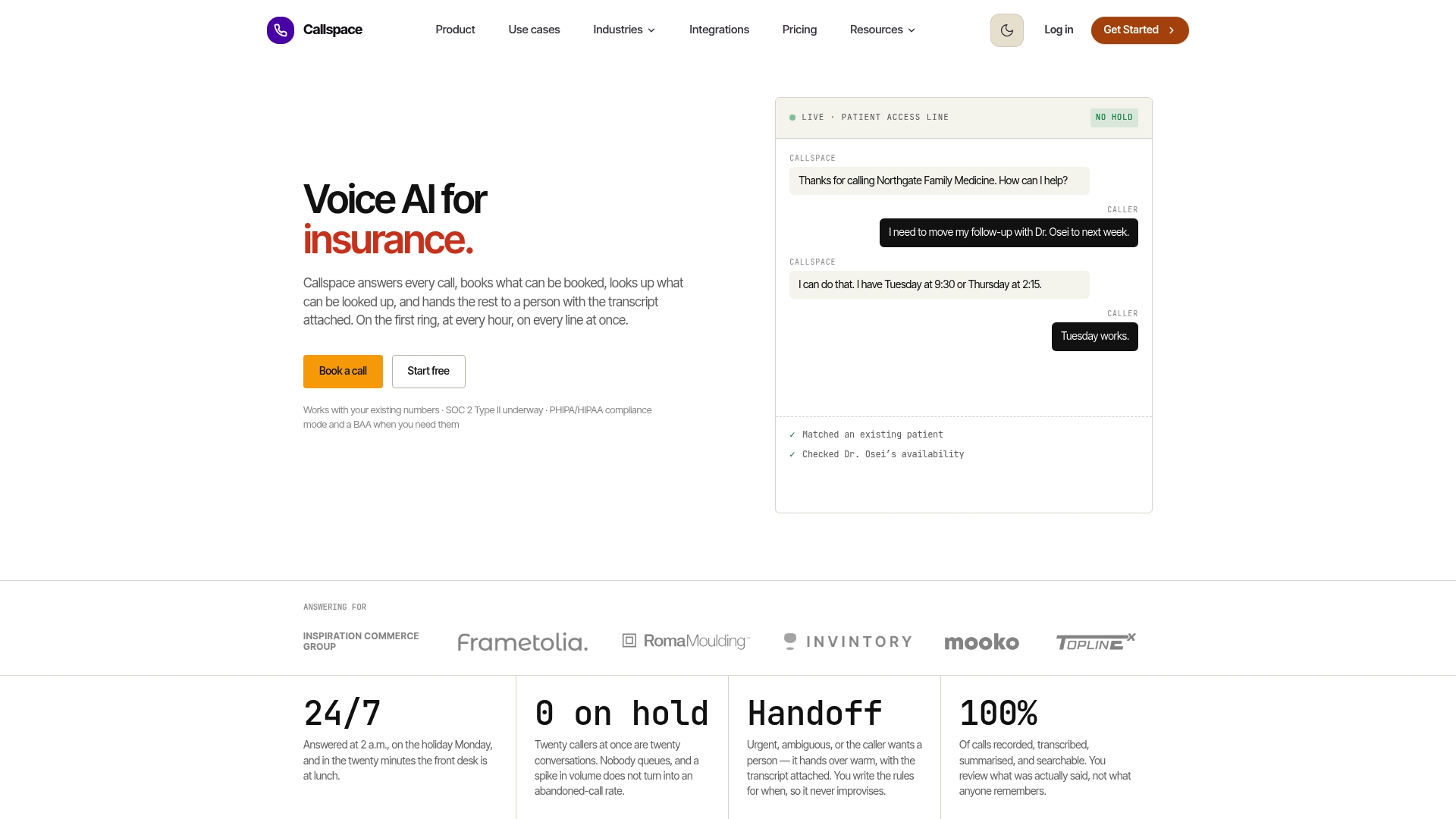
- Our pick, an AI-first platform (Callspace): answers every call instantly, around the clock, books appointments into your calendar, looks up orders, and escalates urgent issues to your team. It also records, transcribes, and summarizes each call so you can review quality.
- Human-first answering services: live agents who answer on your behalf. They suit businesses where callers expect real warmth or where nearly every call needs a judgment call that is hard to script.
- Hybrid services (AI plus humans): automation covers routine questions while a person steps in when the call gets complicated. They suit teams that want some automation but are not yet comfortable letting software carry the whole conversation.
- Simple virtual phone and number providers: these give you a business number, forwarding rules, and voicemail. They are the right fit when you only need basic routing and your own staff will do the actual work.
Whichever route you choose, track the same outcomes before and after: the share of calls that go unanswered or are abandoned, and the number of appointments or orders that actually get completed from phone traffic. These measures tell you more than any feature list.
We built Callspace for the first group because the failures we see most often are not rude agents. They are calls that ring out during a busy hour, callers placed on hold until they hang up, and booking requests that sit in a voicemail box overnight. An AI-first platform answers instantly and does the task during the call, which is where the measurable gains come from.
If you are comparing these options for a specific trade, our industries page shows how the same setup looks for healthcare, insurance, and retail teams.
Which features matter when you compare virtual receptionists?
Feature lists from vendors tend to look identical. Surveys of answering services, such as this roundup of answering services, commonly point to the same selection criteria: round-the-clock coverage, appointment scheduling, calendar and CRM integrations, bilingual support, and industry-specific handling. The useful question is not whether a vendor lists these items, but how well each one works on a real call. Here is how we would test each area.
Answer speed and natural conversation
A caller decides within seconds whether the call is going anywhere. If the line rings six times, or the greeting is followed by a long pause before the system responds, people hang up and call the next business on their list. When you evaluate any provider, place test calls yourself at different times of day. Notice how fast the greeting starts, whether the voice sounds natural, and whether the system handles interruptions, such as a caller changing their mind halfway through a sentence.
Speed matters most during peaks: Monday mornings for clinics, the hour after a marketing email goes out for shops, and storm days for insurance agencies. A system with no queue can answer simultaneous callers without making them wait. A staffed desk, no matter how good, cannot do that without adding people.
Calls that finish the job
Answering a call is only half the work. The real value is in what happens next. Look for a receptionist that can:
- Book, move, and cancel appointments directly in your calendar, with two-way sync so a slot taken by a person is no longer offered by the phone system
- Look up an order by number or name in your store, for example through Shopify, and tell the caller where it stands
- Update your customer or patient records so no one has to retype notes after the call
- Answer routine questions about hours, locations, insurance accepted, or return policies using information you control
Here is what that looks like in practice. A caller phones a dental clinic after hours asking for a cleaning next week. A message-taking service writes down the request, and someone calls back the next day, if the caller is still available. An AI-first receptionist offers available times, books the one the caller picks, and the front desk sees it on the schedule the next morning. The difference is not tone; it is that the task is finished.
Escalation and handoff
No automated system should handle everything, and any vendor claiming otherwise deserves skepticism. What matters is how the handoff works. A good setup lets you define which situations go to a person: an upset caller, a medical urgency, a billing dispute, a request outside the script. Then it transfers the call with context, so the person who picks up already has the caller’s name, reason for calling, and a short transcript. Callers should never have to repeat themselves.
Ask whether transfers are warm, meaning the receptionist stays on until a person joins, or cold, meaning the call is dropped into another line. Ask what happens when nobody answers the transfer. The best configurations fall back to booking a callback or taking a detailed message rather than leaving the caller in silence.
Coverage and resilience
Round-the-clock answering is easy to promise and harder to deliver. Ask how the system behaves during an outage on its own side, how it handles sudden spikes, and whether you can set overflow rules, for instance answering only when your staff is busy or after a set number of rings. Overflow is often the easiest way to start: your team keeps handling calls they can, and the receptionist catches everything else.
Transcripts, reports, and quality review
If you cannot see what the receptionist said, you cannot improve it. Every call should produce a recording or transcript and a short summary, searchable by date, caller, and outcome. Look for reporting that shows how many calls were answered, how many resulted in bookings or resolved questions, and how many were escalated and why. The reasons for escalation are especially useful: they show you which questions your script is missing.
In our platform, every interaction is transcribed and analyzed so you can review quality without listening to hours of audio. That review loop is where an AI receptionist gets better over time, because you can see exactly where a caller was confused and adjust the answer.
Security and compliance
If your calls include health or financial details, the receptionist becomes part of your compliance picture. Ask where recordings are stored, how long they are kept, who can access them, and whether data is encrypted in transit and at rest. For healthcare, ask specifically about support for PHIPA and HIPAA requirements. We design our platform with those standards in mind for clinics and insurers, and we encourage you to ask every vendor for the same detail in writing.

Pro Tip: Run the same scripted test calls with every vendor you shortlist: a simple booking, an angry caller, and a question the system should not be able to answer. How each one handles that question tells you more than any demo.
How do virtual receptionist services charge, and how do you budget?
Pricing for phone answering is more confusing than it should be, because vendors package the same thing in different ways. Knowing the common models lets you compare quotes fairly.
The usual billing models
Most providers use one of these approaches, or a mix:
- Monthly subscription tiers: a flat fee for a set feature level, sometimes with a call or minute allowance included. These are the easiest to predict.
- Per-minute charges: you pay for talk time. Costs rise quickly if calls run long, and a chatty caller costs more than a quick one.
- Per-call charges: you pay for each answered call, regardless of length. This favors businesses with many short calls.
- Add-ons: extra fees for integrations, additional languages, call recording storage, or after-hours coverage.
Our plans are subscription based. The Basic plan is listed at 150 USD per month, and the Team plan has no published price, so you would ask us for a quote based on your setup.
What drives your cost
Several factors move the total more than anything else:
- Call volume: more inbound calls mean a higher bill under any usage-based model, and may push you into a higher tier under a subscription.
- Workflow complexity: a receptionist that only takes messages costs less to run than one that books appointments, checks order status, and routes by caller type.
- Integrations: connecting your calendar, practice management software, or store takes setup time, and some vendors charge for it.
- Coverage hours: round-the-clock coverage costs more with human staff than with automation, which is one reason AI-first services often have a flatter cost curve.
A simple way to estimate your monthly spend
You do not need a vendor to tell you what you will pay. Work through this yourself:
- Count your average inbound calls per month. Your phone provider’s records will show this.
- Estimate the average handling time per call in minutes. A listen through ten recent calls is enough.
- Multiply calls by minutes to get total monthly minutes, then multiply by a vendor’s per-minute rate to compare against a flat subscription.
- Add a safety margin of one busy month, since seasonal peaks are when overages hit.
Use your own monthly call volume and average handling time to estimate total minutes. Run that figure against each quote, both the per-minute rate and the flat tier. The method is illustrative only, but the method shows quickly which pricing model favors you.
Questions to ask about billing
Before you sign, get clear answers on these points: Is there a setup or onboarding fee? Is there a monthly minimum? What are the overage rates if you exceed your allowance? Is there a free trial or a demo with your real phone number? Can you change plans or cancel without penalty? A vendor that answers these plainly is usually easier to work with afterward.
What should you check before choosing a provider?
A good selection process takes a week or two, not months. The goal is to replace a sales pitch with evidence. Here is a practical checklist, followed by the questions we would ask if we were in your seat.
Operating results to request
Ask each vendor for numbers from real deployments, and set your own pass marks before the pilot starts:
- Booking success rate: of the calls where a caller wanted an appointment, how many ended with one on the calendar?
- First-response speed: how long between the call connecting and the first word spoken?
- Average handling time: how long does a typical call last, and how does that change with complexity?
- Escalation rate: what share of calls get passed to a person, and for what reasons?
Vendors should be willing to share ranges and explain how they measure. If they only offer adjectives like “fast” or “accurate,” press for figures or run your own pilot.
Technical fit
List every system the phone line touches: your calendar, practice management or scheduling software, store platform, customer database, and web chat. Confirm which of these the vendor connects to natively, which require custom work, and whether they offer an API or webhooks for anything else. For clinics, ask about two-way calendar sync specifically, because one-way sync is how double bookings happen.
Security and privacy
Ask where data is stored, how long recordings and transcripts are kept, whether you control retention, and how access is limited. If you operate in Canada, confirm how the vendor supports PHIPA and PIPEDA practices. We cover the recording rules in the next section.
Commercial terms
Look for a written service level agreement, an uptime commitment, a realistic onboarding timeline, a trial or pilot option, and clear cancellation terms. If a vendor will not put uptime in writing, treat that as information.
Eight questions to ask every vendor
- What happens when the system cannot answer a question? It shows whether callers get stranded or handed off.
- Can I hear three real, unedited calls? Demos are polished; real calls are not.
- Which of my systems connect natively, and which need custom work? This surfaces hidden integration costs.
- How do you handle a caller who asks for a person? Callers should never be trapped in automation.
- Where are recordings stored and for how long? It determines your compliance exposure.
- What is your uptime commitment, and what happens if you miss it? A promise without a remedy is just marketing.
- How quickly can we go live, and what do you need from us? It tests whether the timeline is realistic.
- What does it cost at double my current call volume? It reveals how pricing behaves as you grow.
Pro Tip: Insist on a pilot with your real phone number and a small slice of traffic, such as after-hours calls only. A pilot gives you actual booking and escalation numbers instead of promises.
What do you need to verify about call recording and privacy?
If a receptionist records or transcribes calls, privacy rules apply to you as the business, not just to the vendor. In Canada, the Office of the Privacy Commissioner publishes guidance on recording customer telephone calls under PIPEDA. In plain terms, it asks you to tell callers they are being recorded, explain why, and obtain consent. Consent is often treated as implied when a caller hears the notice and chooses to continue.
Here is what to verify with any vendor, ours included:
- Notice at the start of the call: the greeting should state that the call may be recorded and give the purpose, such as quality review or booking accuracy.
- A way out: when recording is not essential to the service, there should be a non-recorded alternative, for example a callback from a person or a different line.
- Collect only what you need: limit what is captured and stored to the purpose you stated.
- Safeguards and retention limits: recordings and transcripts should be protected, and deleted when they are no longer needed.
- Vendor accountability: your contract should require the vendor to follow the same safeguards, and you should keep a record of the controls you checked.
Healthcare and insurance teams should also confirm how the vendor supports health privacy laws such as PHIPA in Ontario or HIPAA in the United States, since medical details can come up on any call.
We have written a separate walkthrough on the two legal layers and scripts for call recording consent in Canada, including sample caller notices you can adapt. This article is general information, not legal advice, so confirm your specific obligations with a privacy professional.
How do you roll out a virtual receptionist without disrupting your business?
A rollout works best in stages, with a small test before anything goes live to all callers. For a small to mid-sized business, the rollout timeline depends mostly on how many systems need connecting and how quickly your team can sign off on scripts.
Here is the sequence we recommend:
- Discovery: list your call types, your busiest hours, your most common questions, and who currently handles each. Pull a sample of real calls to see what callers actually ask.
- Design and scripting: write how the receptionist should greet callers, what it can answer, what it should book, and exactly when it hands off to a person. Keep the language you would use yourself.
- Integrations and testing: connect your calendar, scheduling or practice software, store, and any other system, then run test calls for every scenario, including the awkward ones.
- Pilot: route a limited portion of calls, such as after-hours or overflow only, for a pilot period and review every transcript.
- Go-live: widen coverage once the pilot meets the pass marks you set earlier.
- Continuous improvement: review summaries regularly at first, fix gaps in answers, and adjust escalation rules based on what you see.
What stretches the timeline
Three things add weeks: custom integrations with older software, approval cycles that involve legal or compliance reviewers, and unclear ownership of call scripts. Naming one person to own the project, and giving them authority to approve changes, shortens almost every rollout.
Integrations and the tests that prove them
Plan for your calendar, practice management or scheduling system, online store, customer records, and web chat. For each, write a test: book an appointment and confirm it appears in the right place, cancel it and confirm the slot reopens, look up a real order, and trigger a transfer to a person. Define success before you test, for example that test bookings appear correctly, and have a stakeholder sign off on the results.

Who to involve
Bring in whoever answers phones today, since they know the questions callers really ask. Add your office or operations manager, whoever owns your scheduling system, and, if relevant, your privacy lead. Tell your team early that the goal is to take repetitive calls off their desks, not to replace them; staff who help write the scripts tend to trust the result.
Pro Tip: Keep a shared document of every question the receptionist could not answer during the pilot. That list becomes your improvement roadmap after go-live.
What do reviews and case studies from other industries show?
Reviews and case studies are useful, but only if you read them with a purpose. Look for accounts from businesses that resemble yours in call volume, regulation, and the type of task callers want done. A glowing story from a restaurant tells a medical clinic very little about appointment accuracy or privacy handling.
When you read any review, ask three things: Does it describe a specific outcome, such as fewer missed calls or more completed bookings, rather than general satisfaction? Does it mention what went wrong and how the vendor responded? Is the reviewer in a comparable industry? The second question is the most telling, because every system has rough edges early on.
Because published testimonials can be selective, treat them as a starting point and ask each vendor for references you can speak to directly. Ask those references how long setup actually took, what they had to adjust after launch, and whether they would choose the same vendor again. You can also see how our approach adapts by trade on our industries page, which maps the platform to healthcare, insurance, retail, and service businesses.
What should you expect from customer support and service level agreements?
A receptionist that answers your phones is part of your front door, so when something breaks, you need a fast, human response. A service level agreement, usually called an SLA, is the written promise that defines what you can expect.
Look for these items in writing:
- Uptime commitment: the percentage of time the service is promised to be available, and what you receive if it falls short.
- Support hours and channels: whether you can reach a person by phone, email, or chat, and whether that includes evenings and weekends, since your callers do not stop at five.
- Response and resolution times: how quickly the vendor acknowledges a problem and how quickly it commits to fixing one, ideally by severity.
- Escalation path: who you contact when the first-line answer is not enough.
- Change handling: how quickly script and routing changes are made, because you will want to adjust things in the first weeks.
A useful test: submit a real support question during your trial and see how long the answer takes and how clear it is. Support quality before you pay is usually the best you will ever see, so if it is slow then, expect worse later.
How customizable and scalable should a virtual receptionist be?
Your business will not look the same in a year, and your phone system should not need replacing when it changes. Customization and scalability are two separate questions.
On customization, check how much you control without calling the vendor. Can you change the greeting, add new questions and answers, set different behavior by time of day, and define your own escalation rules? Can different locations or departments have their own routing? The more you can do yourself, the faster you can respond when you launch a promotion, add a service, or change your hours.
On scalability, test how the system behaves at the extremes. What happens during your busiest hour, and what happens if you open a second location or double your call volume? Ask how pricing changes as you grow, and whether you can add users, numbers, or languages without renegotiating. Our platform answers calls without queues, so a spike in volume does not mean longer waits, but you should confirm the cost side with any vendor before volume rises.
Start small and expand in steps. Many teams begin with after-hours coverage, then add overflow during busy periods, then move daytime calls once they trust the results.
What technical requirements and system compatibility should you plan for?
Technical requirements are usually lighter than people fear, but compatibility is where projects slow down. Most AI receptionists need very little on your side: a phone number or forwarding rule, access to your calendar or scheduling system, and credentials for any other system you want connected.
Start with your phone setup. Most businesses either forward calls to the receptionist or port or point a number to it. If you use a virtual number provider for your main line, that works fine; the principle is the same as call forwarding, which this partner guide on virtual phone calls and forwarding explains in plain terms.
Then list the systems the receptionist must read from or write to. Typical examples include calendars, practice management software, online stores such as Shopify, customer records, and web chat. For each, confirm whether the connection is built in or custom, whether it works in both directions, and how errors are handled if the other system is temporarily unavailable.
Finally, ask about access and permissions. The receptionist should have only the access it needs, such as booking rights but not billing data. If your team uses an unusual or older system, ask whether the vendor offers an API or webhooks, which let different software exchange information, so a developer can bridge the gap. Our product page on the AI agent for phone, text, and web chat lists the connections we support.
Where I land after years around phone automation
Here is the view I have formed from reading and reasoning about this category, and I will state it plainly: most businesses compare virtual receptionists on the wrong axis. They compare voices and greetings, when the number that matters is how many callers ended the call with their problem solved.
A pleasant voice that takes a message is still a missed opportunity if the caller books with a competitor while waiting for your callback. Speed of answering is the first lever, because a caller who reaches someone immediately is far more likely to stay. Integrations are the second, because an answer without an action only moves the work from the phone to a to-do list. The third is compliance, which changes the shortlist completely for clinics, insurers, and anyone recording calls: a tool that is great but cannot meet your obligations is simply off the table.
That is why I lean toward AI-first platforms for most teams. They do not tire, they do not form a queue, and they get measurably better when you review transcripts and tighten scripts. Human staff still matter, and the best setups use them for the calls that deserve a person: upset callers, sensitive conversations, and judgment calls. The goal is not to remove people from the phone; it is to stop spending them on repetitive questions at midnight.
— Sam
Getting started with Callspace
We built Callspace to answer every call instantly, with no hold times and no queue, so no caller is lost to a busy line. Here is what that includes:
- Around-the-clock answering for routine and urgent calls, including after-hours and overflow coverage
- Appointment booking with calendar and practice management integrations
- Order lookups for e-commerce teams using Shopify
- Recordings, transcripts, and summaries of every call, so you can review quality
- Human escalation workflows that pass the call to your staff along with the full transcript
- Compliance support for healthcare and insurance, including PHIPA and HIPAA standards
Our Basic plan suits smaller teams that want reliable coverage and booking without a long setup, and our Team plan suits larger groups with more complex routing and several people reviewing calls. Onboarding typically follows the rollout steps above: we map your call types, connect your systems, test with you, and pilot before widening coverage.
The simplest next step is to look at our pricing page and compare plans against your call volume using the estimate method above.
FAQ
What is the cheapest AI receptionist?
The cheapest option depends on your call volume and the tasks you need done, so compare total monthly cost rather than the headline rate. Our Basic plan is listed at 150 USD per month. Current pricing details are on our pricing page.
What software do medical receptionists use?
Medical front desks typically use practice management or scheduling software, a calendar system, and a phone system, often with an automated receptionist layered on top. The key is that the receptionist connects to your scheduling software so bookings land on the real calendar. Healthcare teams should also confirm support for health privacy standards.
How do you become an online receptionist?
Working as an online receptionist usually means joining an answering service or taking remote front-desk work, which calls for clear phone manners, reliable internet, and comfort with scheduling tools. Businesses can also skip hiring and use an automated receptionist to cover the same tasks around the clock.
What is the best virtual call center software?
The best choice is the one that matches your call types, connects to your existing systems, and meets your privacy obligations. Compare 24/7 coverage, booking and integrations, transcripts, and escalation, as outlined in this guide to answering services. Then pilot your top picks with real calls.
Sources
- Recording of Customer Telephone Calls - Office of the Privacy Commissioner of Canada
- 12 Best Answering Services for Your Business in 2026