Stop Trusting Average Speed of Answer: A Manager's 30/90/180 Fix Plan
Managers: why average speed of answer hides long waits, which metrics to track, and a 30/90/180 plan plus AI tactics to cut abandonment.
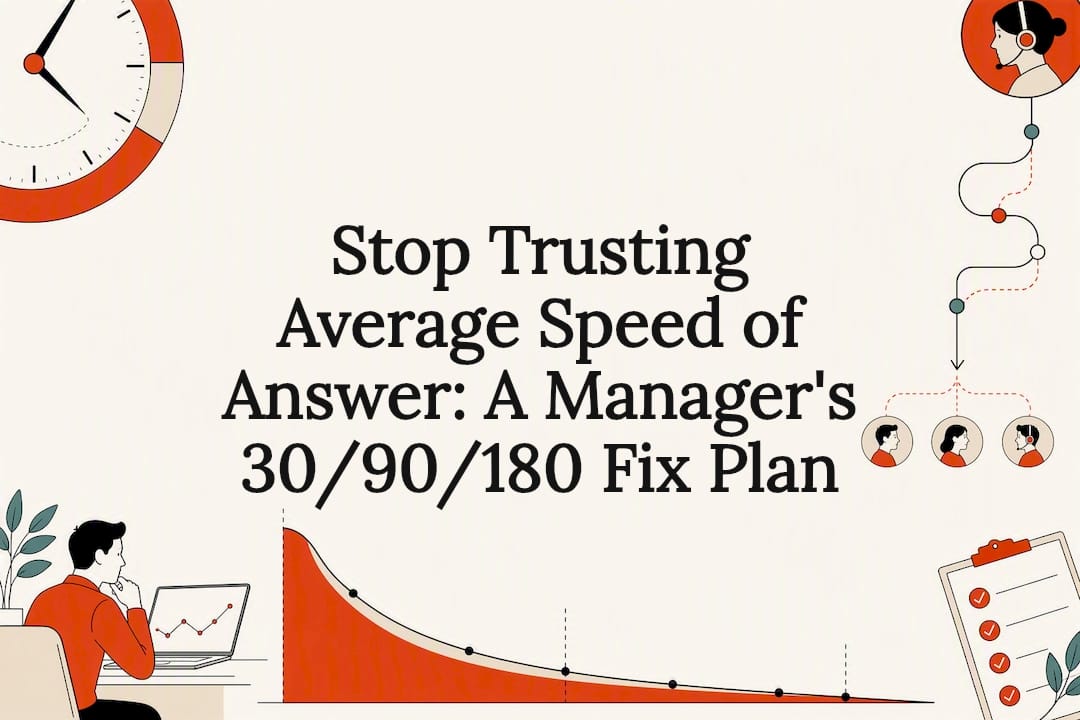
Average Speed of Answer (ASA) is the average time a caller waits in queue before an agent picks up. Use it as a trend indicator, not the sole truth about customer experience. The one thing to do first: start tracking ASA alongside your longest-wait time and your 80/20 service-level rate, because ASA alone hides the callers who wait far longer than the average, and tools like AI-powered voice assistants exist precisely to shrink that hidden tail.
TL;DR:
- Monitoring ASA alongside longest-wait times and service levels offers a clearer picture of customer experience by capturing long-tail wait issues.
- Average ASA averages responses from answered calls and excludes abandoned ones unless configured otherwise, which can skew perception if not properly set.
- Benchmarks show that an ASA of 25 to 30 seconds is average across industries, but top centers achieve under 15 seconds, with significant variation by channel and vertical.
- Reducing ASA effectively involves adjusting staffing, routing, offering callbacks, and deploying AI to handle routine calls before they enter human queues.
- Pair ASA with metrics like longest wait, abandonment rate, occupancy, and CSAT to accurately diagnose staffing gaps and identify when measurement errors occur.
Table of Contents
- What Is Average Speed of Answer and How Do You Calculate It?
- Why ASA Matters, and Where It Falls Apart
- How to Measure ASA Correctly: A Step-by-Step Checklist
- What’s a Good ASA? Benchmarks by Channel and Vertical
- How Do You Reduce ASA? Levers That Actually Move the Number
- The Companion Metrics Your ASA Dashboard Needs
- Where AI Answering Fits Into the ASA Conversation
- A 30/90/180-Day Path for Fixing Your ASA Reporting
- See What Instant Answering Does to Your Missed-Call Rate
- Sources
- FAQ
What Is Average Speed of Answer and How Do You Calculate It?
ASA measures the mean wait time in queue for calls that actually got answered. It ignores calls nobody picked up, and it starts counting once a caller enters the live queue, not while they sit in your IVR menu selecting an option.
The formula is simple:
- Add up total wait seconds for every answered call in the period.
- Divide that total by the number of answered calls.
Say your team answered 20 calls in an hour, and those callers waited a combined 400 seconds before someone picked up. That’s 400 divided by 20, or a 20-second ASA. Straightforward math, but the inputs matter enormously. ASA typically excludes abandoned calls unless your platform is configured to fold them in, and it excludes pre-queue IVR time. Get either of those wrong and your number looks better than reality.
Why ASA Matters, and Where It Falls Apart
Shorter queue waits tend to push customer satisfaction up and abandonment down. That relationship is why ASA became a standard metric in the first place. Industry data shows each 10 second jump in phone ASA lines up with a measurable rise in abandonment and a drop in CSAT, so movement in either direction is worth watching closely.
Here’s the catch: wait times are not evenly distributed. A handful of callers can wait five minutes while your average reads a tidy 20-second ICMI calls this the “long tail” problem, and it’s the single biggest reason ASA gets misused as a standalone health check.
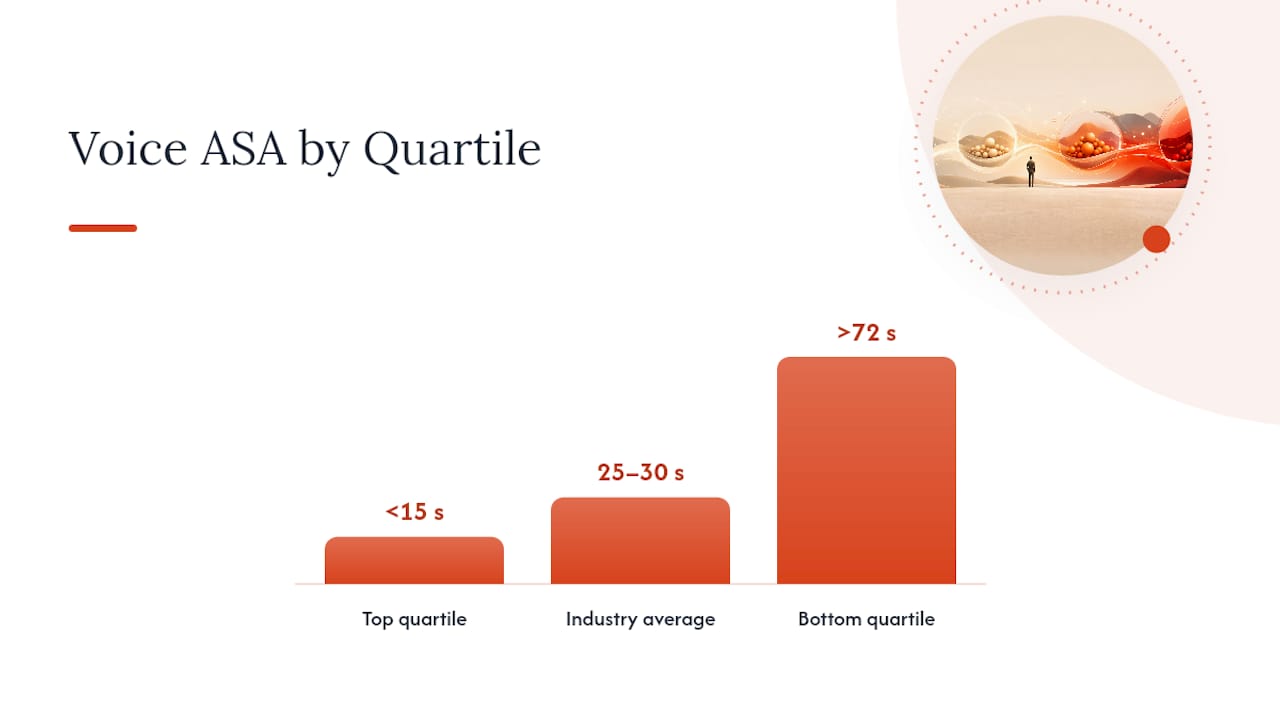
Statistic Callout: Cross-industry voice ASA sits around 25 to 30 seconds on average, but top-quartile centers answer in under 15 seconds while bottom-quartile centers can run past 72 seconds. The average alone won’t tell you which quartile a given caller lands in.
Use ASA when:
- You need a rolling trend line to spot staffing drift week over week.
- Your service-level bins (like 80% in 20 seconds) are too coarse to catch small shifts.
- You’re comparing performance across similar time periods, not isolated snapshots.
Lean on service level and longest-wait figures instead when a single bad queue spike could be hiding behind a flattering average.
How to Measure ASA Correctly: A Step-by-Step Checklist
Bad ASA reporting almost always comes from unclear rules, not bad math. Lock these decisions down before you trust the number:
- Pull from the right source. Your ACD or telephony platform and your workforce management (WFM) exports both report queue time, but confirm they’re pulling from the same fields.
- Set an inclusion policy in writing. Decide whether abandoned calls, callbacks, and voicemail transfers count, and document that policy in your reporting notes so nobody re-litigates it every month.
- Pick your measurement window. Real-time dashboards are great for spotting a live spike, but a rolling 7 or 30-day average smooths out one bad Monday and shows the real trend.
- Segment by channel. Never blend voice, chat, and email wait times into one number. They behave nothing alike.
- Check for skew. Partial-day data, timezone misalignment, and mixed-queue aggregation are the three most common ways an ASA report quietly goes wrong.
Pro Tip: Pull the same ASA report two different ways once a quarter, once from your ACD and once from your WFM export, and compare them. If the numbers don’t match within a second or two, you’ve found a data problem before it reaches your CFO.
What’s a Good ASA? Benchmarks by Channel and Vertical
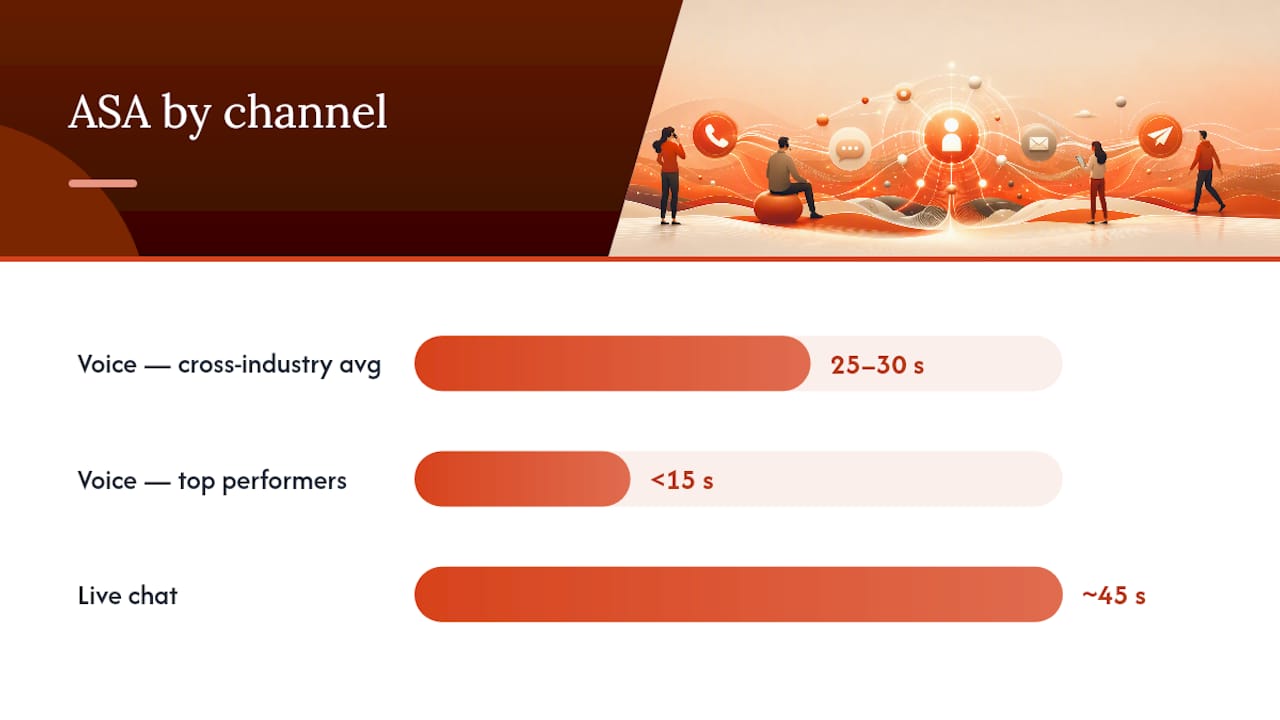
There’s no single “good” number here. A 20 second ASA is strong for a general voice queue and mediocre for a payments hotline where every second of wait triggers anxiety. Benchmarks only mean something when you compare like against like, by channel and by vertical.
Rough reference points worth anchoring to:
- Voice: 25 to 30 second cross-industry average, with top performers under 15 seconds.
- Live chat: roughly 45 seconds to first response is typical.
- Email: measured in hours, not seconds, given the asynchronous nature of the channel.
- Messaging apps (SMS, WhatsApp): minutes, sitting between chat and email in urgency.
- The 80/20 rule: the classic service-level anchor, meaning 80% of calls answered within 20 seconds, remains the most common target contact centers set alongside ASA.
Your attainable ASA is also a function of occupancy and shrinkage. Erlang C staffing math shows that understaffing by even a few agents during peak hours can push ASA from a sub-20 second target into the 30 to 40 second range, regardless of how well your routing rules are written.
How Do You Reduce ASA? Levers That Actually Move the Number
Improving ASA is rarely one fix. It’s usually three or four smaller adjustments stacked together.
- Fix staffing math first. Keep occupancy at or below roughly 85%; push past that and ASA degrades quickly, not gradually.
- Route smarter, not just faster. Skill-based routing, overflow queues, and priority routing for high-value calls all shrink effective wait without adding headcount.
- Offer a callback instead of a hold. Virtual queueing lets a caller keep their spot in line without staying on the phone, which cuts both perceived wait and abandonment.
- Deflect the routine stuff. Virtual agents and self-service can handle a meaningful share of inbound volume before it ever reaches a live queue, which is where AI answering earns its keep.
- Speed up the handoff, not just the pickup. Agent-assist tools that surface caller context and prior notes cut resolution time once the call is answered, which matters just as much as the wait itself.
For clinics specifically, pairing scheduling software with smarter intake flows is one of the more overlooked ways to reduce clinic wait times without adding staff.
Pro Tip: Before you invest in new routing software, run the Erlang C math on your current headcount. Half the “routing problems” managers report are actually staffing gaps wearing a routing costume.
The Companion Metrics Your ASA Dashboard Needs
ASA on its own tells you almost nothing about what’s actually happening in your queue. Pair it with:
- Service level — percent of calls answered within your target window.
- Longest wait — your long-tail alarm bell.
- Abandonment rate — callers who hung up before an agent answered.
- Occupancy — how close your agents run to capacity.
- Average handle time (AHT) and first contact resolution (FCR) — what happens after the call connects.
- CSAT — the outcome all of the above is trying to protect.
Rising ASA paired with rising occupancy points to a staffing gap. A suspiciously low ASA paired with high abandonment usually means your measurement is excluding calls it shouldn’t. Review these together weekly, and set an alert on longest wait daily.
Where AI Answering Fits Into the ASA Conversation
Every caller answered instantly by an AI voice assistant is a caller who never enters your human queue at all, which is a different kind of ASA improvement: it removes the wait entirely for routine bookings, order lookups, and common questions instead of just shortening it.
- Always-on answering means after-hours and overflow calls stop routing to voicemail, where bookings quietly die.
- Real-time transcription can carry context into the handoff, so a human agent picking up a complex call isn’t starting from zero.
- Clear gains can appear in fewer missed bookings and lower abandonment on routine call types; complex or sensitive calls still need a human, and results depend on call mix and integration depth.
A 30/90/180-Day Path for Fixing Your ASA Reporting
Thirty days in, confirm your ASA formula matches your policy and add longest-wait alerts. By 90 days, benchmark against your vertical and pilot callbacks or basic AI deflection. By 180 days, layer in advanced routing and transcription handoffs, and make ASA part of formal SLA governance.
See What Instant Answering Does to Your Missed-Call Rate
Every strategy above still leaves you dependent on human bandwidth during your busiest hours. Some AI answering services remove that ceiling by answering every call the instant it rings, capturing bookings and order lookups without a queue, and handing off anything complex to a human agent with full context already attached.
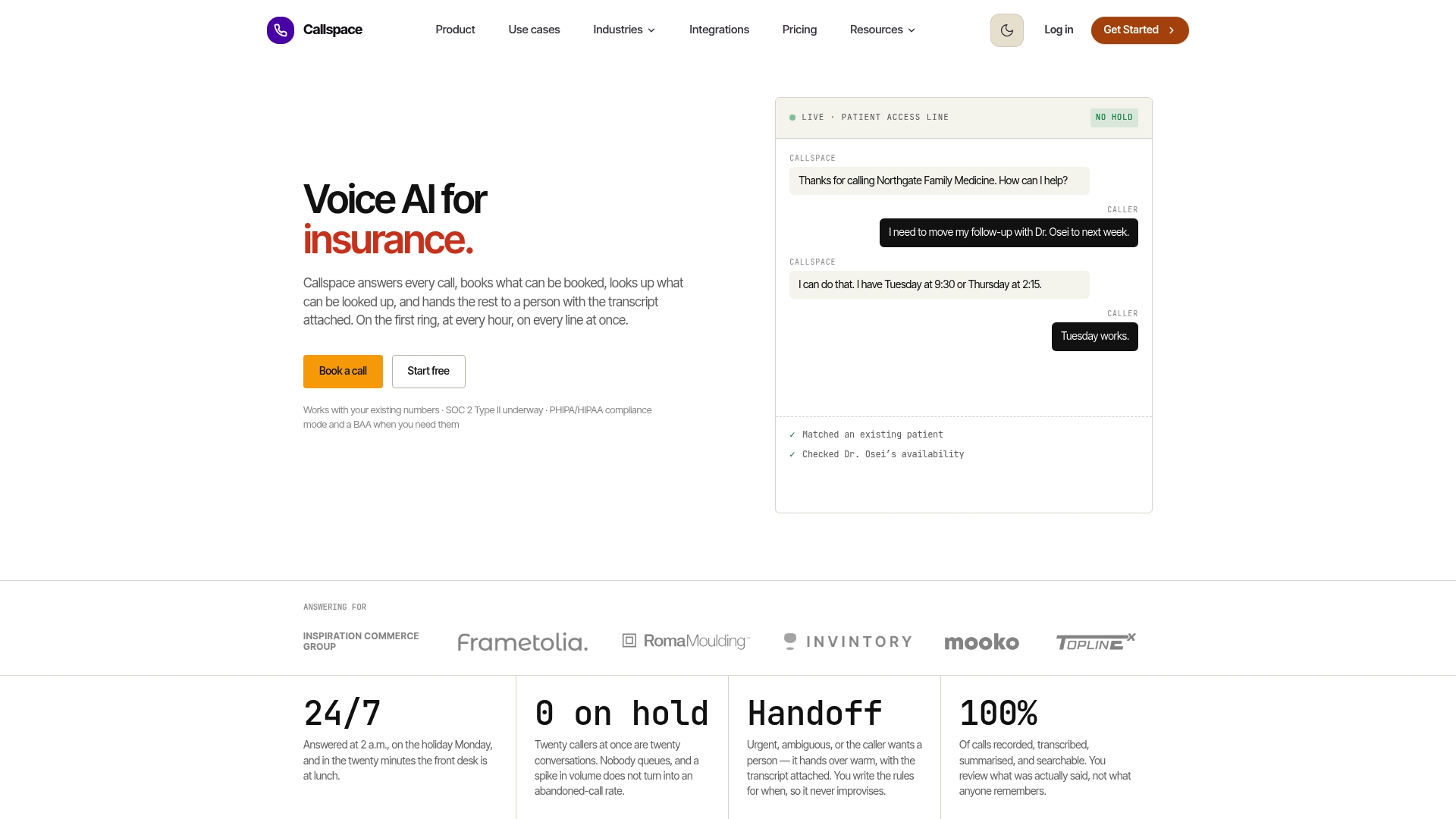
That’s a meaningfully different kind of ASA fix than adding headcount or tweaking routing rules: it’s queue time at zero for the calls that don’t need a person at all. Results vary by call volume and mix, and Callspace is built to work alongside your human team, not replace it for the calls that genuinely need one. If you run a clinic, insurance line, or ecommerce support desk drowning in routine calls, take a look at how Callspace handles industries with high call volume and see whether a trial makes sense for your queue.
Sources
FAQ
How Do You Calculate Average Speed of Answer?
Divide total wait seconds for answered calls by the number of answered calls. Twenty calls waiting a combined 400 seconds produces a 20 second ASA.
What Is a Good Average Speed of Answer?
Cross-industry voice ASA typically runs 25 to 30 seconds, with top-quartile centers under 15 seconds. What counts as “good” depends heavily on your channel and vertical.
How Do You Calculate Response Time More Generally?
For any channel, response time is measured the same way: total elapsed wait time across all answered interactions, divided by the number of those interactions, though the acceptable range shifts by channel (chat runs faster than email).
What Does ASA Mean in a Call Center?
ASA stands for Average Speed of Answer, the average time a caller spends in queue before an agent answers. It only counts answered calls, not abandoned ones.
Is ASA the Same as Service Level?
No. ASA is a single average number, while service level reports the percentage of calls answered within a specific window, like 80% in 20 seconds. They measure related things but answer different questions.