Automate Phone Answering for Canadian Small Businesses, PIPEDA Safe
Automate phone answering for Canadian small businesses with an AI voice agent and auto-attendant fallback, PIPEDA-safe consent, and a rollout plan.

The most reliable way to automate phone answering right now combines an AI voice agent for natural conversation with a rules-based auto-attendant as a fallback, so calls get answered instantly, appointments get booked, and nothing falls through when a request gets too complex for automation alone. Done right, this setup answers more calls, reduces missed leads, and requires a clear recording notice for callers under Canadian privacy law. Some platforms build their call handling around this exact combination.
TL;DR:
- Automated call handling works best when combining an AI voice agent with a rules-based auto-attendant for fallback, ensuring more calls are answered and leads are not missed.
- AI voice agents require proper configuration, accurate speech recognition, and live data integrations to effectively handle scheduling, order status, and lead qualification requests.
- Common failure points include background noise, ambiguous requests, language mismatches, and edge cases, all of which should trigger seamless human escalation with transcripts.
- Canadian privacy law mandates clear, real-time disclosure and consent for call recording, which must be built into the initial greeting for compliance.
- Small businesses should start by mapping their primary call types, configuring the system accordingly, running short pilots, and monitoring key metrics like answer rate, task completion, and escalation rate.
Table of Contents
- Comparing the main approaches to automated call handling
- How automated phone answering systems actually work
- Where automation breaks down and how to build in a safety net
- PIPEDA and call recording: what you need to do before you flip the switch
- Rolling out automated phone answering: a step-by-step plan
- What automated phone answering typically costs
- Where automation pays off fastest for small businesses
- A real-world example: how Callspace structures an automated call
- When to automate and when to keep a person on the line
- Try Callspace for your business phone line
- FAQ
- Sources
Comparing the main approaches to automated call handling
Before picking a tool, it helps to know what category of system actually solves your problem. Four approaches dominate the market, and each fits a different call pattern.
An AI voice agent uses speech recognition and language understanding holding a real conversation, answer questions in natural language, and complete tasks like booking or order lookups. A rules-based auto-attendant is the classic “press 1 for sales” menu: fast to set up, predictable, but rigid when a caller’s need does not match a preset option. A virtual number with voicemail-to-email simply routes or records calls and forwards a transcript or audio file to your inbox, which is cheap but offers no live interaction. UCaaS platforms (unified communications services that bundle calling, messaging, and video) often include basic auto-attendant and voicemail features as one piece of a larger phone system, useful if you already need those other tools.
Matching the approach to your business looks something like this:
- A solo operator fielding occasional calls between jobs often does fine with a virtual number and voicemail-to-email, upgrading only when missed calls start costing bookings.
- An appointment-based business (clinics, salons, home services) benefits most from an AI voice agent that can check availability and book directly, since the value is in closing the loop without a callback.
- A high-volume sales line needs an AI voice agent paired with strict escalation rules, because speed and qualification matter more than menu navigation.
- A business needing after-hours coverage should lean on an AI voice agent with time-of-day routing, so callers get real answers at 9 PM instead of a dead-end voicemail.
The trade-off is straightforward: auto-attendants and virtual numbers cost less and take less setup time, but they cannot hold a conversation or complete a task. AI voice agents cost more and need configuration, but they answer the call instead of just capturing it. If your calls involve scheduling, order status, or qualifying a lead, a conversational agent earns its keep. If your calls are mostly simple routing (sales versus support versus billing), a traditional auto-attendant may be all you need.
How automated phone answering systems actually work
Underneath any conversational phone system sit a few components you should understand before you configure or evaluate one, because they explain both the strengths and the failure points.
The first stage is automatic speech recognition (ASR), which converts the caller’s spoken words into text. The second stage, often called natural language understanding (NLU), takes that text and maps it to an intent, such as “book an appointment” or “check my order,” along with any entities it needs, like a date or an order number. Natural language processing is the broader field behind both steps, and the accuracy of this pipeline determines whether a caller’s request gets understood on the first try or requires repeating themselves. Background noise, strong accents, and unusual phrasing are the usual culprits when accuracy drops, which is why testing with real call conditions matters more than testing in a quiet office.
Once an intent is identified, the system follows a dialog flow, essentially a decision tree that decides what happens next. A caller asking about store hours might get an instant spoken answer pulled from a knowledge base. A caller asking to reschedule a visit triggers a different branch that checks calendar availability and confirms a new time. A caller who sounds frustrated or repeats the same request without resolution should trigger an escalation branch that hands off to a human, ideally with the conversation transcript attached so the person does not have to start over. Well-designed flows treat escalation as a planned outcome, not a failure state.

Integrations are where the system becomes genuinely useful rather than just a talking menu. Calendar integrations let the agent check and book real appointment slots instead of promising a callback. CRM integrations let the agent pull up a known caller’s history or log the interaction automatically. For order status questions, a particularly good pattern is to fetch a minimal snapshot of the order, just the status, item, and delivery estimate, at the moment of the call, and feed it to the agent as temporary context rather than storing it permanently. Shopify order lookup documentation describes this exact pattern: pull the data server-side, pass it as per-request context, and avoid indexing customer information in a long-term knowledge store. This matters for privacy as much as for accuracy, since you are not left holding a growing database of customer order details you no longer need once the call ends.
The practical takeaway: when you evaluate a system, ask what it does with speech it cannot parse, how its dialog flows decide to escalate, and whether its integrations pull live data or rely on stale copies. Those three answers tell you more about reliability than any feature list.
Where automation breaks down and how to build in a safety net
No automated system handles every call cleanly, and pretending otherwise sets you up for angry customers and missed bookings. Planning for failure is part of a good setup, not an admission that automation does not work.
The most common failure modes are predictable:
- Background noise or poor audio garbles speech recognition, especially on mobile calls from a car or a job site.
- Ambiguous or compound requests, like a caller who asks about pricing and then changes to a complaint mid-sentence, confuse dialog flows built around single intents.
- Language or accent mismatches reduce accuracy for callers the system was not tuned for.
- Edge-case requests outside the agent’s configured scope, such as a legal question on a healthcare line, need a human regardless of how good the transcription is.
Every one of these should trigger a fallback, not a dead end. A warm transfer, where the call moves to a human agent along with a live transcript, resolves confusion fast and spares the caller from repeating themselves. Voicemail-to-ticket conversion works well for after-hours calls that are not urgent, turning a missed call into a tracked task instead of a lost message. Time-of-day routing lets you send calls to different flows depending on staffing, so a 2 AM call gets triage and a callback promise rather than an attempt to book an appointment your office cannot confirm yet.
During a pilot and after launch, track a small set of metrics rather than everything you can measure: answer rate, task completion rate (bookings or resolutions completed without human help), average handle time, and escalation rate. A rising escalation rate on a specific topic usually means your dialog flow needs a new branch, not that automation has failed.
Pro Tip: Review a sample of transcripts weekly during your first month. Patterns in where callers get stuck show up faster in transcripts than in any dashboard metric.
PIPEDA and call recording: what you need to do before you flip the switch
If your automated system records or transcribes calls, Canadian privacy law applies the moment you turn it on, and the rules are more specific than most small businesses expect. Under the Personal Information Protection and Electronic Documents Act, organizations must notify callers that a call is being recorded, state the purpose of the recording, and obtain meaningful consent before the conversation proceeds. Consent can be verbal or given through a keypress, but it has to happen at the start of the call, not buried in a privacy policy the caller never reads.
This is not a theoretical requirement. In one Commissioner’s finding, a case summary from 2007 found that a company relying solely on a link to its privacy policy had not met its consent obligations, and the company changed its practice to add an automated notice at the start of every call. That single finding still shapes how regulators expect businesses to handle call recording today.
A Commissioner’s finding from 2007 pushed one company to add automated start-of-call notices after regulators found a privacy-policy link alone was not enough. The lesson holds for any business adding call recording today: disclosure has to happen in the moment, not in a document the caller is unlikely to check.
In practice, this means building a short disclosure into your greeting: something like, “This call may be recorded for quality and training purposes. Press 1 or say ‘I agree’ to continue.” That one line, delivered automatically on every call, satisfies the notice-and-consent expectation far better than a policy page link ever will.
Before signing with any vendor, confirm a few things in the contract:
- Where call recordings and transcripts are stored, and for how long.
- Whether the vendor or any third-party transcription or language-processing provider has access to raw audio or text.
- What happens to the data if you cancel the service.
- Whether the vendor supports the automated disclosure and keypress consent pattern out of the box, rather than requiring custom development.
If you want a deeper reference for staff training or a compliance checklist, the Privacy Guide for Businesses from the Office of the Privacy Commissioner walks through these obligations in more detail.
Rolling out automated phone answering: a step-by-step plan
A phased rollout keeps you from discovering problems in front of real customers. Treat this as a checklist you work through in order, not a menu to pick from.
- Define your goals before touching any settings. Decide whether the priority is capturing after-hours leads, reducing hold times, or freeing staff from routine questions, since that choice shapes every configuration decision after it.
- Map your call flows on paper first. List the five or six most common reasons people call, then sketch what the automated path and the human fallback look like for each.
- Identify integrations and data handling needs. Decide whether the agent needs calendar access, CRM lookups, or order data, and confirm how that data is pulled and whether it is stored.
- Configure the greeting and recording disclosure. Write the exact wording for your start-of-call notice and consent prompt, and test that it plays before any other interaction begins.
- Set up routing and escalation rules. Define what triggers a transfer to a human, what information travels with that transfer, and who receives it during and outside business hours.
- Add booking links and confirmation steps. If the agent books appointments, confirm it sends the same confirmation (text or email) your staff would send manually.
- Run scripted live tests. Call the line yourself with a range of requests, including a few deliberately ambiguous ones, before opening it to real customers.
- Launch a short pilot. Run the system alongside your existing process for one to two weeks, tracking answer rate, booking completion, and escalation rate.
- Review transcripts and adjust. Fix the dialog branches that caused the most confusion, then expand to full coverage.
Staff still need a role in this. Give your team a short script for handling warm transfers gracefully, a routine for spot-checking transcripts for quality, and a simple way to flag a call flow that keeps failing, since the people answering escalated calls will notice patterns before any report does.
Pro Tip: Keep your pilot short and specific. Two weeks of focused data on your busiest call types beats a month of general observation.
What automated phone answering typically costs
Pricing in this category usually takes one of a few shapes, and knowing which one you are looking at makes it much easier to compare offers fairly.
- Flat monthly subscriptions bundle a set number of minutes or calls into one price, simple to budget but potentially limiting if call volume spikes.
- Per-minute usage pricing charges based on actual call time, which rewards low-volume businesses but can get expensive during busy seasons.
- Per-seat pricing charges based on the number of staff or lines connected, more common on platforms built for larger teams.
- Setup or onboarding fees cover the initial configuration of greetings, flows, and integrations, and vary widely depending on how custom the setup is.
Beyond the base price, watch for cost drivers that are easy to overlook: overage charges once you exceed included minutes, fees for additional integrations like a CRM or practice management system connection, and charges for verification or outbound confirmation calls. Some vendors also price tiers by feature access, so a basic tier might cover answering and routing while appointment booking or order lookup sits in a higher tier.
A simple way to estimate your expected monthly spend is to multiply your average number of monthly calls by your average call length in minutes, compare that total to the minutes included in a plan, and add any per-integration or overage fees you expect to trigger. If your business handles roughly several hundred calls a month averaging a few minutes each, the total call time is an important number to consider before you compare any plan’s included minutes.
Where automation pays off fastest for small businesses
The value of automated answering shows up differently depending on what kind of business is running it, and matching the use case to the right approach avoids paying for capability you will not use.
Clinics and appointment-based practices see the clearest win with an AI voice agent that checks real calendar availability and books directly, since every call that resolves without a callback is a slot filled and a staff member freed. The outcome to measure is booking completion rate: how many callers who wanted an appointment actually got one booked during the call.
E-commerce businesses benefit most from order-lookup automation, where a caller asking “where’s my package” gets an answer instantly instead of waiting on hold. The metric here is first-call resolution for status questions, since that is the entire point of the feature.
Service businesses running lead qualification, think contractors, pest control, or pool service companies, use automated answering to capture basic job details and urgency before a human ever gets involved, cutting the time staff spend on calls that do not convert. Track lead-to-booked-job conversion to see if the qualification step is actually filtering well.
After-hours triage fits almost any business type and is often the fastest win, since a missed call at 9 PM is a missed opportunity regardless of industry; the right approach here is an AI voice agent with time-of-day routing that can handle simple requests and queue everything else for morning follow-up.
A real-world example: how Callspace structures an automated call
Looking at how one vendor actually builds this out makes the abstract pieces concrete. Some platforms answer calls instantly, without hold times, and handle both routine questions and tasks like appointment setting and order lookups during the live call rather than deferring them to a callback.
A typical booking flow looks like this: the call connects immediately, a recorded greeting discloses that the call may be recorded and states its purpose, the caller confirms consent, and the system then identifies the intent (booking a visit), checks calendar availability through an integration with the business’s scheduling system, and confirms a time directly with the caller. If the request falls outside what the system can resolve, such as a complex insurance question, it hands off to a staff member with a full transcript attached, so the person does not start from zero.
Compliance for regulated industries is often integrated into workflows, with interactions transcribed and reviewed for quality rather than left unrecorded, as detailed in the WarmDoc Sales Document Tracking features designed to support compliance workflows.
That transcript-and-review step matters beyond compliance. It gives a business a record it can use to catch gaps in the call flow, the same kind of transcript review mentioned earlier as a pilot best practice. Businesses in regulated industries in particular benefit from this documented, auditable version of what would otherwise be an unrecorded human phone call.
When to automate and when to keep a person on the line
Automation earns its value fastest on high-volume, well-defined requests: booking a known appointment type, answering a status question, routing a call to the right department. Where it struggles is nuance, a caller who is upset, confused, or asking something the business has never been asked before. The honest signal of readiness is not how advanced the technology is, it is whether your team has already mapped its five most common call types clearly enough to hand them to a flowchart. If you cannot describe your own call patterns in a page, automation will just formalize the confusion rather than fix it. Start narrow: automate the calls you already understand cold, measure what breaks, and expand from there. The businesses that get the most out of this technology are the ones that treat the human handoff as a feature they designed, not a fallback they tolerate.
— Sam
Try Callspace for your business phone line
If you have read this far, you already know the moving pieces: conversational answering, calendar and CRM integrations, compliant recording disclosures, and a real escalation path when a call needs a person. This platform is built around that combination, so calls get answered instantly, appointments can be booked during the conversation, and anything beyond the system’s scope reaches a human with the full transcript attached.
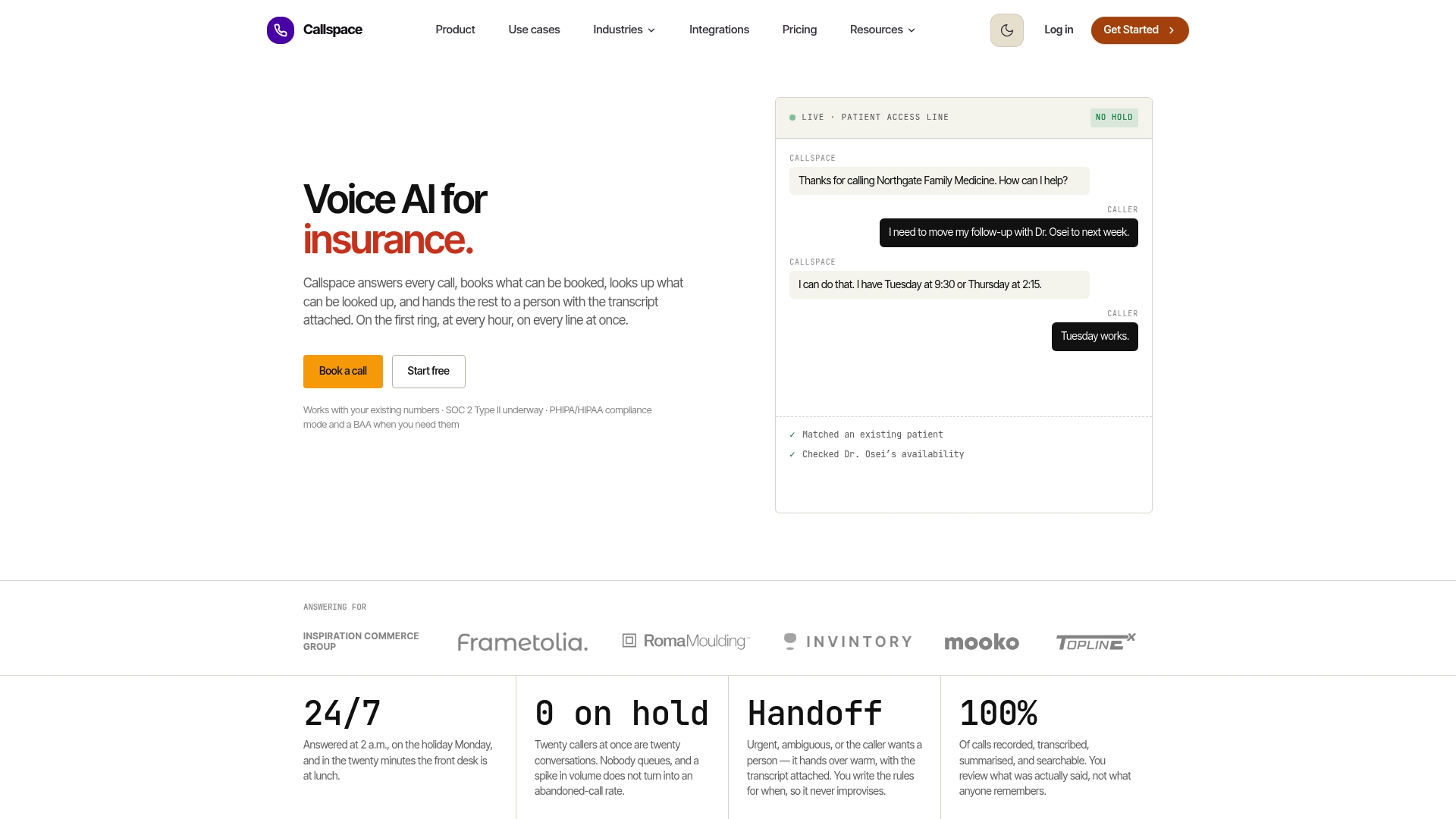
This service supports industries with specific compliance needs, including healthcare and insurance, along with e-commerce order lookups and general customer support lines. Our Basic plan starts at $150 per month, and our Team plan is available for businesses that need broader coverage, with pricing available on request. If scheduling, booking, or order status calls are eating into your team’s day, see our pricing page to find the plan that fits your call volume.
FAQ
Can I set my phone to answer calls automatically?
Yes, most smartphones and business phone systems let you set up automatic answering through built-in voicemail, carrier auto-reply features, or a connected virtual phone assistant. For a business line, pairing this with an AI voice agent lets the system actually handle the conversation rather than just capturing a message.
Is there a free automated phone answering system available?
Basic voicemail-to-email and simple auto-attendant menus are often included free with many phone carriers and virtual number providers. Conversational AI voice agents that can book appointments or look up orders typically require a paid subscription, since they involve more processing and integration work.
Is there an app that automatically answers calls?
Yes, several smartphone apps and carrier features can auto-answer incoming calls, though most only play a message or forward to voicemail rather than holding a real conversation. For a business that needs calls actually resolved, a dedicated automated answering platform with speech recognition and routing does more than a simple auto-answer app.
Can I automate phone calls?
Yes, both inbound answering and some outbound tasks like appointment reminders can be automated using AI voice agents, auto-attendants, or a combination of both. The right setup depends on your call volume and whether callers need a real conversation or just basic routing.
Is call recording for an automated phone system legal for small businesses?
Recording calls is permitted under Canadian privacy law as long as you notify callers at the start of the call, state the purpose, and obtain meaningful consent, per federal guidance. A privacy policy link alone does not meet this requirement, so an automated start-of-call disclosure is the safer standard to follow.
Sources
- Recording of Customer Telephone Calls - Office of the Privacy Commissioner of Canada
- Shopify Order Lookup with CustomGPT.ai API
- Natural language processing - Coursera article