Your AI agent
Transferring calls to a person
Decide when your agent hands a caller to a human, and set up the departments it routes them to.
Updated
Some calls shouldn’t end with an AI. Transfer rules decide which ones get handed to a person, and who that person is.
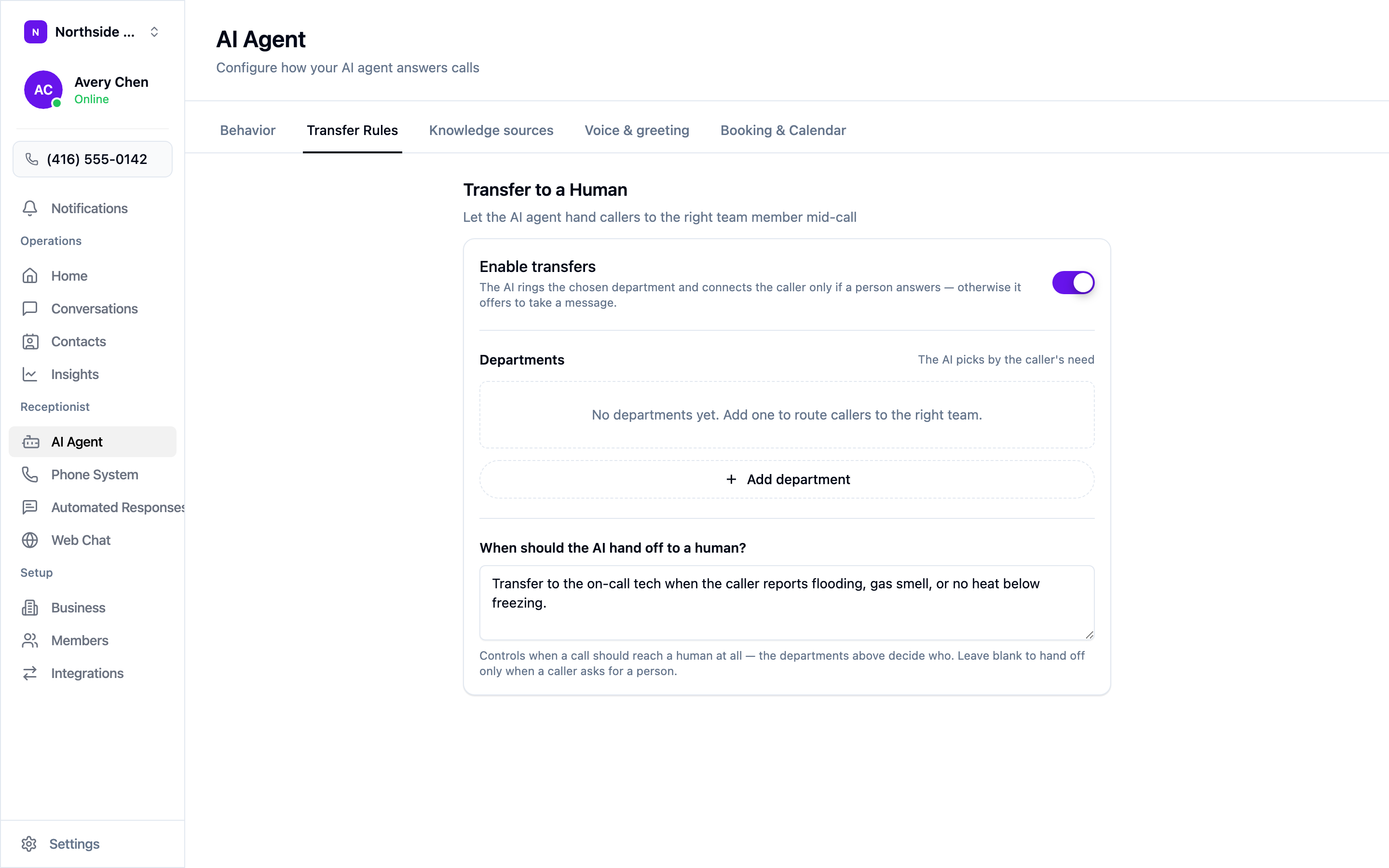
Open AI Agent → Transfer Rules and switch on Enable transfers.
When a transfer is triggered, your agent rings the chosen department and connects the caller only if someone actually answers. If nobody picks up, it offers to take a message instead — so a missed transfer still ends with the caller’s details captured, not a dial tone.
Departments
Departments are the who. Add one per group of people who should receive calls — an on-call technician, a front desk, a service manager — and your agent picks between them based on what the caller needs.
Choose + Add department to create one. Until you add at least one, there’s nowhere for a transfer to go.
When to hand off
The When should the AI hand off to a human? box is the whether. Describe the situations in plain English:
Transfer to the on-call tech when the caller reports flooding, gas smell, or no heat below freezing.
Leave the box blank and your agent only hands off when a caller explicitly asks for a person. That’s a reasonable starting point if you’re not sure — you can tighten it once you’ve heard which calls you’d rather have taken yourself.
Getting the balance right
Transfer too little and urgent callers get a polite booking when they needed a human. Transfer too much and your phone rings as often as it did before you had an agent.
A practical approach:
- Start with explicit requests only — leave the hand-off box blank.
- Listen to a week of calls in the inbox.
- Write a hand-off rule for each call you wish had come through to you.
Safety situations are the usual exception to starting slow. If a gas smell or an active flood is something you’d always want to hear about directly, write that rule on day one.