Your AI agent
Configuring your AI agent
Set the greeting, pick a voice, and fix how your agent pronounces tricky names.
Updated
Everything about how your agent sounds and behaves lives under AI Agent in the sidebar, split across five tabs: Behavior, Transfer Rules, Knowledge sources, Voice & greeting, and Booking & Calendar.
This guide covers the one that shapes how your agent sounds — Voice & greeting, including pronunciation. The others have their own guides: behaviour rules and knowledge sources, transfers, and booking.
The greeting
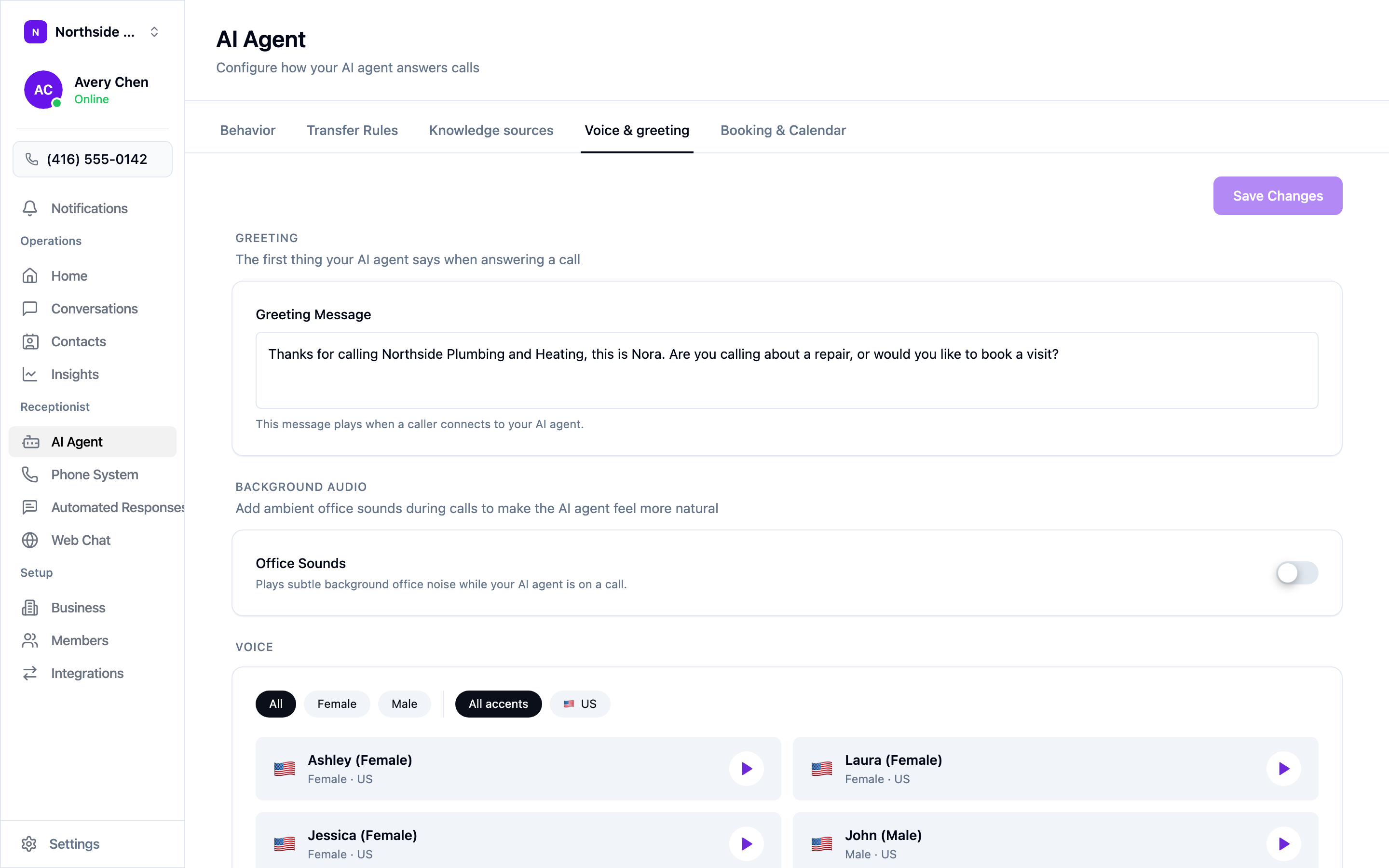
The greeting is the first thing your agent says when it picks up. Keep it to one or two sentences and end with a question — it gives the caller something to answer and gets you to the point of the call faster.
A greeting that works:
Thanks for calling Northside Plumbing and Heating, this is Nora. Are you calling about a repair, or would you like to book a visit?
It names the business, names the agent, and offers two paths. Compare that to “Thank you for calling, how may I direct your call?”, which leaves the caller guessing what they’re allowed to ask for.
Remember to select Save Changes — edits on this tab aren’t saved as you type.
Picking a voice
Under the greeting you’ll find the voice library. Filter by gender and accent, then use the play button on any voice to hear a sample before you commit.
Two things worth knowing:
- Play a few samples with your own greeting text in mind. A voice that sounds warm reading a generic line can sound clipped reading yours.
- Office Sounds, just above the voice list, adds faint background office noise to calls. Some businesses find it makes the agent feel more natural; others prefer the quiet. It’s off by default.
Teaching your agent rules
Voice is only half of it. What your agent actually says — when to treat a call as an emergency, which prices it won’t give out over the phone — is taught on the Behavior tab, in plain English. That’s covered in Teaching your agent about your business.
Fixing pronunciation
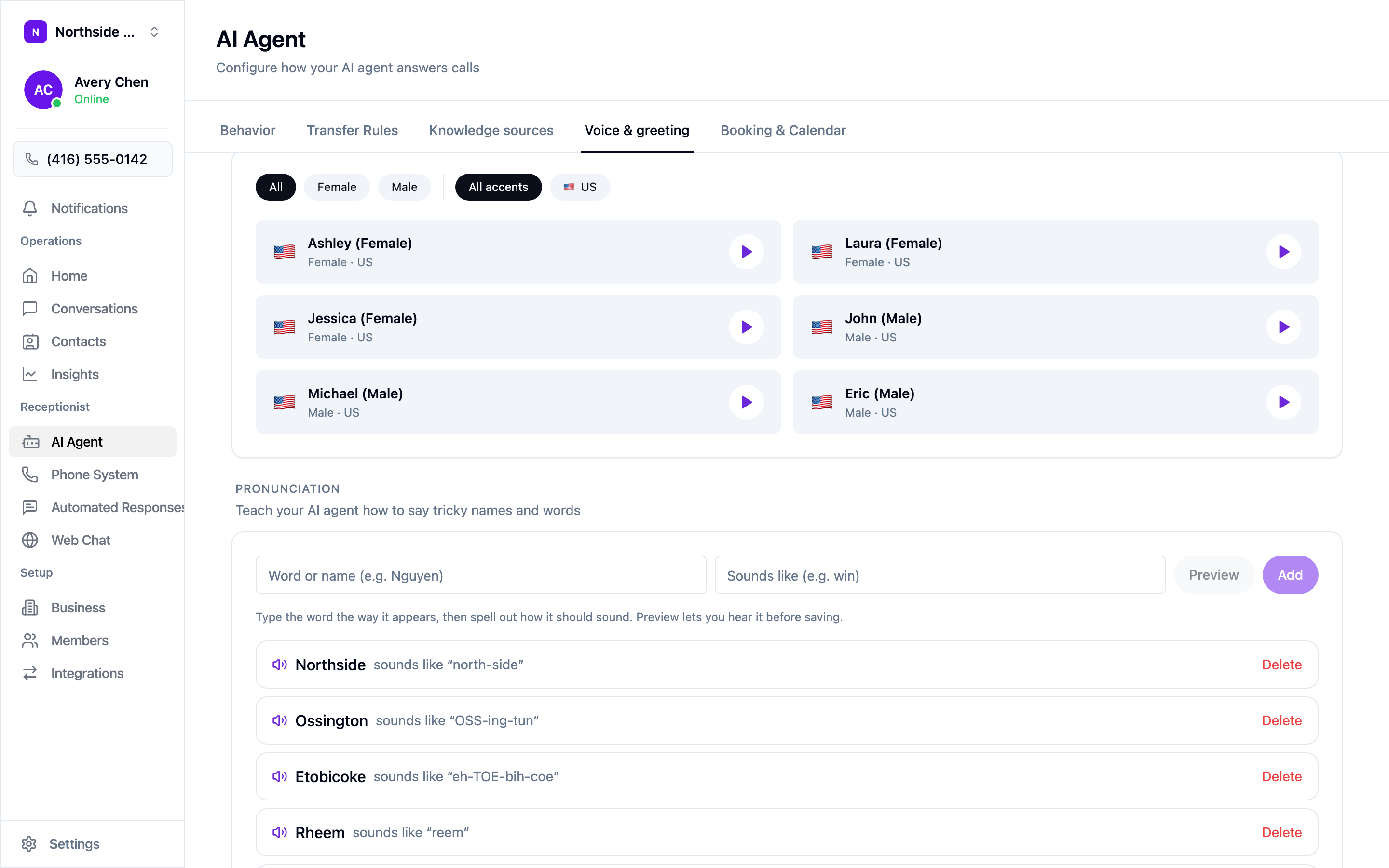
Street names, brand names, and surnames are where a good voice gives itself away. Scroll to the bottom of the Voice & greeting tab to find Pronunciation.
Enter the word as it’s written, then spell out how it should sound, and use Preview to hear it before saving:
| Word | Sounds like |
|---|---|
| Northside | north-side |
| Ossington | OSS-ing-tun |
| Etobicoke | eh-TOE-bih-coe |
| Rheem | reem |
Capitals are a useful hint for the stressed syllable. Add entries as you catch them — the neighbourhoods you serve, the equipment brands you carry, and your own business name if it’s ever mangled.