Calls & messages
Working the inbox
Read call summaries, pick up conversations where your agent left off, and find a caller's history.
Updated
Calls and texts land in the same place. Conversations in the sidebar is one thread per contact, whichever way they got in touch.
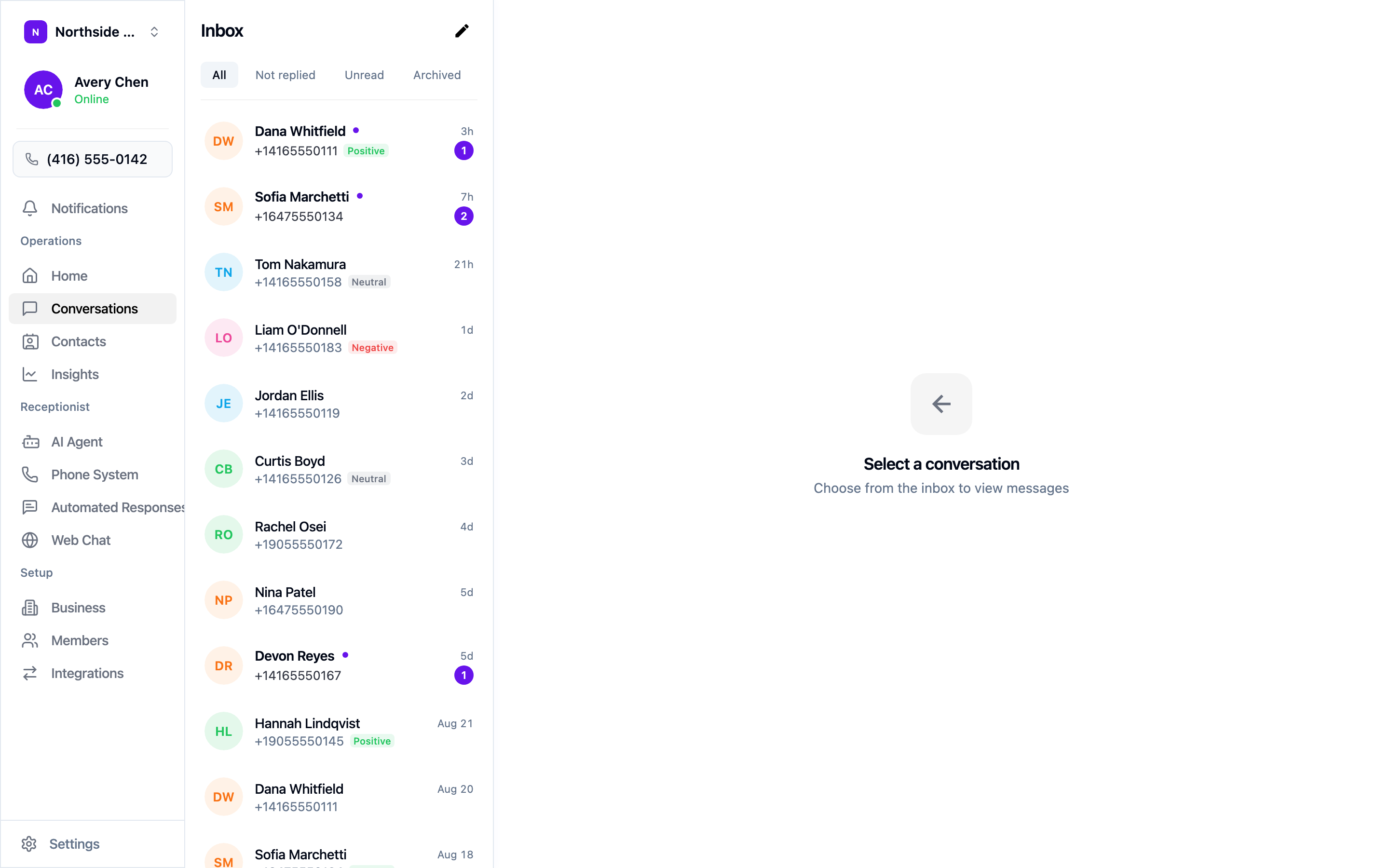
Filter with the tabs across the top — All, Not replied, Unread, and Archived. Not replied is the one to start your day with: it’s the list of people still waiting on a human.
Each row shows a sentiment tag — Positive, Neutral, or Negative — read from how the conversation went. Negative is worth opening first whether or not anyone is waiting on a reply.
Reading a conversation
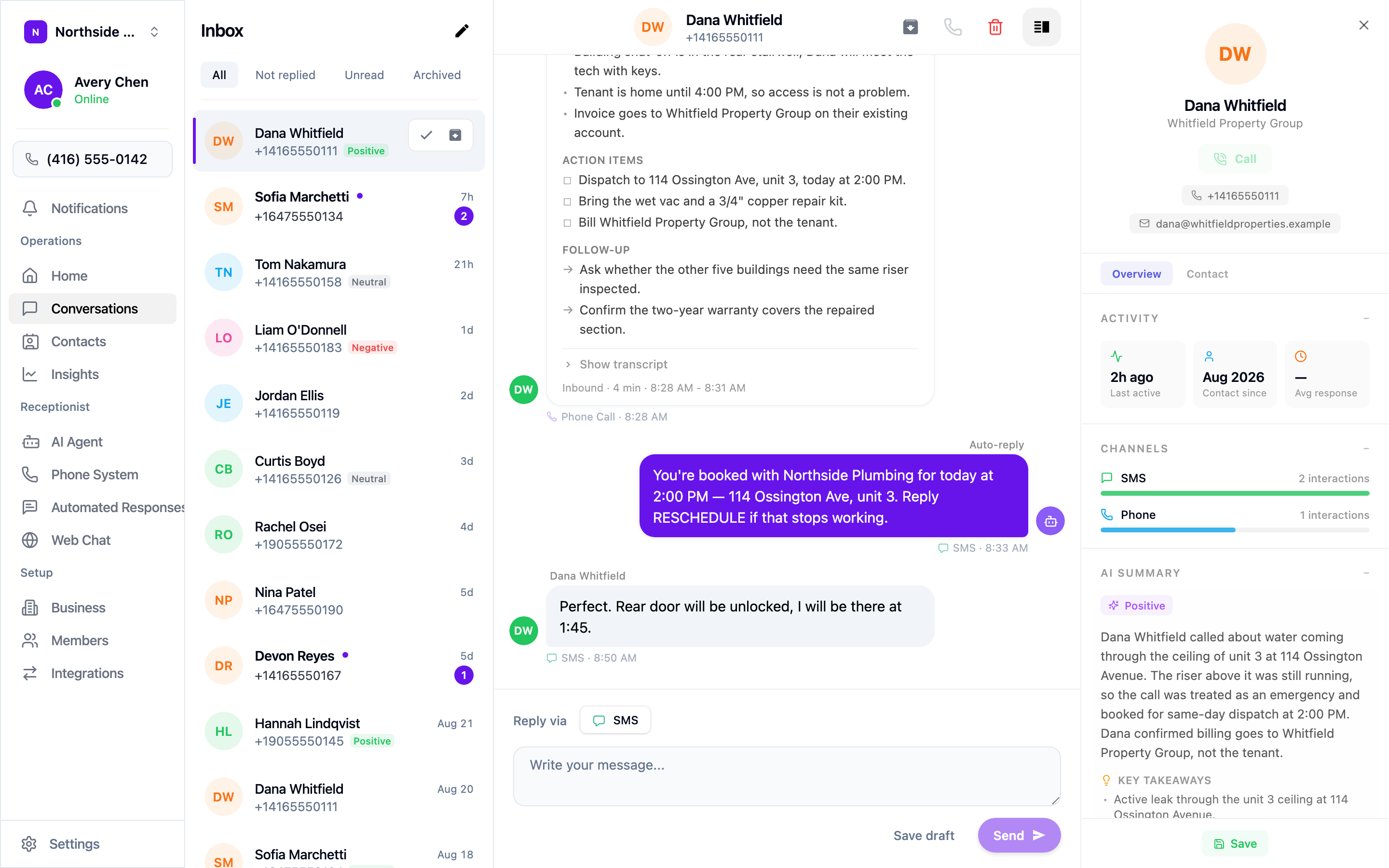
Open a thread and calls appear inline alongside texts, in order.
Each call is summarised rather than dumped on you as a wall of transcript:
- What happened, in a few lines.
- Action items — the concrete things that came out of the call, as a checklist.
- Follow-up — questions worth asking that didn’t come up on the call.
- Show transcript — expands the full word-for-word record when you need it.
Below the summary you can reply by SMS in the same thread. Write and Send, or use Save draft if you want a colleague to look first.
The contact panel
The panel on the right carries the caller’s details and history: phone number and email, when they were last active, how long they’ve been a contact, and which channels they use. The AI summary and key takeaways repeat here so you can keep them in view while you type.
Contacts
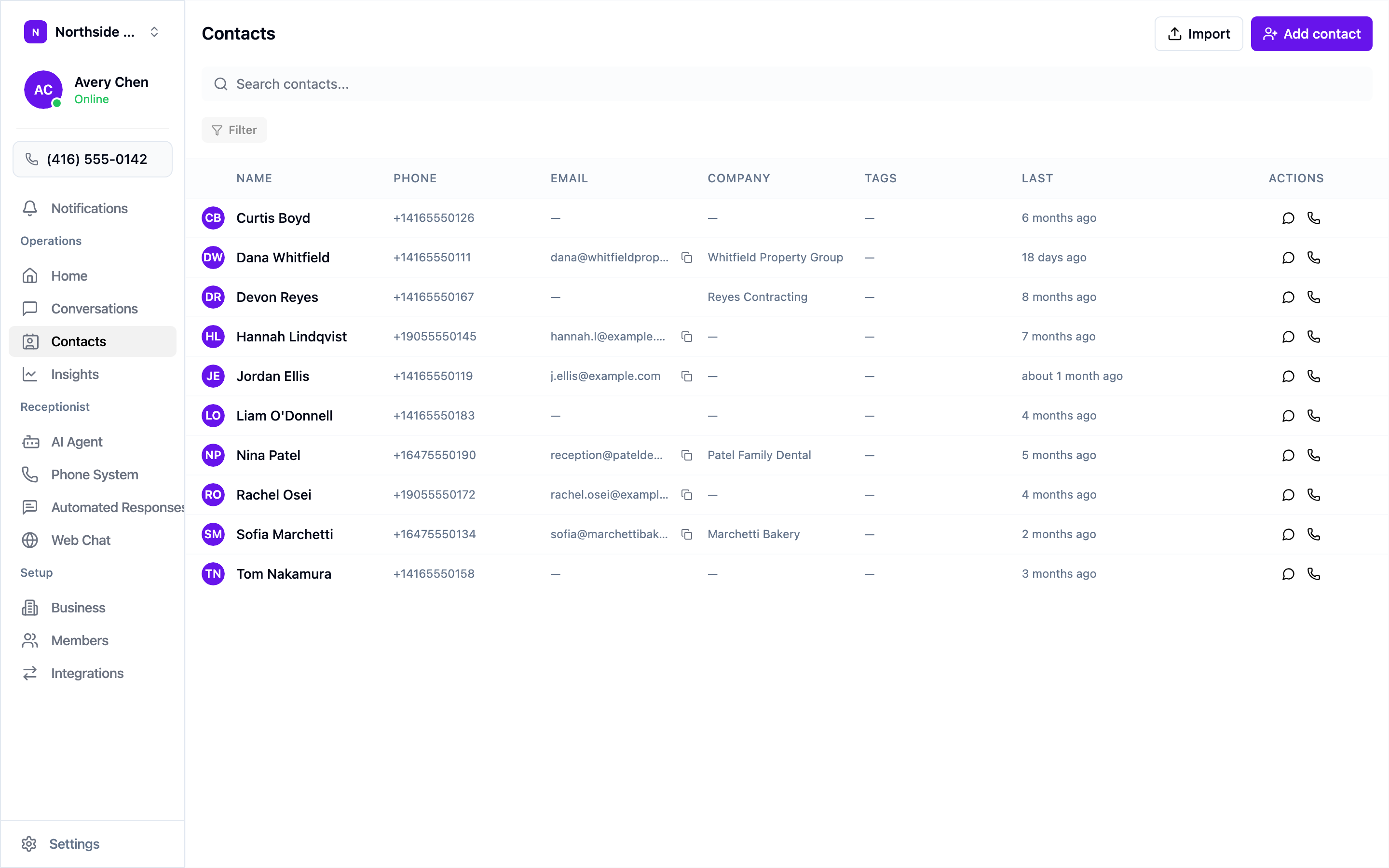
Contacts in the sidebar is the same people, listed rather than threaded, with a search box and filters. Use it when you know who you’re looking for but not when they last called. The icons on each row start a message or a call.
Callers become contacts automatically, so there’s nothing to set up before your agent starts working. If you’d rather bring your existing list across, Import and Add contact are at the top right.
A daily routine
- Open Not replied and clear anything waiting on a person.
- Scan for Negative sentiment and deal with those directly.
- Skim the rest for action items your agent captured but nobody has picked up.
Most of these take under a minute each, because the summary has already done the listening for you.